
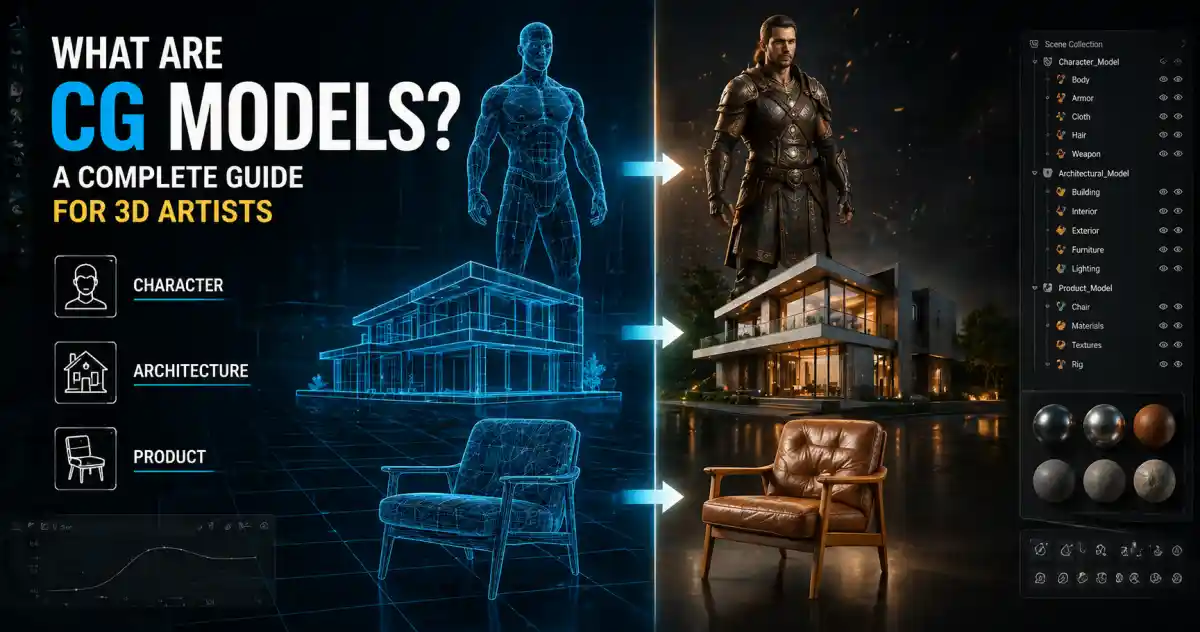
CG models — computer-generated models — are the building blocks of almost every digital visual you see today. Whether it’s a photorealistic chair in an architectural render, a stylized character in a video game, or a product shot that looks good enough to touch, chances are a CG model was involved.
For 3D artists, understanding what makes a good CG model is as important as knowing how to use it. This guide walks through the essentials: what CG models are, how they’re created, where they’re used, and how to choose the right ones for your projects.
What Exactly Is a CG Model?
A CG model is a three-dimensional digital representation of an object or surface, created using specialized 3D software. The model itself is made up of vertices, edges, and faces — collectively known as geometry. The quality and complexity of that geometry can vary wildly depending on the intended use.
Models can be as simple as a primitive cube or as intricate as a high-end sports car with millions of polygons. They can be organic, like a human face, or hard-surface, like a mechanical part. CG models typically exist without color or material information in their raw form; textures, shaders, and lighting are applied later to give them a finished appearance.
Why do artists use CG models instead of real objects? Because digital assets can be duplicated, scaled, modified, and rendered instantly — without needing a physical prototype. This flexibility is why CG models are everywhere in design and entertainment.
Who Makes CG Models — and How?
Creating CG models is a skill that blends art with technical know-how. Artists use tools like Blender, 3ds Max, Maya, Cinema 4D, and ZBrush to sculpt, retopologize, and texture geometry. The workflow usually starts with a blockout — a rough approximation of the shape — then moves into detailing, UV mapping, and texturing.
For real-time applications like games, polygon counts must stay low enough for the engine to handle smoothly. For film or visualization, artists can push much higher detail because render time isn’t as constrained. That’s why you’ll often see separate versions of the same model: a high-poly version for final renders and a low-poly version for previews or real-time use.
What Exactly Is a CG Model?
Alt text: What Exactly Is a CG Model? - supporting visual
Where CG Models Are Used
Film and animation rely heavily on CG models for characters, environments, props, and visual effects. Even live-action movies use digital doubles and set extensions. Game development uses optimized CG models for everything from player characters to background foliage. In both fields, the quality of the model directly affects how immersive the final product feels.
Architecture and interior design have embraced CG models for client presentations. A render of a building or room with realistic furniture, lighting, and materials helps clients visualize a space before it’s built. Architects use CG models not just for marketing beauty shots, but also for early-stage design studies.
Product visualization is another massive application. E-commerce brands, furniture makers, and consumer goods companies use CG models to create photorealistic product shots without expensive photoshoots. A single model can be rendered from multiple angles, in different colors, or in various environments.
Engineering and simulation round out the list, where CG models serve as digital twins for testing aerodynamics, ergonomics, or assembly processes — all without physical prototypes.
How to Evaluate the Quality of a CG Model
Not all CG models are created equal. When you’re browsing a marketplace or downloading free assets, here are a few things to check:
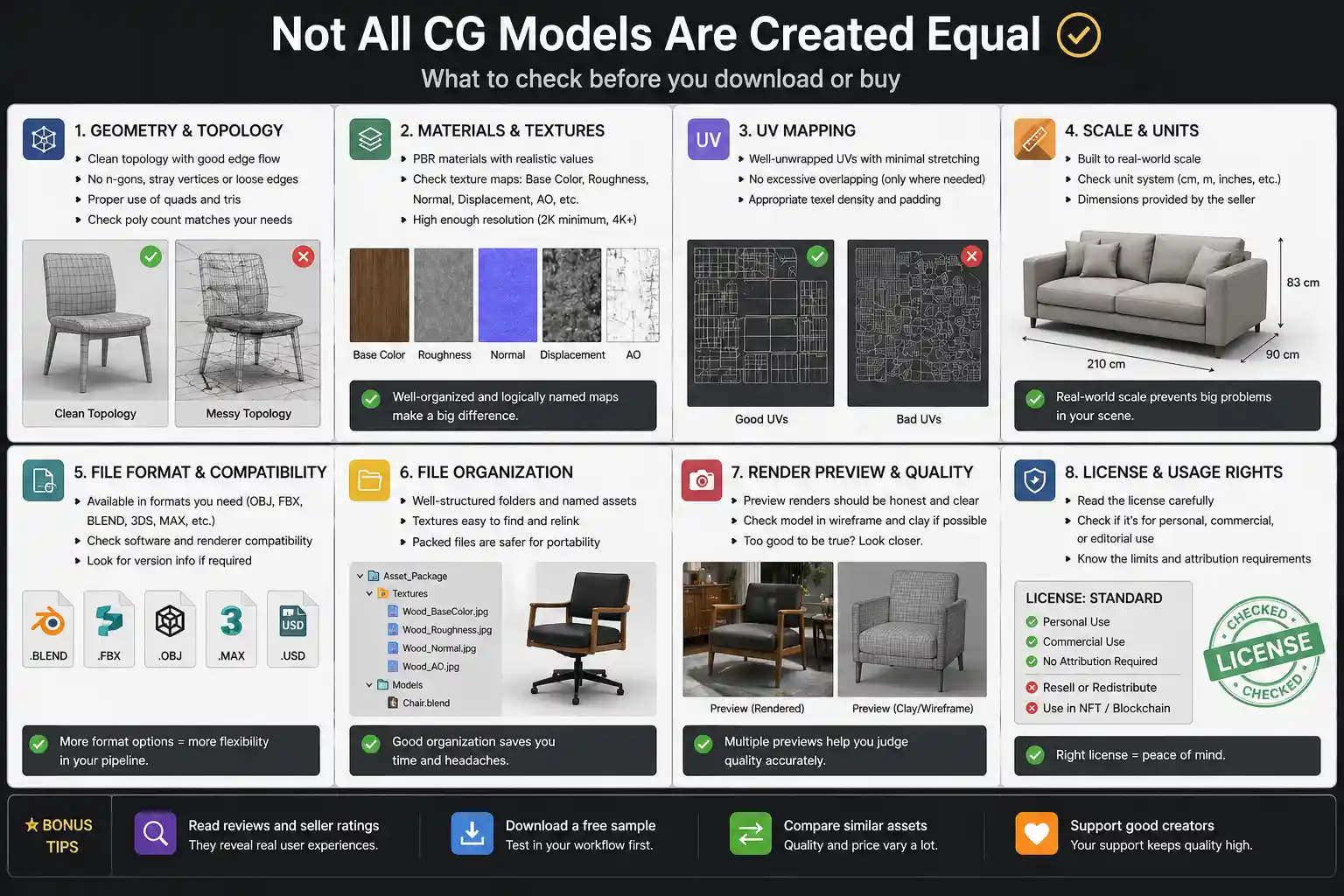
Polygon count and topology. Clean, efficient topology (the flow of edges and faces) is vital for deformable objects characters, creatures or anything that needs to bend. For static objects, topology matters less, but messy geometry can cause problems during texturing or rendering.
UV mapping and texture resolution. Well-unwrapped UVs allow textures to display properly. If the model has stretched or overlapping UVs, texturing becomes a nightmare. Look for models that include multiple texture sets if they’re high-detail.
Real-world scale. A chair model that’s 10 units tall in Blender might be the wrong size when imported into your scene. The best models are built to real-world scale, or at least include clear size information.
Format compatibility. Some models work well in Maya but break in Blender. Check whether the download includes common formats like FBX, OBJ, or GLTF. If you’re working in a specific engine like Unreal or Unity, confirm support for those formats.
Licensing. This is often overlooked. Always read the license terms before using a model, especially for commercial work. Websites like Relebook offer both free and paid resources, and the license details are usually on each product page. Make a habit of reviewing them.
Building a Smart CG Model Library
Most 3D artists end up collecting hundreds or thousands of models over time. But hoarding files isn’t the same as building a useful library. The key is to choose models that are versatile, well-made, and likely to be reused across projects.
A good starting point is to focus on base models: chairs, tables, simple vehicles, trees, rocks, generic humans. These can be textured or modified to fit different styles. For specialists in interior design, that might mean a library of furniture and decor. For game artists, it could be modular environment pieces like walls, floors, and props.
Platforms like Relebook serve as a convenient place to discover and download curated 3D assets. You can find CG models grouped by category — architecture, interiors, nature, transport — and often alongside matching textures and HDRIs. While availability, licensing, and pricing vary per asset, the site lets you search and preview before downloading. It’s worth bookmarking for artists who regularly need new content.
When adding a model to your own library, rename it clearly and organize it by category. Store the texture files alongside the geometry so you don’t have to relink them later.
Free vs. Paid CG Models: What to Expect
The internet is full of free CG models, but they come with trade-offs. Free assets often have lower polygon counts, generic textures, or limited licences that restrict commercial use. That said, many talented creators release high-quality free models for portfolio building or personal projects.
Paid models typically offer better build quality, higher-resolution textures, PBR materials, and more generous licensing. They also save time: instead of spending hours modeling and texturing a complex object, you can buy it for a few dollars and focus on the creative parts of your project.
Some platforms offer a mix — free downloads for a limited selection, and paid options for premium packs. Relebook, for instance, has both free and paid resources. As with any asset site, check the individual product page for format, license, and download details before committing.
Incorporating CG Models Into Your Workflow
Once you have a model, the next step is bringing it into your scene. Here’s a typical workflow:
1. Import and check scale. Load the model and confirm dimensions match your scene units. If it’s off, scale it before applying any animations or physics.
2. Assign materials. Apply your own shaders or use the ones provided. If the model comes with PBR textures, they should plug directly into a standard material setup in Blender, Unreal, or whatever you use.
3. Light and render. Lighting can make or break a model. Even the best CG model will look flat under poor lighting. Use HDRIs for realistic ambient lighting; many platforms, including Relebook, offer HDRI packs that pair well with their models.
4. Tweak and iterate. Don’t be afraid to adjust UVs, add wear and tear, or combine models to create new objects. The mark of a good artist is taking an existing asset and making it feel like your own.
Final Thoughts
CG models are the raw materials of 3D art. Understanding them — how they’re built, where they shine, and what separates a good one from a bad one — makes you a more efficient and effective artist. Whether you model everything from scratch or buy pre-made assets to speed up production, the quality of your output depends on the quality of your inputs.
Take time to evaluate models before downloading. Keep your library organized. Don’t overlook licensing. And when you need a reliable place to explore 3D assets, platforms like Relebook are worth a visit. With a little curation, you’ll build a collection that serves your work for years.
FAQ
What is the difference between CG models and 3D models?
There is no meaningful difference. CG stands for computer-generated, so a CG model is simply a 3D model created using computer graphics. The terms are used interchangeably in most contexts.
Can I use free CG models from the internet for commercial work?
It depends on the license. Some free models are released under Creative Commons or permissive licenses that allow commercial use, while others explicitly forbid it. Always check the license on the product page before using a model in a paid project.
What file formats are best for CG models?
Commonly used formats include FBX, OBJ, GLTF, and BLEND. FBX is widely supported across DCC tools and game engines. OBJ is simple and universal. For Blender users, .blend files preserve materials and modifiers. Choose based on your software and pipeline.
How many polygons should a good CG model have?
It depends on the use case. For a real-time game character, 10k–50k triangles is common. For a hero prop in a film, you might go up to millions. The goal is to use only as many polygons as needed — more detail doesn’t always mean better, especially if it slows performance.
Where can I find high-quality CG models for interior design?
Platforms like Relebook offer curated collections of 3D assets for architecture and interiors. Many also provide matching textures and HDRIs. Always preview the model and check format compatibility with your software like Blender, 3ds Max, or SketchUp.