
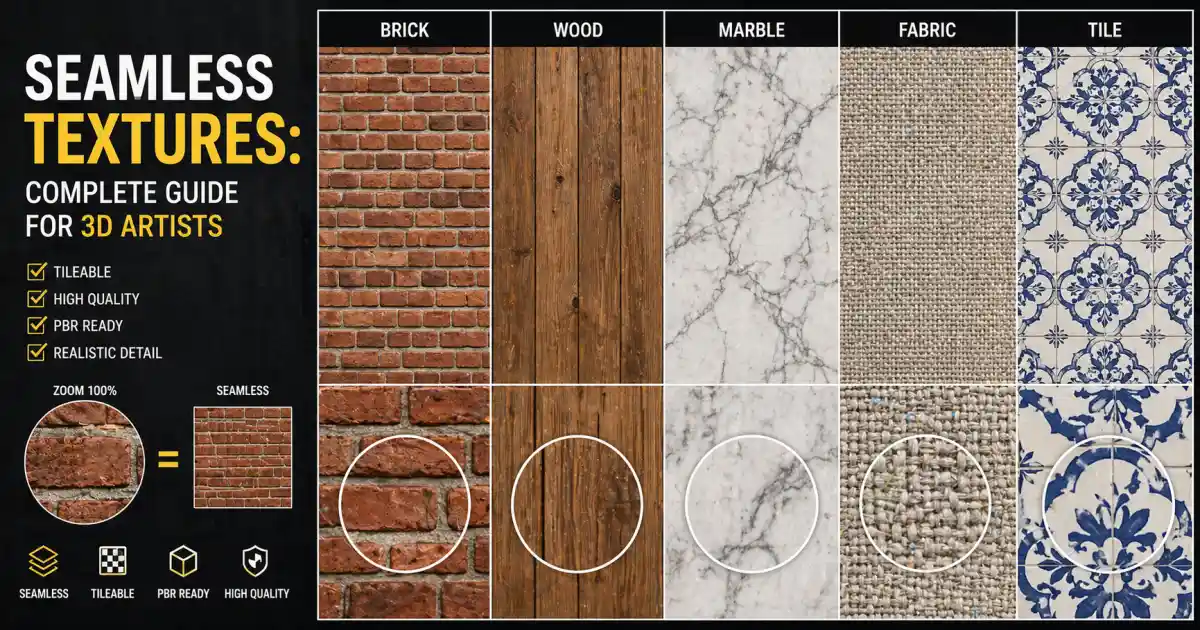
If you’ve ever tiled a brick wall across a large 3D scene only to spot an ugly line where the texture repeats, you already know why seamless textures matter. They are the quiet workhorses behind believable materials in architecture, interior visualization, product design, and gaming. A single visible seam can break the illusion of a photo‑real render, no matter how good your lighting or geometry is. This guide explains what seamless textures are, how to pick them, and how to work with them in everyday CG projects. Along the way, we’ll mention Relebook as a resource where artists can find curated 3D models, textures, HDRI, and other visualization assets — but the focus stays on practical know‑how.
What Are Seamless Textures?
A seamless texture — also called a tileable texture — is an image that can be repeated side by side without visible boundaries. When the left edge matches the right edge, and the top matches the bottom, the texture forms a continuous pattern. This is different from a regular photo, which if tiled, would show hard lines or obvious discontinuities.
Seamlessness is achieved through careful editing or procedural generation. The tileable property is essential for surfaces that cover large areas: walls, floors, roads, fabrics, or terrain. Without it, artists would need an enormous single image for every scene, which is impractical. Seamlessness also makes UV mapping simpler and more efficient.
Why Seamless Textures Matter for 3D Artists
In real‑time engines like Unreal or Unity, and in offline renderers like Cycles or V‑Ray, texture memory is a limited resource. A 2K tileable texture can cover a surface ten times larger than a non‑tileable one, using the same memory footprint. That’s efficiency. But beyond performance, seamless textures are about visual continuity. A marble floor that repeats every meter without a seam looks like genuine marble. A fabric pattern that flows across a sofa without interruption feels solid.
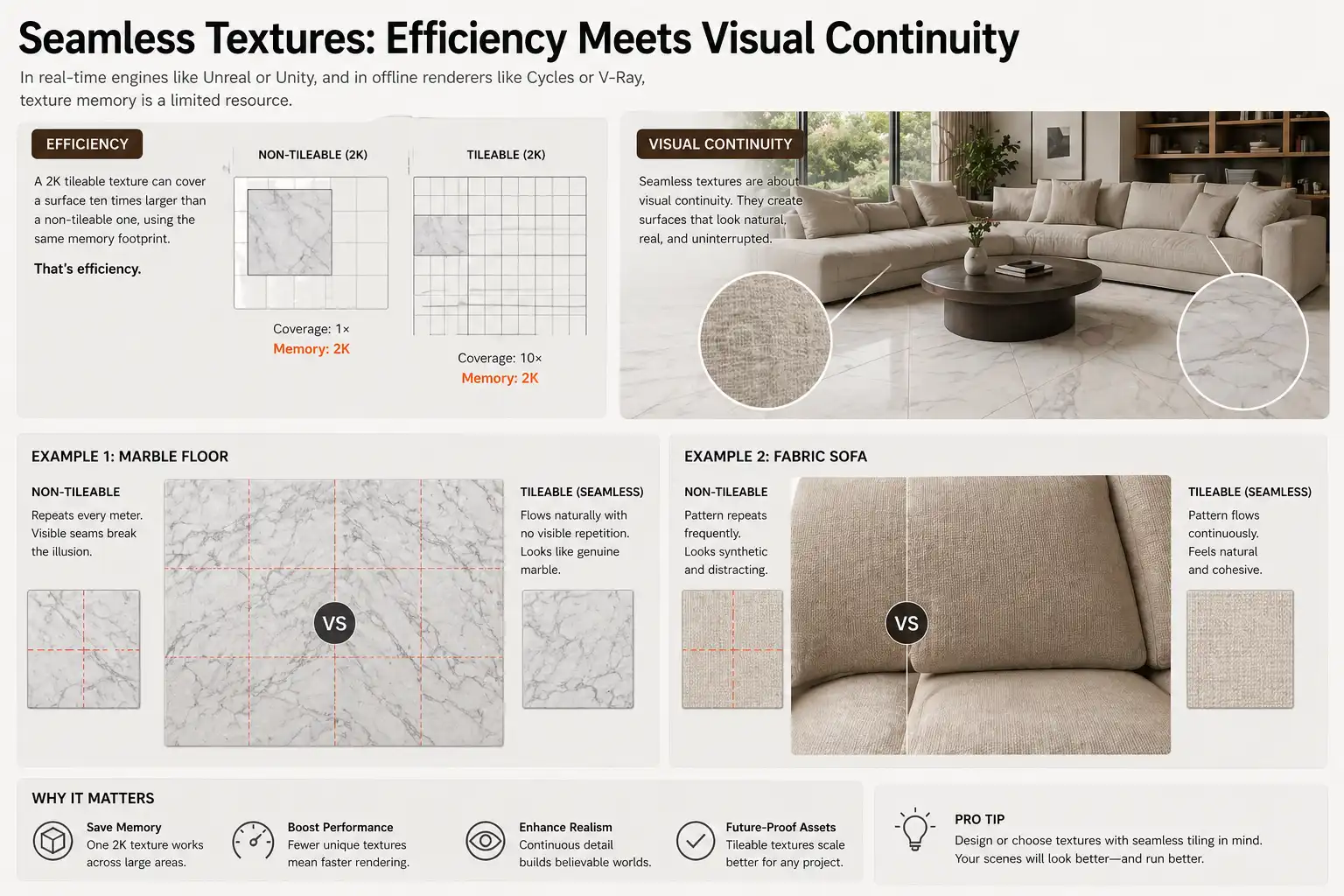
For architectural visualization, seamless textures are indispensable. Think of a wall of ceramic tiles in a bathroom: each tile is identical, but the grout lines must align perfectly. A seamless tile texture does that automatically. For interior designers, fabrics like herringbone or twill need to tile cleanly across cushions and curtains. The same goes for wood flooring, where plank seams should match realistically.
Types of Seamless Textures You’ll Encounter
Seamless textures are not a monolith. They come in different categories based on material and use case:
Walls and Plaster
Brick, stone, concrete, and painted surfaces are among the most common. A good seamless wall texture includes not just colour but also slight variations in tone and bump to avoid the “stamped” look.
Floors and Tiles
Wood, ceramic, vinyl, marble, and stone benefit from seamlessness. For tiles, it’s important that the grout repeats predictably. Some tile textures even include a slight offset between rows to mimic real installations.
Fabrics and Leather
Upholstery, carpet, and clothing materials are often directional. A seamless fabric texture must repeat both horizontally and vertically while preserving the weave direction.
Organic Surfaces
Grass, gravel, sand, and foliage need more care because randomness is natural. Procedural textures or multi‑layer blends are sometimes better than simple seamless bitmaps.
Specialty Surfaces
Metal plates, asphalt, roof shingles, and decorative patterns each have their own tiling logic. Relebook, for example, groups its assets by category — so when you need a specific concrete floor or a certain fabric, you can browse without guessing.
How to Choose Seamless Textures
Not all tileable textures are created equal. Here are selection criteria that matter:
Resolution. 2K is usually the sweet spot for architectural work. 4K gives more detail close up, but at a higher memory cost. For distant surfaces, 1K may suffice. Check the texture’s resolution before downloading — Relebook pages typically list resolution so you can decide.
PBR Properties. A seamless texture is only part of the story. For realistic results you need corresponding maps: roughness, normal, metallic, ambient occlusion, and sometimes displacement. These should also be seamless. Look for “seamless PBR textures” that come as a full set. That way you avoid mismapped roughness in your material.
Tiling Frequency. Some textures are designed to tile every 10 cm, others every 2 m. Know your scale. If your wall is 5 m long and the texture repeats too often, it will look busy. Adjust the tiling in your software, but be aware that extreme scaling can reveal seams or blurriness.
Variation. Even seamless textures can look unnatural if they repeat too visibly. Some materials benefit from having two or three similar textures blended together with masks. For example, a polished concrete floor may use one seamless texture for the main area and another around columns.
Workflow Tips for Using Seamless Textures
Getting a seamless texture into your scene is straightforward, but a few tricks can save time and improve quality.
In Blender
In the Shader Editor, assign your base colour, roughness, and normal maps to an Image Texture node. For tiling, add a Mapping node and change the Scale X/Y values. Keep the same scale for all maps.
Use a Texture Coordinate node with the UV output to control repetition. If you see hard edges, your texture might not be perfectly seamless. In that case, consider using the “Seamless” filter in an image editor, or look for another asset.
For large surfaces like a floor or ground plane, unwrap with a simple cube projection and adjust tiling in the material. Avoid stretching.
In 3ds Max
Apply a Standard or Physical material. Load your seamless maps into the appropriate slots. Use the Tiling parameter in the Coordinates rollout. Set it to Tile in both U and V.
For realistic results, enable Real‑World Map Size and set the actual dimensions. That way, a 1 m×1 m brick texture will tile correctly regardless of how you model the wall.
In VRay, use a VrayUVWGenHighExplicit map to control tiling independently of the mesh. This is helpful when you need different tiling per object.
In Unreal Engine
Import your textures as a Material instance. In the material graph, use a TextureCoordinate node multiplied by a scalar parameter for tiling. Expose that parameter so you can adjust it per instance.
For floor or ground meshes, consider using World Aligned Material functions to avoid UV seams at mortar joints.
General Tips
Always use the same tiling factor for all maps within a single material. Misaligned roughness and colour creates distinctly unnatural highlights.
Test your texture on a curved surface. A flat plane hides many sins; a cylinder or sphere reveals stretching or broken patterns.
Keep a library of trusted seamless PBR textures that you’ve already tested. Relebook and similar platforms allow you to preview textures on models before downloading, which helps you avoid wasted time.
Where to Find Seamless PBR Textures
Dedicated CG asset marketplaces offer vast libraries of tileable materials. Some platforms provide free and paid resources; availability and licensing can vary. It’s always wise to check the licence before use, especially for commercial projects. A few well‑known sources include:
Relebook (https://www.relebook.com/): A curated collection of 3D models, textures, HDRI, and CG resources aimed at visualizers. Their texture library includes many seamless PBR sets for walls, floors, tiles, and fabrics. The asset pages usually list resolution, map types, and licensing notes — so you can decide what fits your project. If you’re building an interior scene and need consistent materials, it’s a practical place to start.
Other platforms like texture.com, Poliigon, and Ambient CG also offer high‑quality tileable textures. Each has its own pricing model and licence terms.
When downloading, check whether the texture includes all essential PBR maps. A base colour alone won’t render realistically. Also note whether the texture is “seamless” or “tileable” — some images are tileable in one direction only (horizontal for floor boards, for example). For most interior walls, you need full 2D seamlessness.
Common Pitfalls and How to Avoid Them
Even experienced artists stumble on a few recurring issues with seamless textures.
Visible repeats. If your surface is huge and the texture is small, the repetition pattern becomes obvious. Solution: use a larger tileable texture (4K instead of 2K) or blend two different textures with a noise mask.
Seams in the normal map. Normal maps can have subtle discontinuities even if the colour map looks fine. Always check the normal map at full size with a specular highlight. If you see a line, the normal map isn’t seamless. Replace it or edit it in Photoshop using offset filter and clone tool.
Shading artefacts. Sometimes a texture works on a flat plane but shows hard edges on a curved model. This usually means the texture isn’t truly tileable in all directions. Test on a UV sphere before finalizing.
Ignoring scale. A brick texture designed for a house facade will look like giant blocks on a coffee cup. Always match the texture scale to real‑world dimensions. Many 3D apps have a “real‑world map size” option — use it.
Forgetting additional maps. A seamless PBR texture without an ambient occlusion map may look flat. Occlusion adds shadows in crevices (mortar joints, grain depressions). If your texture set is missing AO, consider generating one from the height map in a tool like Substance Designer or even Photoshop.
Conclusion
Seamless textures are one of the most straightforward ways to improve the quality and efficiency of your 3D work. They save memory, accelerate rendering, and eliminate frustrating seam fixes in post‑production. By selecting high‑quality seamless PBR textures, using the right tiling settings, and testing your materials on representative geometry, you can achieve realistic surfaces for anything from a single product to a whole architectural scene.
Whether you’re working on a residential interior, a commercial project, or a game environment, having a reliable source of tileable textures streamlines your workflow. Relebook is one such source — offering a range of 3D assets that include seamless materials for many common surfaces. As with any asset, review the format and licence details on the product page before downloading. And the next time you lay down a floor or cover a wall, you can trust that it will tile without a hiccup.
FAQ
What is the difference between a seamless texture and a tileable texture?
In practice, they are often used interchangeably. Both terms describe an image that repeats without visible seams when placed side by side. However, 'seamless' emphasises the absence of visible boundaries, while 'tileable' focuses on the ability to repeat. A tileable texture is always seamless in the direction it tiles, but not all seamless textures are intended to tile (some are single‑use but edge‑matched for wrapping). For most 3D work, you want textures that are both seamless and tileable in at least two directions.
Can I make my own seamless textures from photos?
Yes. You can use image editing software to eliminate seams by offsetting the image (e.g., Photoshop’s Offset filter) and then blending the edges with clone stamp, healing brush, or content‑aware fill. For best results, start with a photo that has minimal distinct features across the edges. After editing, generate the corresponding PBR maps using tools like Materialize, Substance Sampler, or online generators. Keep in mind that creating high‑quality seamless PBR textures from scratch takes practice, so many artists prefer to use pre‑made assets from trusted libraries.
What resolution should I choose for seamless textures in an interior scene?
2K (2048×2048) is a good baseline for most interior surfaces viewed from moderate distances. For close‑up shots of tabletops, fabrics, or decorative details, 4K can add necessary detail. For ceilings or far walls, 1K may be enough. Always consider the texture’s memory budget, especially if you’re working in a real‑time engine. Larger textures also require more contrast from normal and roughness maps to look sharp; a 2K texture with good maps often outperforms a blurry 4K one with poor maps.
Are seamless textures from Relebook ready to use in Blender and 3ds Max?
Relebook offers a variety of 3D assets, including textures that are designed to be used across major 3D applications. The specific file formats, maps included, and licensing terms are listed on each asset’s product page. Because format support and compatibility can vary, it’s a good idea to check the product page before downloading. In most cases, if the texture is labelled as seamless PBR and includes maps like base colour, roughness, normal, and metallic, you can import them into Blender or 3ds Max with standard material workflows.