
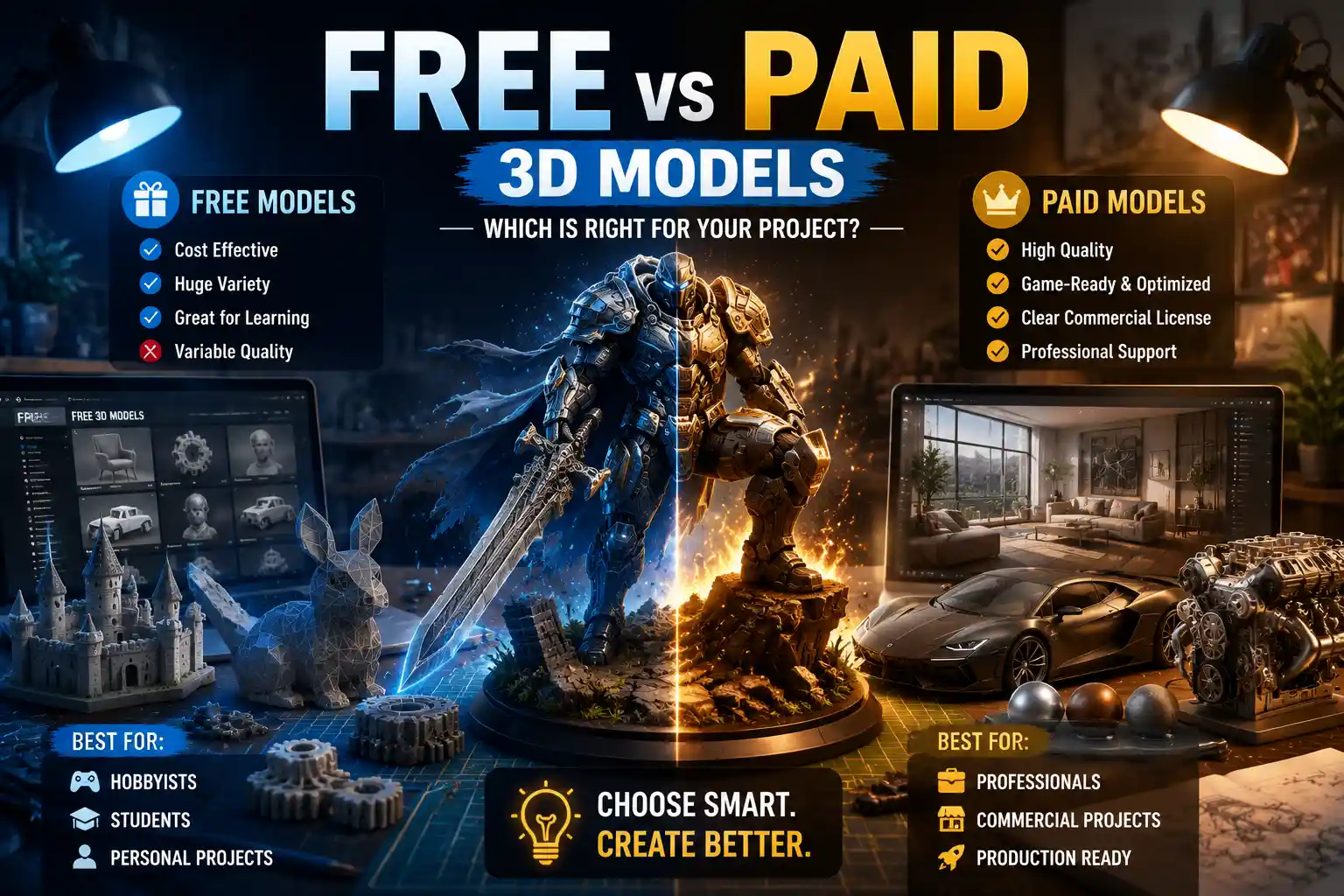
Whether you’re a hobbyist 3D printing a custom coffee mug holder, a game developer building an open-world environment, or an industrial designer prototyping a new consumer product, 3D models are the foundation of your work. The first question most creators ask when starting a new project is: should I download a free 3D model or invest in a paid asset? The answer isn’t as simple as “you get what you pay for.” Both free and paid 3D models serve critical roles in modern 3D workflows, and understanding their strengths, limitations, and ideal use cases can save you hours of frustration, hundreds of dollars, and even legal trouble down the line. This guide breaks down everything you need to know to choose the right option for your next project.
What to Expect From Free 3D Models
Free 3D models have exploded in popularity over the last decade, driven by massive online communities of creators sharing work for personal, educational, and even limited commercial use. Platforms like Sketchfab, Thingiverse, TurboSquid’s free section, and MyMiniFactory host millions of free assets, ranging from simple decorative objects to complex character rigs. For new creators working on hobby projects or tight budgets, free models are an accessible starting point—but they come with inherent tradeoffs that are important to understand before you hit download.
Key Advantages of Free 3D Models
The biggest benefit of free 3D models is obvious: they cost nothing upfront. This makes them ideal for new creators who are still learning the basics of 3D modeling, texturing, or 3D printing, and don’t want to invest money into assets they might only use once. For one-off personal projects—like printing a custom keychain for a friend, or creating a background prop for a student film—free assets eliminate unnecessary cost barriers.
Free 3D model libraries also offer unmatched variety for niche use cases. The 3D printing community, for example, has built a massive shared library of custom parts for everything from retro video game console modifications to medical assistive devices that you’d never find available for purchase commercially. Independent creators often share one-of-a-kind assets out of passion for their hobby, filling gaps that paid marketplaces have no incentive to cover.
Finally, many free models allow you to modify and adapt them to your needs, with permissive licenses that encourage experimentation. This is a huge benefit for creators learning the ropes: you can take a base model, adjust its proportions, retexture it, and practice your editing skills without risking your investment.
Common Limitations of Free 3D Models
The most widespread issue with free 3D models is inconsistent quality. Unlike paid marketplaces that often vet assets before they go live, most free platforms allow anyone to upload work, regardless of skill level. You might download a model that looks great in preview images only to find it has non-manifold geometry that breaks your 3D printer, missing texture files, or incorrect scale that requires hours of rework to fix.
Legal ambiguity is another major risk. Many free 3D models are uploaded without the original creator’s permission, or are shared with unclear license terms. If you use an unlicensed free model in a commercial project, you could end up facing a copyright takedown notice, a lawsuit, or lost revenue. Even permissive licenses like Creative Commons often have restrictions—for example, requiring attribution, or prohibiting commercial use entirely—that many creators miss when quickly downloading an asset.
Free models also rarely come with the level of detail or flexibility that professional projects require. A free character model might have a diffuse texture, but it likely won’t include PBR maps, rigging for animation, or multiple LOD (level of detail) versions that are required for game development. Industrial designers using free models for prototyping often find that the mesh doesn’t have the precise measurements needed for functional parts, leading to failed prints or ill-fitting components.
What to Expect From Paid 3D Models
Paid 3D models range in price from $1 for a simple prop to hundreds of dollars for a fully rigged, high-poly character ready for a AAA game. Marketplaces like TurboSquid, CGTrader, ArtStation Marketplace, and Hum3D curate millions of paid assets from professional creators, with options for every industry from architectural visualization to VFX. While the upfront cost is higher than free alternatives, paid models offer consistent benefits that make them a worthwhile investment for many projects.
Key Advantages of Paid 3D Models
The biggest advantage of paid 3D models is consistent, professional-grade quality. Most reputable paid marketplaces have a review process that checks for common issues like broken geometry, missing files, or incorrect scaling before an asset is listed. Many professional 3D artists make a full-time income creating assets, so they have a strong incentive to deliver work that meets industry standards. A paid architectural model of a sofa, for example, will almost always include accurate dimensions, PBR textures, and multiple file formats compatible with popular tools like Blender, 3ds Max, or SketchUp.
Paid models also come with clear, commercially safe licensing. When you purchase a 3D model from a reputable marketplace, you get a written license that outlines exactly what you can and can’t do with the asset. Most standard commercial licenses allow you to use the model in games, advertisements, films, or products you sell, with built-in protection from copyright claims. For commercial projects, this legal peace of mind alone is often worth the cost of the asset.
Another major benefit is the level of completeness and flexibility paid models offer. A paid character model for a game will typically include full rigging for movement, blend shapes for facial expressions, multiple texture variations, and LODs optimized for different hardware. A paid 3D model for 3D printing will already be error-checked, oriented for print, and split into parts if needed to fit on your printer’s build plate. This saves creators hours of work fixing and preparing the model, which translates to lower labor costs for professional studios.
Finally, most paid creators offer support for their assets. If you download a paid model and find a missing file or a geometry error, you can contact the creator or the marketplace to get a fix, something that’s almost never possible with free models uploaded by random community members.
Common Limitations of Paid 3D Models
The most obvious downside of paid 3D models is the upfront cost. For hobbyists, students, or creators working on a non-commercial project with no budget, even $10-$20 per asset can add up quickly if you need dozens of models for a single project. For one-off experiments or personal projects that will never be monetized, that cost is often hard to justify.
Paid marketplaces also tend to overlook extremely niche use cases that are only relevant to a small number of creators. If you need a 3D model of a specific 1970s portable radio model for a personal 3D print, or a custom mount for a rare piece of electronics, you’re far more likely to find it for free in a community library than you are to find it available for purchase. There simply isn’t enough demand for these niche assets for professional creators to invest time in making and selling them.
It’s also possible to over-rely on paid assets, which can stunt the growth of new 3D creators. If you never practice modeling from scratch because you always buy pre-made assets, you may never develop the skills needed to create custom assets that fit your unique vision. For students and new professionals, building core modeling skills is far more important than saving time on a single project.
Key Factors to Choose Between Free and Paid 3D Models
Choosing between free and paid 3D models isn’t a matter of one being universally better than the other—it depends on the specific details of your project, your skills, and your goals. Below are the most important factors to consider when making your decision, with practical guidelines to help you choose.
1. Project Type and Commercial Use
The first question you should ask is whether your project is personal or commercial. If you’re creating something for your own use—like 3D printing a custom shelf for your home, or building a fan mod for a game you play for fun—free models are almost always the best choice. The savings outweigh any potential quality issues, and you don’t have to worry about legal risks from copyright claims.
If you’re creating a commercial project that will generate revenue—whether that’s a video game for sale, an advertisement for a brand, a 3D printed product you plan to sell on Etsy, or architectural renderings for a client—licensing clarity and quality become non-negotiable. In most cases, a paid model with a clear commercial license is worth the investment to avoid legal trouble and deliver a professional final product.
2. Your Budget and Timeline
Budget is another obvious but critical factor. If you have a zero or very limited budget, free models are your only option—just be sure to double-check the license terms to confirm you can use them for your intended purpose. If you do have a budget, weigh the cost of the paid model against the time you’d spend fixing a free model. For professional creators, time is money: if a $20 model saves you 4 hours of fixing broken geometry, that’s a far better deal than downloading a free model that costs you hundreds of dollars in lost billable time.
As a freelance 3D artist, I tell new creators that your time is your most valuable asset. If a paid model saves you a full day of work, even a $50 asset pays for itself ten times over. The only exception is when you’re intentionally practicing your modeling skills—then the time you spend building from scratch is an investment, not a waste.
3. Required Quality and Specificity
The level of quality and detail you need depends entirely on your end use. For a background prop in a large game scene that players will only see from a distance, a free low-poly model is perfectly sufficient. For a close-up product render for a client’s website, you need a high-quality paid model with accurate textures and geometry to deliver a professional result.
Specificity also matters. If you need a generic tree model for a background scene, you’ll find hundreds of high-quality free options online. If you need an accurate 3D model of a 2024 Tesla Model 3 for an architectural visualization of a new dealership, you’ll almost certainly need to buy a professionally made model that matches the car’s exact dimensions and design.
4. Licensing and Legal Risk
It’s impossible to overstate the importance of understanding license terms for any 3D model you use, free or paid. To help you keep track, here’s a quick breakdown of common license types and what they mean:
- Personal Use Only: You can use the model for your own non-commercial projects, but you can’t use it in any work that generates revenue. Most free models fall into this category.
- Creative Commons Attribution (CC BY): You can use the model for personal or commercial use, as long as you credit the original creator.
- Creative Commons Non-Commercial (CC BY-NC): You can modify and use the model, but you can’t use it in commercial projects.
- Royalty-Free Commercial License: You pay a one-time fee to use the model in commercial projects, with no ongoing royalties. This is the standard for most paid 3D models.
- Extended Commercial License: Allows you to use the model in products for resale (like 3D printed figurines) or projects with large distribution, usually for an extra fee.
Even if a model is free, always confirm the license before using it in a commercial project. Unlicensed uploads are extremely common on free platforms, and using one can lead to costly legal disputes that far exceed the cost of buying a properly licensed asset.
Best Practices for Using Both Free and Paid 3D Models
You don’t have to choose one or the other for every project. Many professional workflows combine free and paid assets to balance cost, quality, and speed. Below are practical best practices to get the most out of both options.
Vet Free Models Before Committing to Them
If you decide to use a free model, take a few extra steps to avoid wasted time and legal issues. First, download models from reputable platforms that have user review systems. Sketchfab and Thingiverse, for example, let users leave comments and photos of finished prints, so you can see if other creators have had issues with the model before you download it. Always read the comments section: if multiple people say the model has scaling issues or broken geometry, you can save yourself the trouble of trying to fix it and look for another option.
Second, always check the license. If a free model doesn’t have a clear license listed, assume it can’t be used for commercial use. When in doubt, reach out to the creator to ask for permission before you use it.
Third, always inspect the model in your 3D software before you start using it in your project. Check for common issues like non-manifold geometry, inverted normals, missing textures, and incorrect scale. Catching these issues early is far easier than trying to fix them after you’ve already integrated the model into your scene.
Maximize Value From Paid 3D Models
If you’re investing money in paid 3D models, there are a few ways to get more value out of your purchase. First, look for bundle deals. Many marketplaces offer discounted bundles of related assets—like a pack of 10 different kitchen appliances for architectural visualization, or a set of 20 fantasy weapons for a game—that work out much cheaper per model than buying each one individually. If you work in a specific niche, subscribing to a 3D asset service like TurboSquid’s subscription or Sketchfab Premium can give you access to thousands of assets for a flat monthly fee, which is much cheaper than buying individual models if you use assets regularly.
Second, always read the product description and file compatibility information before you buy. A model that’s only available in FBX format won’t help you if you need an STL for 3D printing, and a high-poly model designed for VFX will be too heavy to use in a real-time game. Most reputable marketplaces list what file formats are included, what poly count the model has, and what software it’s compatible with, so you can avoid buying a model that doesn’t work for your workflow.
Finally, keep a well-organized library of the paid assets you purchase. That way you can reuse them in future projects, which maximizes your initial investment. A $30 model of a generic chair that you can reuse in 10 different architectural visualization projects ends up costing just $3 per project, which is an incredible value.
Combine Both for Optimal Results
Most professional creators use a mix of free and paid assets in their workflows, and this hybrid approach is often the best balance of cost, speed, and quality. For example, a game developer working on an open-world fantasy game might buy high-quality paid models for the main player character and key NPCs (which players see up close constantly), and use free high-quality models for background trees, rocks, and small props that players don’t focus on. A 3D printing entrepreneur might buy a paid base model of a figurine, then use free custom accessories shared by the community to create different variations for customers.
Another common hybrid approach is to use a free model as a base for editing and customization, then purchase paid textures or rigging if you need to upgrade it for commercial use. This lets you save money on the base model while still getting the professional quality you need for the final product.
Conclusion
The debate between free vs paid 3D models doesn’t have a one-size-fits-all winner. Free 3D models are an incredible resource for hobbyists, students, new creators, and anyone working on non-commercial projects or needing niche one-off assets. They offer unbeatable accessibility and variety, and they’ve helped democratize 3D design and 3D printing for millions of people around the world. Paid 3D models, on the other hand, deliver consistent quality, clear licensing, and professional-grade features that make them indispensable for commercial projects and professional creators who value their time and need reliable results.
The key to making the right choice is to match the asset to your project: consider whether your work is commercial or personal, what level of quality you need, what your budget and timeline are, and always confirm the license terms before you use any model. By combining the strengths of both free and paid assets in your workflow, you can create high-quality work without overspending or wasting time on unnecessary fixes. Whether you’re a hobbyist printing your first project or a professional studio building a AAA game, there’s a place for both free and paid 3D models in your toolbox.