
Whether you’re a hobbyist 3D printer, a game developer building a indie world, a graphic designer adding depth to a marketing campaign, or a student working on a engineering project, free 3D models can cut your workload from days to minutes. The 3D modeling industry has exploded in popularity over the last decade, driven by affordable 3D printers, accessible game development tools like Unity and Unreal Engine, and the rise of immersive digital experiences like virtual reality. But hiring a professional 3D artist to create custom models from scratch can cost hundreds or thousands of dollars, putting that dream project out of reach for many. The good news is that thousands of creators around the world share their work for free, if you know where to look and how to use them legally. This guide will walk you through everything you need to know to find, download, and use free 3D models safely and legally for your next project.
Where to Find Legitimate Free 3D Models
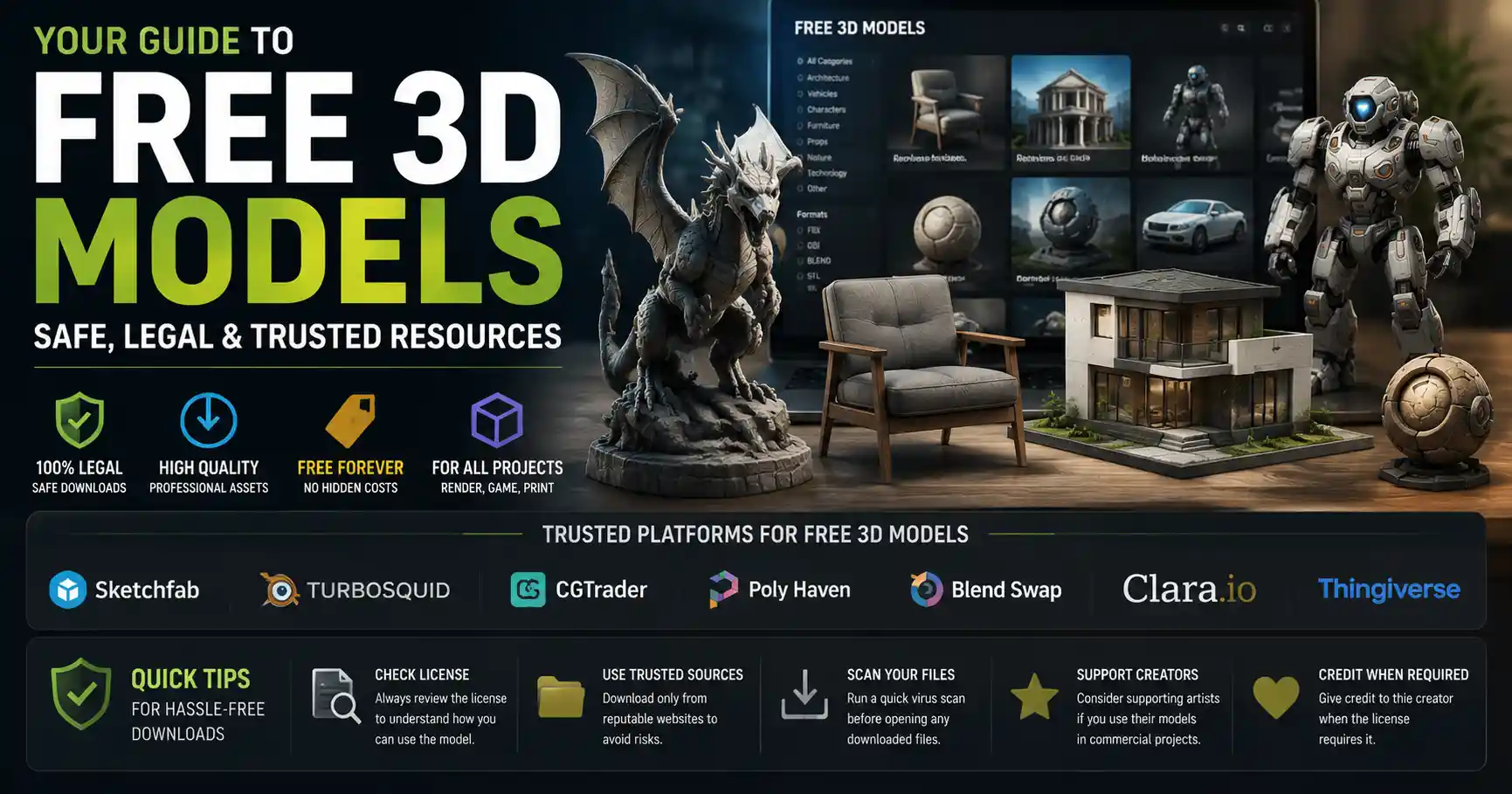
Not all free 3D model websites are created equal. Some host stolen or pirated content, others hide malicious downloads behind free links, and many have confusing license terms that can get you in trouble if you use the models for commercial work. The sites below are trusted by millions of creators worldwide, with clear licensing and large libraries of high-quality free content, sorted by category to help you find what you need quickly.
General-Purpose Free 3D Model Repositories
These sites host thousands of free models across every category you can imagine, from furniture and characters to mechanical parts and architectural assets. They’re the best first stop when you’re searching for a specific model:
- Sketchfab: One of the largest 3D model communities in the world, with over 4 million free models available for download. Sketchfab lets you preview models in 3D directly in your browser before you download, so you can check the geometry and texture quality before you commit. Free models are available under multiple Creative Commons licenses, with clear labeling for commercial use. Many creators also allow you to download the raw source file, not just a static mesh.
- TurboSquid: A leading marketplace for professional 3D models, with a large dedicated free section. All free models on TurboSquid are vetted by staff, so you don’t have to worry about low-quality or stolen work. The free library includes everything from high-poly product models to low-poly game assets, and many come with pre-applied textures ready to use.
- CGTrader: Another popular marketplace with a huge free 3D model section. Like TurboSquid, all models are uploaded by independent creators, and free models have clear license terms. CGTrader is particularly strong for character models and architectural assets, with thousands of free options for beginners and professionals alike.
Niche Free 3D Model Sites
If you’re working on a specific type of project, niche sites often have better-curated free content than general repositories. Here are some of the most useful:
- Thingiverse: The go-to site for 3D printable models. Owned by 3D printer manufacturer MakerBot, Thingiverse hosts over 2 million free, open-source 3D printable designs, from phone cases and cosplay props to replacement parts for home appliances. Every model is uploaded by the community, and most are free to modify and print for personal use.
- MyMiniFactory: Another 3D printing-focused site with a large free section. MyMiniFactory curates its free library, so every model is tested to ensure it prints correctly, which saves you the frustration of downloading a model that won’t slice properly.
- Open3DModel: A community-run site with over 15,000 free 3D models, sorted by file type and category. It’s particularly strong for vintage and hard-to-find models that have been released into the public domain.
- NASA 3D Resources: If you’re working on a space or science project, NASA offers hundreds of free 3D models of planets, rovers, rockets, and spacecraft, all created from real mission data. They’re free to use for personal or educational purposes, and many are detailed enough for professional visualization work.
Academic and open-source communities also share excellent free 3D resources. For example, the Google Poly library (now archived) still hosts thousands of free low-poly models that are available for download through third-party archives, and many university design departments share free models for research and education.
Understanding Licensing for Free 3D Models
Finding a free 3D model to download is only half the battle – you need to understand the license terms to avoid copyright infringement. Even if a model is free to download, that doesn’t mean you can use it for any purpose. Using an unlicensed model in a commercial product (like a game you sell, or a marketing campaign for your business) can lead to takedown notices, lawsuits, and fines. It’s not worth the risk.
Common License Types You’ll Encounter
Most free 3D models fall into one of these license categories:
- Public Domain: This is the most permissive license. Models in the public domain are free to use, modify, distribute, and sell for any purpose, with no attribution required. Any model created by a government employee as part of their official job (like NASA’s 3D models) is automatically public domain in the United States.
- Creative Commons (CC) Zero: Similar to public domain, CC Zero means the creator has waived all copyright claims to the model. You can use it for any purpose, commercial or non-commercial, without attribution.
- Creative Commons Attribution (CC BY): This license lets you use the model for any purpose, including commercial use, as long as you give credit to the original creator. This is one of the most common free licenses, and it’s easy to comply with – just add a line in your credits or documentation linking back to the original model page.
- Creative Commons Attribution-NonCommercial (CC BY-NC): This license allows you to use and modify the model for free, but only for non-commercial projects. You cannot use a CC BY-NC model in a product you sell, or in any commercial work like advertising or branded content. This is one of the most commonly misunderstood licenses – many beginners assume “free” means “free for any use,” but that’s not the case here.
- Personal Use Only: This license is even more restrictive than CC BY-NC. You can download and use the model for your own personal projects (like printing a statue for your desk), but you can’t share it, modify it, or use it in any public or commercial work.
- Royalty-Free: This term can be confusing, because it doesn’t always mean free. In 3D model marketplaces, “royalty-free” means you pay a one-time fee to use the model, and you don’t have to pay ongoing royalties to the creator when you sell your product. Some royalty-free models are free to download, but always check the terms – don’t assume “royalty-free” means “no cost.”
“Free content doesn’t mean free of copyright. Always check the license before you use a model in a public or commercial project. The 10 minutes you spend verifying terms now can save you thousands of dollars in legal fees later.”
If you can’t find a clear license listed for a model, assume it’s all rights reserved and don’t use it for anything beyond personal experimentation. You can always reach out to the creator through the site to ask for permission to use it for your specific project – many creators will give you free permission for non-commercial work, and may even offer cheap commercial licensing if you ask.
What Counts as Commercial vs. Non-Commercial Use?
The line between commercial and non-commercial can be blurry for many creators. If you’re making a game to sell on Steam, that’s obviously commercial. If you’re printing a toy for your kid, that’s non-commercial. But what if you’re a creator making free content for YouTube with a million subscribers, or you’re using a 3D model in a social media post for your small business? Most licenses consider any use that is intended for or results in commercial gain to be commercial, regardless of whether you’re directly selling the model. That includes promotional content, branded merchandise, and even free content that helps you grow a commercial audience or business. When in doubt, stick to models that allow commercial use to avoid problems down the line.
How to Download and Prepare Free 3D Models for Your Project
Once you’ve found the right model and confirmed the license is compatible with your project, the next step is to download it and get it ready to use. Different projects require different file types and preparation, so follow these steps to avoid common issues.
Choose the Right File Type
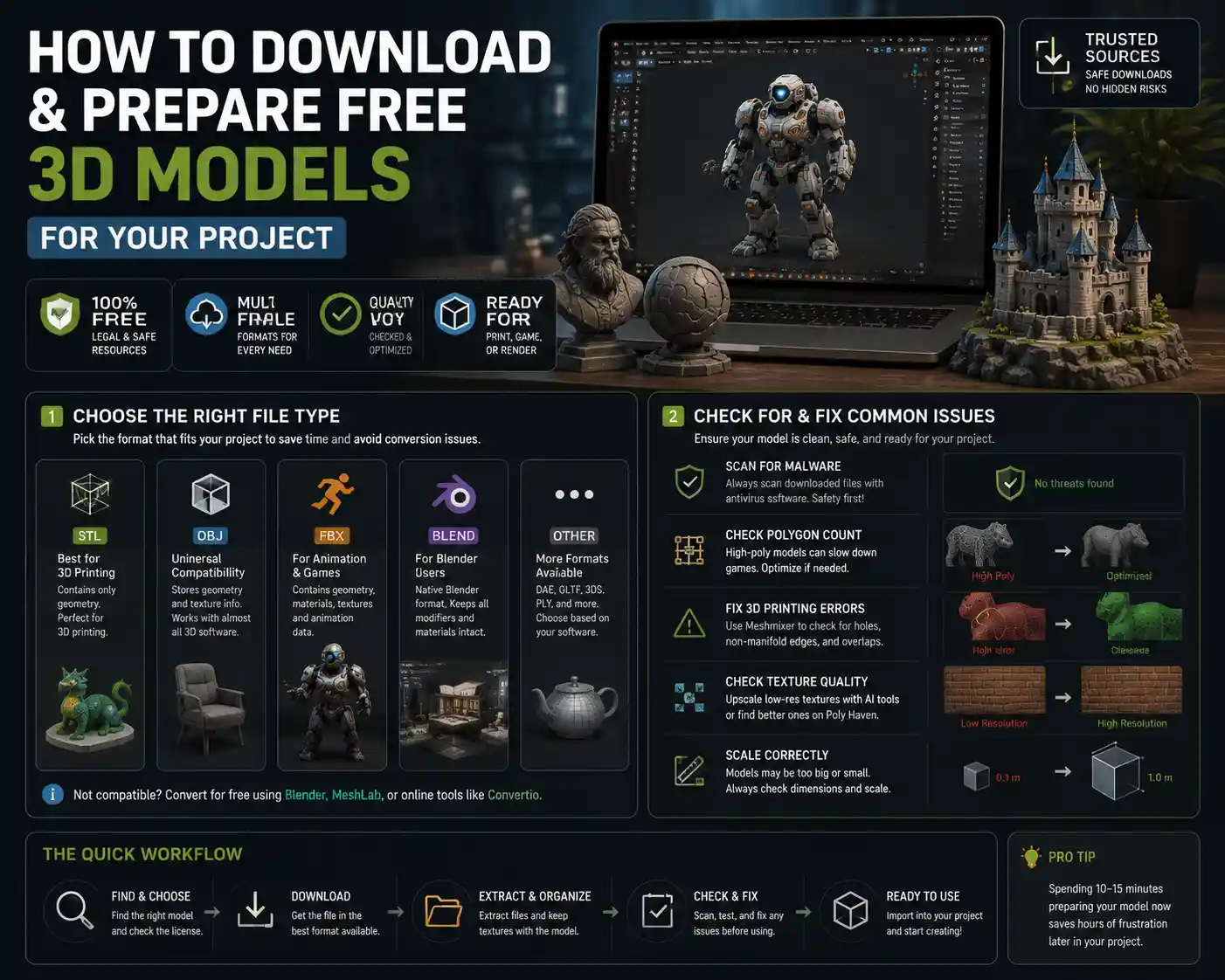
Free 3D models are available in dozens of file formats, and choosing the right one for your project will save you hours of conversion work. Here are the most common formats and what they’re used for:
- STL: The standard file format for 3D printing. STL files only store the surface geometry of the model, without textures or materials, which is all you need for 3D printing. If you’re downloading a model to print, STL is almost always what you need.
- OBJ: A universal 3D format that stores geometry and basic texture information. OBJ is compatible with almost every 3D software, from Blender to Unity to AutoCAD, so it’s a safe choice if you’re not sure what format to get.
- FBX: A popular format for animated models and game assets. FBX stores geometry, textures, materials, and animation data, making it ideal for character models and interactive assets in game engines. Most game developers prefer FBX for free assets because it preserves all the data you need to drop the model directly into your project.
- BLEND: The native file format for Blender, the free open-source 3D software. If you use Blender, downloading a BLEND file means you can open the model directly with all its modifiers and materials intact, no import required.
If you download a file type that isn’t compatible with your software, you can convert it for free using tools like Blender, MeshLab, or online converters like Convertio. Keep in mind that conversion can sometimes cause issues with texture mapping or geometry, so it’s always better to download the right format directly if it’s available.
Check for and Fix Common Issues
Not all free 3D models are created with the same quality standards, so it’s important to check your model for common issues before you use it. This is especially true for 3D printable models, where a small error can ruin an entire print.
- Scan for malware: Always scan downloaded files with an antivirus program before you open them. Stick to reputable sites, but it’s better to be safe – malicious actors sometimes hide malware in free download links on less scrupulous sites.
- Check the polygon count: If you’re using the model in a game or interactive experience, a high-poly model with millions of polygons will slow down your frame rate. You can reduce the polygon count (called retopologizing) for free in Blender or MeshLab if needed. For 3D printing or static renderings, a higher polygon count is usually fine.
- Fix errors in 3D printing models: For STL files, use a free tool like Meshmixer to check for non-manifold geometry, holes in the mesh, and overlapping faces. Most sites don’t test every free model, so fixing these issues before you slice will save you from failed prints.
- Check texture quality: Many free models come with low-resolution textures. If the model looks blurry when you import it, you can use AI upscaling tools like Topaz Gigapixel AI to increase the resolution, or find alternative higher-resolution textures for free on sites like Poly Haven.
- Scale the model correctly: Many free 3D models are created in arbitrary units, so when you import them into your slicer or game engine, they might be 100x too big or too small. Always check the dimensions and scale the model before you use it – this is one of the most common mistakes beginners make with free 3D printable models.
For most projects, these steps take 10-15 minutes, and they save you hours of frustration later. Even high-quality free models often need small adjustments to fit your specific project, so don’t skip this step.
Tips for Finding High-Quality Free 3D Models
With millions of free 3D models available online, sorting through low-quality work to find what you need can feel like looking for a needle in a haystack. These tips will help you refine your search and find the best possible models for your project without wasting hours of time.
Use Advanced Search Filters
Almost all major 3D model sites have advanced search filters that let you narrow results by license, file type, polygon count, and more. If you need a model for commercial use, always set the license filter to “commercial use” first – this eliminates all the non-commercial models from your results immediately, so you don’t waste time looking at models you can’t use. You can also filter by polygon count for game assets, or by file type to only show STL files if you’re looking for printable models. Many sites also let you filter by “free” to exclude paid models from your results entirely.
Sort by Popularity or Downloads
If you have multiple models that match your search, sorting by the number of downloads or user ratings is a great way to find high-quality work. A model that has been downloaded thousands of times and has 5-star ratings is far less likely to have major errors than a new model with no ratings. On 3D printing sites like Thingiverse, you can also check the “Makes” section to see photos of the model that other users have printed – this lets you see exactly what the model looks like in real life before you download it.
Search for the Right Keywords
Keyword search works a little differently for 3D models than it does for general web search. Use specific terms instead of broad terms to get better results. For example, instead of searching “chair,” search “mid-century modern oak dining chair” if that’s what you need for your architectural rendering. If you’re looking for game assets, add “low-poly” or “game-ready” to your search to find models that are already optimized for real-time use. For 3D printing, add “functional” or “cosplay” to your search depending on what you’re making to narrow results.
Follow Top Creators
Most 3D model sites let you follow creators who upload high-quality work. If you find a creator who consistently uploads free models that fit your needs, follow them – you’ll get notified when they upload new content, so you don’t have to search for it later. Many top creators also share exclusive free models with their followers, so it’s a great way to get access to content that isn’t widely advertised.
Use Texture and Material Libraries to Upgrade Low-Quality Models
Even if you find a great model for free, it might not come with high-quality textures. You don’t have to pay for textures to upgrade it – there are dozens of free texture and material libraries online that offer high-resolution PBR textures for free, with commercial use allowed. Some of the best include:
- Poly Haven
- TexturingXYZ (free section)
- CC0 Textures
- AmbientCG
Adding a new texture to a model is a simple process in Blender or any other 3D software, and it can turn a mediocre free model into a professional-quality asset for your project.
Avoiding Common Pitfalls When Downloading Free 3D Models
Even experienced creators run into issues when downloading free 3D models. These are the most common pitfalls to watch out for, and how to avoid them.
The first and most serious issue is piracy. Many smaller sites host free 3D models that were stolen from professional creators and uploaded without permission. Downloading and using a stolen model can lead to legal action, even if you didn’t know it was stolen. Stick to the reputable sites listed earlier in this guide – they all have systems in place to remove stolen content, so you’re far less likely to encounter pirated models there.
Another common pitfall is hidden paywalls or email scams. Some sites advertise “free 3D models” but require you to create a paid account or pay a fee to actually download the file. Others require you to share your email address or complete a survey to unlock the download, which leads to dozens of spam emails in your inbox. Reputable sites never require you to complete a survey or pay to download content that’s advertised as free. If a site asks for your credit card information for a “free” download, leave immediately.
Beginners also often run into issues with incompatible file types or missing data. For example, you might download a ZIP file that only contains the OBJ mesh, and the texture files are missing. Always check the file description to make sure all the required files are included before you download. If a model says “textures not included” and you don’t have the time to add your own, keep looking for another model that includes everything you need.
Finally, don’t forget to back up the models you download. Many creators remove free models from sites when they update them or change their license terms, so if you find a model you love, download it and back it up to cloud storage or an external drive so you don’t lose access to it later.
Conclusion
Downloading free 3D models is a game-changer for creators of all skill levels, letting you complete projects that would otherwise be too time-consuming or expensive to pull off. By sticking to reputable repositories, checking license terms before you use a model, and taking a few minutes to prepare and check the model before you use it, you can avoid common pitfalls and get professional-quality results for free. Whether you’re printing a custom gift for a friend, building your first indie game, or creating a visualization for a school project, there’s a high-quality free 3D model out there for you – you just have to know where to look. Start with the sites and tips in this guide, and you’ll be adding ready-to-use 3D models to your projects in no time.