
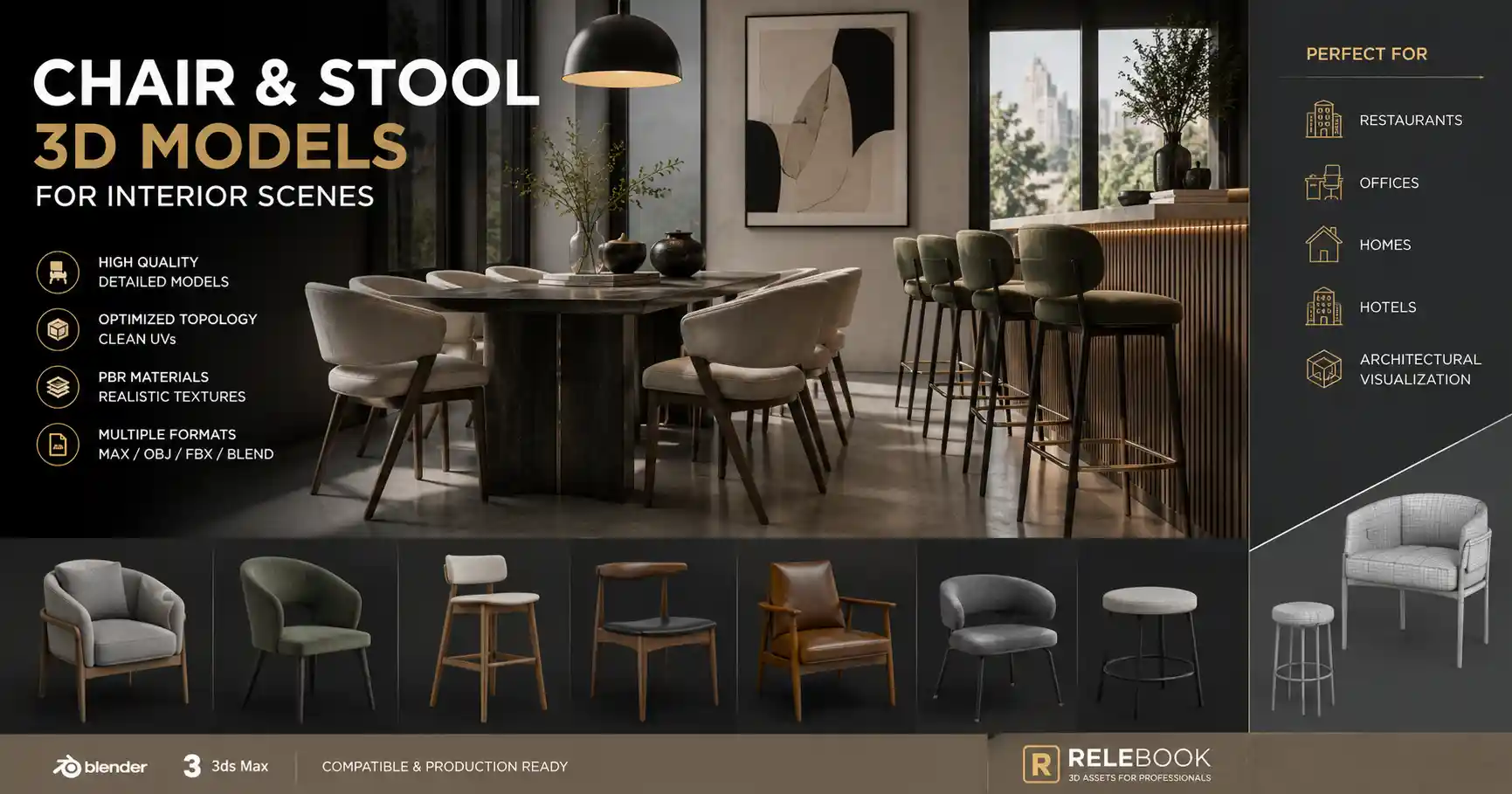
When building an interior scene—whether for a quiet restaurant, a busy co-working space, or a sunlit hotel lobby—the choice of seating often sets the tone. Chairs and stools are among the most repeated objects in any environment, and their 3D models can make or break the visual coherence of a render. Over the years, the demand for high-quality chair and stool 3D models has grown alongside architectural visualization and product design. Platforms like Relebook have emerged as practical places to browse furniture CG models, textures, HDRI, and related resources for visualization workflows. But finding the right asset involves more than downloading the first model that catches your eye.
This article walks through what to look for when selecting chair and stool 3D models, how they fit into different interior contexts, and some workflow tips that can save time and improve render quality. Whether you work in Blender, 3ds Max, Cinema 4D, or another tool, the considerations remain broadly similar.
What Makes a Good Chair or Stool 3D Model?
Not all 3D models are created equal. A model that looks stunning in a close-up product shot may be too heavy for a full room scene. Similarly, a low-poly model that works in a game engine may lack the edge loops needed for realistic subdivision in a still render.
Polygon count and topology – For interior scenes, aim for models that strike a balance between detail and performance. A dining chair used in a restaurant scene might appear dozens of times; if each chair has millions of polygons, viewport navigation and render times will suffer. Look for models with clean quad-based topology that allow for subdivision if needed. Many furniture CG models on platforms like Relebook are offered in multiple LOD variations, though you should verify the format and level of detail on the asset page.
Texture and material quality – A chair’s realism largely depends on its shader setup. Wood grain, brushed metal, fabric weave, or leather creases each require appropriate maps. Diffuse, roughness, normal, and displacement maps are common. If you are using a physically based rendering (PBR) workflow, ensure the textures are compatible with your engine. Some platforms include materials tailored for V-Ray, Corona, or Arnold. Relebook often provides textures alongside models, but check the listing for specifics.
Scale and real-world dimensions – Nothing breaks immersion faster than a stool that towers over a table because its scale is off. Always verify the unit settings and dimensions listed on the asset page. Many professional models come with real-world scale, but it is good practice to import and check against a standard scene ruler.
File format support – Common formats include FBX, OBJ, MAX, BLEND, C4D, and GLTF. If you work primarily in Blender, a native .blend file with materials already assigned can save hours. For 3ds Max users, a .max file with V-Ray or Corona materials is ideal. Relebook and similar resources usually list available formats before download, so you can filter accordingly.
Chair and Stool Models for Different Interior Types
The same model rarely fits every setting. A minimalistic wooden stool might suit a Scandinavian café, while a plush armchair works better in a hotel suite. Below are common use cases and the types of models that tend to perform well.
Restaurants and cafés – These spaces often need stacks of identical chairs or a mix of bar stools. Look for models with slightly worn edges or subtle imperfections to add realism. A metal-frame stool with a padded seat can read as modern and durable. If a scene requires dozens of chairs, consider using instancing and keeping the base model moderate in polygon count.
Office and co-working environments – Ergonomic task chairs, meeting room chairs, and lounge seating dominate this category. Details like armrests, gas lift cylinders, and mesh backrests are important for recognizability. A generic “office chair” model may not cut it; better to find a model that closely matches a specific design (e.g., Herman Miller Aeron style or Steelcase Gesture). Many furniture CG model collections include both generic and branded-inspired pieces.
Residential interiors – Living rooms, dining rooms, and home offices require a wide range of styles: from wingback armchairs to acrylic ghost chairs to rustic wooden stools. Variation in fabric color and type matters. If you are creating a homestaging scene, having multiple upholstery options for the same base model is a big time-saver. Some resource platforms offer color and material variations within a single download.
Hotels and hospitality – Lobby sofas, lobby chairs, bar stools, and bistro sets each need a specific aesthetic—often luxurious but durable-looking. Velvet, leather, and polished chrome are common material choices. A well-made stool model with realistic stitching can elevate the entire lobby render.
Workflow Notes for Blender and 3ds Max Users
In Blender
Blender users can take advantage of the asset browser to catalog downloaded chair models. When importing FBX or OBJ, sometimes textures are missing because the file paths broke. It helps to place all texture maps in a subfolder named textures next to the model file. For .blend files, materials often come pre-assigned; just be mindful of node setups that may rely on third-party add-ons.
If a chair model has high polygon count, use Blender’s Decimate modifier or a remesh operation combined with a multiresolution modifier to regain interactivity in the viewport. For final rendering with Cycles or Eevee, check that the material nodes use appropriate PBR values. One common issue is roughness maps that are inverted—some models from different tools treat roughness versus glossiness differently.
In 3ds Max
3ds Max users working with V-Ray or Corona should confirm that the material slots correspond to the expected render engine. A model built for V-Ray might come with VRayMtl nodes, while one built for Standard or Physical Material will need conversion. Use the material override or a scene converter to batch-adjust if needed.
When placing multiple chairs in a row (e.g., along a dining table), use the Array tool or RailClone to distribute instances while maintaining a natural offset. For stools, ensure the height matches the counter or bar surface; many furniture CG model pages list the seat height in the description.
Both Blender and 3ds Max benefit from using references. Before downloading a chair model, gather photos of the real furniture piece you want to emulate. This helps you evaluate whether the model’s proportions, material, and details are accurate.

Where to Find Reliable Chair and Stool 3D Models
There is no shortage of online sources offering 3D models, but quality and licensing vary widely. Some platforms operate on a subscription basis, others sell individual assets, and some offer a mix of free and paid resources. Relebook is one such platform where users can explore a variety of 3D models, textures, HDRI, and other CG resources for visualization workflows. It tends to curate assets that are production-ready, though as with any platform, it’s important to review each asset page for format details, license terms, and usage restrictions.
When browsing for a chair 3d model or stool 3d model, keep an eye on user reviews or preview images that show wireframes and texture maps. A good listing will include multiple render angles, a polygon count, and a list of included file formats. If a platform offers a preview scene or a sample render, that can give you a clearer sense of how the model behaves under realistic lighting.
Some creators also offer free sample models—this can be a good way to test the consistency and quality of a particular artist or studio before committing to a larger purchase. Always check the license before using a model in commercial work, especially if you intend to redistribute or sell the render.
Practical Selection Tips
Start with the function – Will the chair be a main focal point or part of a background crowd? The answer determines how much detail you need.
Match the scale to your scene – If your room is modeled in meters, a chair whose native units are centimeters will import at 1/100th scale. Most platforms list real-world dimensions; use them.
Consider the material flexibility – A model with separate UV maps for each part (seat, legs, frame) is easier to re-texture than one with a single unwrapped map.
Check for rigging – If you need to animate a chair (e.g., a folding stool or a swivel chair), look for models that include control rigs or at least properly weighted pivots.
Take advantage of collections – Platforms like Relebook sometimes group models into themed packs (e.g., “Japanese Dining Set” or “Modern Office Bundle”). This can provide a consistent visual language across multiple assets.
Final Thoughts
A well-chosen chair or stool 3D model can anchor an interior scene and convey a specific mood, from the formality of a leather executive chair to the casual charm of a wooden bistro stool. By paying attention to polygon budgets, texture quality, file format compatibility, and real-world scale, you can avoid common pitfalls and speed up your workflow. Resources such as Relebook offer a practical starting point for exploring furniture CG models, whether you need a single hero piece or a full set for a room layout. Whenever downloading, take a moment to check the asset’s specifications and license—doing so ensures that the model works as expected in your project and that you stay within legal boundaries. With the right models in your library, your interior scenes will feel both believable and intentional.
FAQ
What should I look for when choosing a chair or stool 3D model for an interior scene?
Focus on polygon count, topology, texture quality, real-world scale, and file format compatibility. For interior scenes, a model with clean quad topology and moderate polygon count (e.g., 50k–200k triangles for a single chair) often works well. Check that the model includes PBR textures (diffuse, roughness, normal) and that the scale matches your scene units. Also review the available file formats—native .blend or .max files usually preserve material setups better than generic FBX/OBJ. Always verify licensing terms, especially for commercial use.