
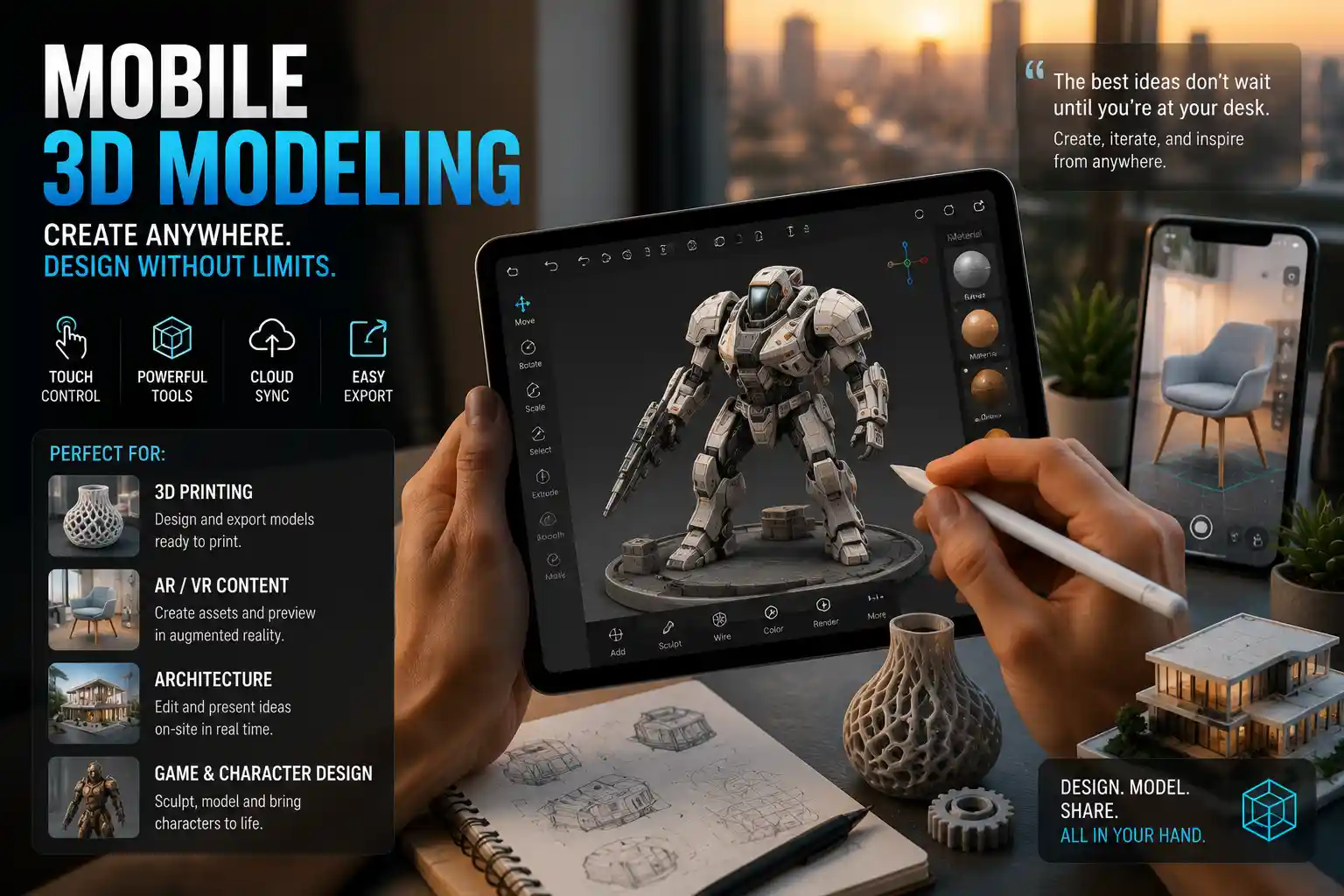
Not long ago, 3D modeling was a specialized skill locked behind high-end desktop workstations, expensive software licenses, and years of technical training. Architects, product designers, and animators relied on powerful desktops running gigabyte-heavy programs like AutoCAD or Blender to create even simple 3D assets. Today, that barrier has been erased by the rise of mobile 3D modeling apps: powerful, pocket-sized tools that turn your smartphone or tablet into a fully functional 3D design studio. Whether you’re a hobbyist sketching a new idea for a 3D print, a small business owner prototyping a custom product, or a professional designer making on-the-go edits to a client project, mobile 3D modeling apps put world-class creation tools in your hand, anywhere you go.
What Are Mobile 3D Modeling Apps, and Why Are They Booming?
Mobile 3D modeling apps are software applications designed for iOS and Android devices that let users create, edit, and export three-dimensional digital models directly on a smartphone or tablet. Unlike desktop 3D software, which is built for powerful CPUs and graphics cards, these apps are optimized for touch input, smaller screens, and the limited processing power of mobile hardware. Many leverage cloud computing to handle heavy rendering and processing tasks, offloading work from your device to remote servers so you can create complex models without draining your battery or experiencing lag.
The growth of mobile 3D modeling has been driven by three major industry shifts over the past five years. First, the explosion of consumer 3D printing has created demand for accessible 3D design tools that hobbyists can use without investing thousands of dollars in equipment and software. Second, the rise of augmented reality (AR) and virtual reality (VR) for e-commerce, marketing, and education means creators need to be able to prototype and test 3D assets on the go, directly on the devices they’ll be used on. Third, modern mobile hardware has caught up to the demand: today’s flagship phones and tablets have processors, displays, and RAM that can handle moderately complex 3D models with ease, making mobile creation a practical alternative to desktop work for many use cases.
Key Use Cases for Mobile 3D Modeling
Mobile 3D modeling apps are not designed to fully replace desktop software for large, complex projects like feature film animation or commercial architecture. But they excel at a wide range of common use cases where portability and speed matter more than ultra-high-end functionality:
- Rapid prototyping: Sketch out a new product idea or design concept in minutes while you’re traveling, waiting for a meeting, or brainstorming away from your desk.
- 3D print preparation: Design simple to moderately complex parts, toys, or custom objects for 3D printing, then export them as STL files directly to your printer or print service.
- AR content creation: Build 3D assets for augmented reality marketing, social media filters, or educational apps, and test them directly on your mobile device in real time.
- On-site revisions: Architects and interior designers can edit 3D models of a space while meeting with a client on location, making changes in real time to demonstrate new ideas.
- Hobbyist and educational projects: Students and new creators can learn the fundamentals of 3D modeling without investing in expensive software or hardware, building skills they can later transfer to desktop tools.
Unlike traditional desktop 3D software, which often requires a steep learning curve, most mobile 3D modeling apps are designed with intuitive touch controls that let new users get started in minutes. Many also offer free or low-cost entry points, with paid premium tiers that unlock advanced features for more experienced users, making them accessible to creators of all budgets.
Core Features to Look For in a Mobile 3D Modeling App
Not all mobile 3D modeling apps are created equal. The best options combine intuitive touch controls, powerful export options, and enough functionality to meet your specific project needs. When evaluating different apps, there are several core features that can make or break your user experience, depending on what you plan to create.
Input and Control Options
Since mobile devices rely on touch input instead of a mouse and keyboard, app developers have had to reimagine how users interact with 3D objects. The best apps offer multiple input methods to suit different use cases: gesture-based navigation to rotate and zoom models, touch sculpting for organic shapes, and precision tools for adjusting individual vertices and edges for geometric models. Many newer apps also support stylus input for Apple Pencil, Samsung S Pen, and other active styluses, which gives you much greater precision than finger input for detailed work. If you prefer more traditional controls, some apps also support Bluetooth mice and keyboards, letting you work like you would on a desktop if you prefer.
Export Compatibility
One of the biggest pitfalls of lesser-known mobile 3D modeling apps is limited export options. If you’re creating a model for 3D printing, AR, or further editing in a desktop program, you need to be able to export it in a universal file format that other tools can read. At a minimum, a good app should support these common formats:
- STL or OBJ for 3D printing, the most widely accepted formats for consumer and professional 3D printers
- FBX or GLB/GLTF for AR, VR, and game development, the standard formats for interactive 3D content
- Compatibility with cloud storage services like Google Drive, Dropbox, or iCloud, so you can easily transfer files to your desktop or share them with collaborators
Some apps also let you export models directly to 3D print services like Shapeways or Sculpteo, or directly publish to AR platforms like Google Poly or Apple’s Reality Composer, cutting out extra steps in your workflow.
Cloud Processing and Offline Access
Many mobile 3D modeling apps rely on cloud processing to handle complex rendering and mesh smoothing, since mobile processors can’t always handle heavy calculations quickly. This is a huge benefit for most users, as it lets you create complex models without your device slowing down or overheating. But it also means you need an internet connection to use some advanced features. If you often work in areas with limited connectivity, look for an app that offers full offline access for core modeling tasks, so you don’t lose access to your work when you don’t have Wi-Fi or cell service.
Collaboration Tools
For professional users working in teams, built-in collaboration features are a major plus. Some apps let you share editable links to your models, leave comments directly on the 3D object, or work on the same project simultaneously with other creators, just like you can with Google Docs. This is especially useful for design teams that need to review and approve projects on the go, without having to send large files back and forth via email.
Top Mobile 3D Modeling Apps for Different Skill Levels and Use Cases
With dozens of mobile 3D modeling apps available on the Apple App Store and Google Play Store, it can be hard to know which one is right for your needs. We’ve broken down the most popular options by category, based on skill level and use case, to help you narrow down your choices.
For Beginners and Hobbyists: Sketchfab
Sketchfab is best known as a platform for sharing and discovering free 3D assets, but its built-in mobile 3D editor makes it a great choice for new users who want to experiment with 3D modeling without a steep learning curve. The app lets you import existing models to edit, combine pre-made assets to create new designs, or build simple models from basic shapes like cubes, spheres, and cylinders. It supports real-time AR preview, so you can place your finished model in the real world to see how it looks before 3D printing or publishing. Sketchfab offers a free tier that includes 10GB of storage and export to all common 3D formats, with a $15 per month premium tier for unlimited storage and advanced editing tools.
For 3D Sculpting: Nomad Sculpt
If you’re interested in creating organic shapes like character models, figurines, or custom art, Nomad Sculpt is widely considered the best mobile 3D sculpting app on the market, available for both iOS and Android. It offers a full range of sculpting tools, including clay buildup, smoothing, carving, and creasing, all optimized for touch and stylus input. The app supports dynamic topology, which automatically adjusts the mesh density as you sculpt, so you don’t have to worry about manually adding detail as you work. It also includes basic texturing and rendering tools, so you can create finished, shareable art directly on your mobile device. Nomad Sculpt is a one-time purchase of around $15 for iOS (with a cheaper Android version) with no subscriptions or in-app purchases, making it a great value for serious hobbyists.
“Nomad Sculpt has completely changed how I approach my character design work. I used to do initial sketches on paper then scan them and rebuild them in ZBrush on my desktop. Now I can sculpt the entire base model on my iPad while I’m commuting or watching TV, and just do the final detailing on my desktop when I get home. It cut my workflow time in half.”
For Geometric Modeling and 3D Printing: PrusaSlicer Mobile
For users who primarily create models for 3D printing, PrusaSlicer Mobile is a companion app to the popular desktop PrusaSlicer software that lets you design, edit, and slice 3D models directly on your phone or tablet. The app is focused on precision geometric modeling, with tools for creating exact dimensions, adding holes, supports, and cutouts, and aligning models for printing. It lets you export finished G-code directly to your Original Prusa 3D printer via Wi-Fi, so you can go from design to printed part without ever touching a desktop. The app is free and open-source, with no ads or paid features, making it a top choice for 3D printing hobbyists on a budget.
For Professional Users: Autodesk AutoCAD 360
Autodesk is a leader in professional desktop 3D design software, and its AutoCAD 360 mobile app brings core 3D modeling functionality to mobile devices for professional architects, engineers, and product designers. The app lets you view, edit, and create full 3D CAD models with precision dimensioning, layer management, and compatibility with native AutoCAD DWG files, so you can start a project on your desktop, edit it on your mobile device during a site visit, and pick it back up on your desktop without any file compatibility issues. It also includes offline access, cloud syncing, and collaboration tools for teams. AutoCAD 360 offers a free basic tier, with a premium subscription starting at $5 per month for advanced features.
For AR Creation: Adobe Substance 3D Modeler
Adobe’s Substance 3D Modeler mobile app is designed specifically for creators building 3D assets for AR, VR, and games. It lets you sculpt and model directly in AR, so you can place your model in the real world and sculpt it from all angles as you go. This is a game-changer for AR creators, who can now design assets that fit perfectly in real-world spaces without having to constantly export and test them. The app syncs seamlessly with the desktop version of Substance 3D Modeler, so you can start a model on mobile and finish it on your desktop with advanced texturing and rendering tools. Substance 3D Modeler is included with Adobe’s Creative Cloud subscription, starting at $20 per month for individuals.
Tips to Get the Best Results From Mobile 3D Modeling
Mobile 3D modeling is intuitive, but it’s different from working on a desktop. With a few simple tips and tricks, you can avoid common frustrations and create high-quality models that work for your intended use case.
- Invest in a good stylus. While most apps work with finger input, a high-quality active stylus like the Apple Pencil or Samsung S Pen gives you much greater precision for detailed work. It also reduces hand fatigue, since you don’t have to press as hard or use your entire finger to make small adjustments. Many newer budget Android tablets also support affordable active styluses that work almost as well as flagship options, so you don’t have to buy a $1000 tablet to get good results.
- Start simple, add detail gradually. Mobile processors are more powerful than ever, but extremely high-poly models with thousands of vertices can still cause lag or crashes. Start with a low-poly base mesh to block out your overall shape, then add detail gradually as you work. This not only keeps your app running smoothly, it also helps you avoid getting bogged down in small details before you’ve finalized your overall design.
- Save versions of your work frequently. While rare, mobile apps can crash, especially when working with complex models. Get in the habit of saving a new version of your project after every major change, so you can go back to an earlier version if you make a mistake or the app crashes. Most apps have an undo feature, but it doesn’t always work after a crash, so saving multiple versions is a good safety net.
- Check your mesh for errors before exporting. If you’re exporting a model for 3D printing, errors like non-manifold edges, overlapping faces, or holes can cause your slicer software to fail. Many mobile 3D modeling apps include a built-in mesh analysis tool that checks for common errors and fixes them automatically. Always run this check before exporting your model to avoid wasted time and failed prints.
- Take advantage of tutorials and community assets. Most popular mobile 3D modeling apps have large online communities of creators who share free tutorials, pre-made base meshes, and tips for getting the best results. If you’re new to 3D modeling, start with simple tutorial projects to learn the tools before moving on to your own custom designs. Sites like YouTube and Pinterest have thousands of free tutorials for every major app, covering everything from basic navigation to advanced sculpting techniques.
One common mistake new mobile 3D creators make is expecting their app to do everything a desktop app can do. It’s important to set realistic expectations: for large, complex projects like full architectural visualizations or feature film assets, you’ll still need a high-end desktop setup. But for rapid prototyping, small projects, and on-the-go editing, mobile apps can do almost everything most users need, often at a fraction of the cost of desktop software.
The Future of Mobile 3D Modeling
As mobile hardware continues to improve and cloud computing becomes faster and more affordable, mobile 3D modeling is only going to become more powerful and accessible. One of the most exciting emerging trends is the integration of artificial intelligence (AI) into mobile 3D modeling apps. Several apps already let you generate a 3D model from a 2D sketch or a text prompt directly on your mobile device, letting you create a base mesh in seconds instead of hours. For example, Adobe’s upcoming Firefly AI integration for Substance 3D Modeler will let users generate 3D assets from text prompts directly on mobile, making it even faster for creators to iterate on new ideas.
Another major trend is the growth of photogrammetry, which lets you create a 3D model by taking multiple photos of a real-world object with your phone’s camera. Several mobile apps already offer this feature, including Polycam, which lets you scan an object with your phone’s camera and turn it into a high-quality 3D model in minutes. This is a game-changer for a wide range of use cases, from scanning antique objects for 3D printing to creating 3D models of real estate properties for virtual tours. As phone cameras get better and AI improves photogrammetry processing, this feature will become even more accessible and accurate, opening up entirely new use cases for mobile 3D creation.
We’re also seeing growing integration between mobile 3D modeling and emerging technologies like AR glasses. As AR glasses become more common, creators will be able to model 3D assets directly in a mixed reality environment, using hand gestures and natural movement to shape objects, with all the processing done on a mobile device. This will blur the line between physical and digital creation, letting creators work with 3D objects in a more intuitive, natural way than ever before.
Conclusion
Mobile 3D modeling apps have democratized 3D creation, turning a once-specialized skill into something anyone with a smartphone can access. Whether you’re a hobbyist looking to design your first 3D printable toy, a professional designer needing to edit projects on the go, or a business owner creating AR assets for your marketing, there’s a mobile 3D modeling app that fits your needs and your budget. While they haven’t replaced high-end desktop software for complex professional projects, they offer unmatched portability, accessibility, and speed for a wide range of common use cases. As AI and mobile hardware continue to improve, mobile 3D modeling will only become more powerful, opening up new opportunities for creativity and innovation for creators around the world. If you’ve never tried 3D modeling before, there’s never been a better time to download an app and start creating.