
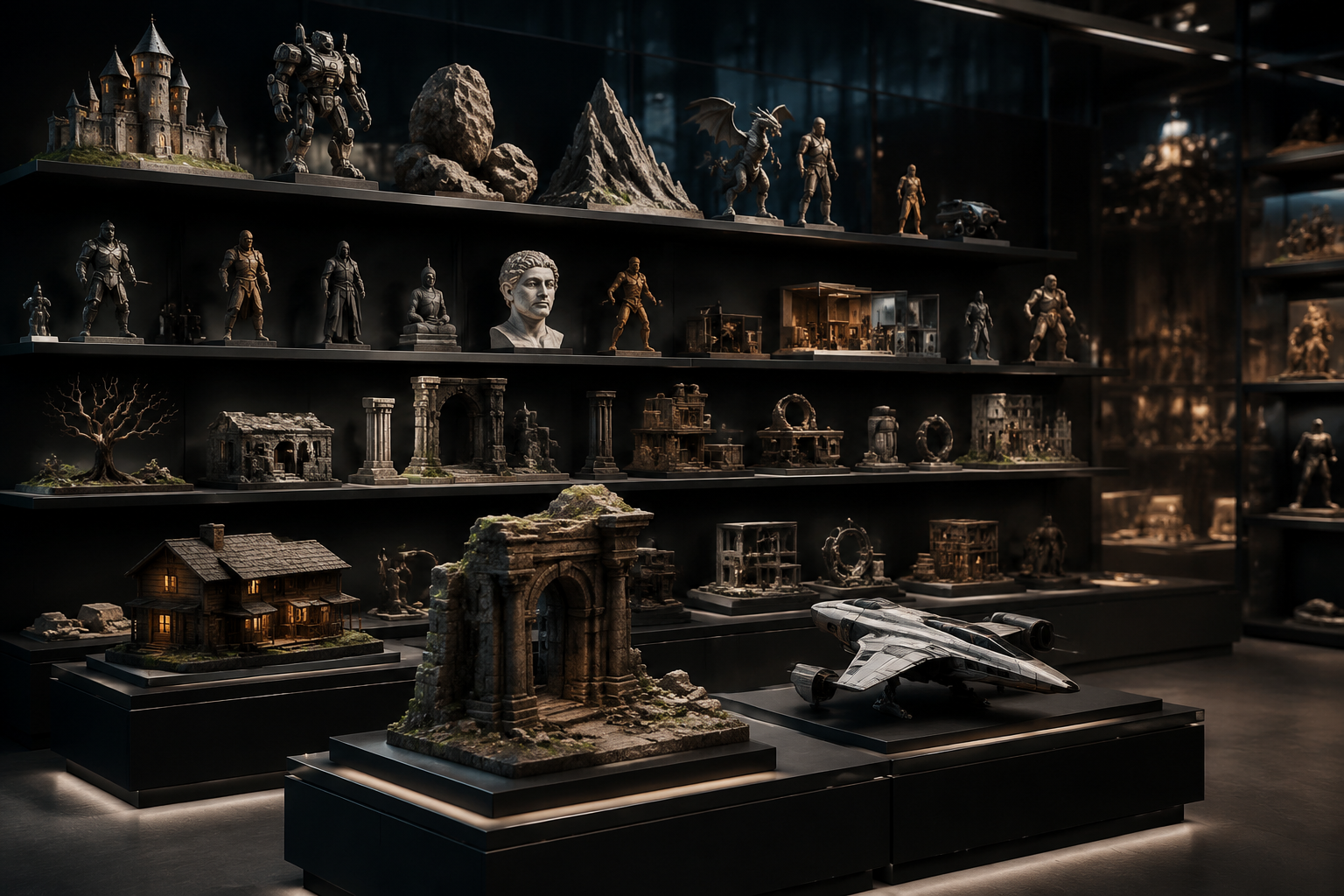
Whether you’re a game developer building an open-world fantasy landscape, a product designer prototyping a new smart speaker, or a 3D printing enthusiast creating custom home decor, you’ve likely encountered one universal challenge: finding high-quality, legally usable 3D models that fit your project. Building every model from scratch takes hours, if not days, of skilled work, and even experienced 3D artists turn to pre-made libraries to speed up their workflow. This guide breaks down everything you need to know about choosing, using, and getting the most out of 3D model libraries, from free community-run collections to premium commercial platforms.
What Are 3D Model Libraries, and Who Uses Them?
At their core, 3D model libraries are centralized online repositories that store thousands (or even millions) of pre-built 3D files, organized for easy search, filtering, and download. Unlike custom 3D modeling, which requires designing every vertex, edge, and texture from scratch, libraries let creators pull ready-to-use assets into their projects, cutting down development time from weeks to hours. While 3D model libraries were once niche tools only used by professional studios, the rise of 3D printing, indie game development, and AR/VR content creation has made them accessible to creators of all skill levels.
Common Users of 3D Model Libraries3D model libraries serve a surprisingly broad range of creators across industries. Some of the most frequent users include:
- Indie and AAA Game Developers: Open-world games can require thousands of unique assets, from trees and rocks to furniture and character clothing. Most studios rely on pre-made models for background assets to free up artists to work on core character and environment designs. For example, a small indie studio building a cozy farming simulation can download 100+ pre-made crop, furniture, and building models in an afternoon, rather than spending months building them from scratch.
- Product and Industrial Designers: Designers creating prototypes for consumer products, medical devices, or architectural components use 3D model libraries to source common parts (like screws, hinges, or electronic components) to assemble full product mockups. This lets them test fit and function before committing to manufacturing.
- 3D Printing Enthusiasts and Makers: Hobbyists and small business owners use 3D model libraries to download ready-to-print files for everything from custom phone cases to replacement parts for home appliances. Many makers also share their own custom designs back to the community for others to use.
- Architects and Interior Designers: 3D architectural visualizations (or “archviz” projects) require hundreds of furniture, decor, and landscape assets to create realistic renderings for clients. Libraries of pre-sized, render-ready models cut down the time it takes to create a walkthrough of a new home or commercial space from days to hours.
- AR/VR Content Creators: Augmented and virtual reality projects rely on optimized 3D assets to run smoothly on mobile and headset devices. 3D model libraries often offer pre-optimized assets specifically tailored for AR/VR use cases, eliminating the extra work of reducing polygon counts for real-time rendering.
Beyond professional and hobbyist creators, educators and students learning 3D design also rely on 3D model libraries to study topology, texturing, and modeling techniques by examining existing work. Many libraries even offer free licenses for non-commercial educational use, making them a valuable resource for training programs.
Free vs. Premium 3D Model Libraries: Key Differences
When you start searching for 3D models, you’ll quickly find there are two main categories of libraries: free and premium. The right choice for your project depends on your budget, timeline, intended use case, and quality requirements. Understanding the tradeoffs between the two will help you avoid wasting time searching for the wrong models or running into legal issues down the line.
Free 3D Model LibrariesFree 3D model libraries are the most accessible option, especially for hobbyists, students, or creators working on a tight budget. Most free libraries are community-driven, meaning models are uploaded by individual creators who choose to share their work for free, often under specific creative licenses. Popular free options include Sketchfab’s free library, Thingiverse, MyMiniFactory (free tier), and TurboSquid’s free section.
The biggest benefit of free libraries is, of course, the cost: you can download hundreds of models without paying a cent. They also tend to have a far larger volume of content than premium libraries, covering everything from obscure fandom fan art to common household objects. For 3D printing hobbyists, free libraries like Thingiverse are practically industry standard, with millions of ready-to-print designs available for any use case.
That said, free libraries come with notable drawbacks. Quality can be extremely inconsistent: a search for a “wooden dining chair” might return 100 models, but only 10 of those will be properly scaled, correctly topology, and fully textured. Many free models are uploaded by new creators learning the craft, so they may include errors like non-manifold geometry (a common issue that breaks 3D printing) or missing texture files. Most free models also come with limited or non-commercial licenses, meaning you can’t use them in products you plan to sell without explicit permission from the original creator.
Premium 3D Model LibrariesPremium 3D model libraries require payment to access most content, either through per-model purchases, subscription plans, or one-time lifetime access. Popular premium options include TurboSquid, CGTrader, Sketchfab Premium, and 3DExport, along with niche platforms like Archive3D for archviz assets. Premium libraries often curate their content, meaning every model is reviewed for quality before it’s added to the library.
The biggest advantage of premium libraries is consistent quality. Most models sold on premium platforms are created by professional 3D artists, and include multiple file formats, properly packed textures, and optimized topology for different use cases. For example, a premium car model might come with separate high-poly and low-poly versions, 4K PBR textures, and versions optimized for game engines, rendering, and 3D printing. Premium models also typically come with clear commercial licenses, so you can use them in commercial projects without worrying about copyright infringement.
The main downside of premium libraries is cost. Per-model purchases can range from $5 for a small simple asset to $50 or more for a high-resolution, fully textured character model. Subscription plans typically cost $10–$30 per month for unlimited access to a limited library, which can add up for independent creators. Premium libraries also tend to have less niche content than free community libraries, so you may not find that custom Star Wars lightsaber design or specific fan art character you’re looking for on a premium platform.
“The biggest mistake new creators make is grabbing a free model from an unvetted source and using it in a commercial product, only to get a cease-and-desist letter six months later. A $20 premium model with a clear commercial license is almost always worth the cost to avoid that risk.”
How to Choose the Right 3D Model Library for Your Project
Not all 3D model libraries are created equal. The best library for your project depends on what you’re building, how you plan to use the model, and what your technical requirements are. There are a few key factors to consider before you start downloading files.
1. Check License Terms FirstLicense terms are the most important factor to consider when choosing a 3D model library, and the detail that new creators most often overlook. 3D models, like any other creative work, are protected by copyright, even if they’re available for free download. Using a model outside the terms of its license can lead to copyright strikes, legal fees, and having your project taken down. Common license types you’ll encounter include:
- Personal/Non-Commercial Use Only: You can use the model for personal projects, hobbies, or education, but you cannot use it in any product you sell, or in any commercial project like a paid game, marketing visualization, or printed product you sell.
- Commercial Use (Royalty-Free): You pay a one-time fee (or subscribe) to use the model in commercial projects, with no ongoing royalties owed to the original creator. Most premium models fall into this category, though some have limits on how many units you can produce (for 3D printed products) or how large the final project can be.
- Creative Commons (CC): Creative Commons licenses have multiple variants, from CC0 (no copyright reserved, free for any use including commercial) to CC BY-NC-SA (requires attribution, non-commercial use only, and share-alike terms). Always read the fine print for CC licenses to make sure your use is allowed.
Reputable libraries, both free and premium, clearly display license terms for every model, so you never have to guess what you’re allowed to do. Unvetted libraries that scrape models from other sites rarely include clear license information, so it’s best to avoid them entirely.
2. Match the Library to Your Use CaseDifferent 3D projects require different types of models, and many libraries specialize in specific niches. For example, if you’re a 3D printing hobbyist, a library like Thingiverse that specializes in test-proven, ready-to-print STL files is far more useful than a premium library full of high-poly rendering models that are too complex for most consumer 3D printers. Conversely, if you’re an archviz artist creating photorealistic renderings for a client, a niche premium library like SketchUp’s 3D Warehouse or Archive3D, which has thousands of pre-sized furniture and decor models, will save you far more time than a generalist free library.
If you’re a game developer working in Unity or Unreal Engine, look for libraries that offer native file formats for your engine, or pre-optimized low-poly models with PBR textures. Many premium libraries even offer direct integration with Unity and Unreal’s asset stores, so you can import models directly into your project without converting file types.
3. Evaluate File Format and CompatibilityOne common frustration when downloading 3D models is finding the perfect model, only to realize it’s in a file format your software can’t open. Before you download (or pay for) a model, confirm that the library offers the file format you need. Common file formats you might need include:
- STL or OBJ for 3D printing
- FBX or GLB for game development and AR/VR
- MAX, BLEND, or C4D for editing in native 3D software
- USDZ for AR use on Apple devices
Top tier libraries offer multiple file formats for most models, so you can choose the one that works for your workflow. Smaller free libraries may only offer one file format, so double-check before you download.
Top 3D Model Libraries by Category (2024)
To help you narrow down your search, we’ve compiled a list of the most reputable, popular 3D model libraries organized by use case. All of these libraries have clear licensing, consistent quality, and large collections to suit most project needs.
Best for 3D PrintingFor 3D printing, you need models that are properly cut, scaled, and tested to print correctly on consumer FDM or resin printers. These are the top go-to libraries:
- Thingiverse: The largest free community 3D printing library, owned by MakerBot. It has millions of free STL files, everything from replacement parts to cosplay props, most released under open licenses. Great for hobbyists, though quality varies by model.
- MyMiniFactory: A mixed free/premium library that tests every model to confirm it prints correctly. The premium section has high-quality designs for commercial use, and the free section has a large collection of fan art and hobbyist designs.
- Printables: Owned by Prusa, one of the most popular 3D printer brands. Printables is a free community library with a focus on functional, well-tested designs, and includes user-uploaded print test results to help you avoid failed prints.
Game development and AR/VR require optimized, low-poly models with clean topology and properly packed textures. These libraries specialize in assets for real-time rendering:
- Sketchfab: A mixed free/premium library with one of the largest collections of optimized 3D models for AR/VR and game development. It has a powerful search and filter system that lets you sort by polygon count, license, and file format, and supports native GLB and USDZ downloads for AR use.
- Unity Asset Store / Unreal Engine Marketplace: Official libraries integrated directly with the two most popular game engines. All assets are compatible with the engine, and you can filter by free, paid, and commercial use. Great for finding not just models, but full environment packs, character rigs, and animation files.
- CGTrader: A premium marketplace that connects creators with freelance 3D artists, along with a large library of pre-made models. It offers clear commercial licenses for most assets, and you can commission custom models if you can’t find what you need.
Archviz projects require thousands of realistic, correctly scaled furniture, landscape, and decor assets to create photorealistic renderings. These libraries are tailored to archviz needs:
- 3D Warehouse (SketchUp): The largest free library of SketchUp models, perfect for quick architectural massing and interior layout. Many furniture brands upload official models of their products, so you can get accurate, to-scale designs for real-world products.
- ArchDaily 3D: A curated library of free and premium 3D models from leading architecture and furniture brands, all optimized for rendering. Great for finding accurate models of real commercial products for client visualizations.
- TurboSquid: One of the oldest and largest premium 3D model libraries, with a huge dedicated archviz section. Most high-end models come with 4K PBR textures and are ready for rendering in V-Ray, Keyshot, or other popular archviz rendering software.
If you need free models you can use in commercial projects without paying royalties, these libraries have large collections of CC0 or commercial-use free models:
- Poly Haven: A small but high-quality curated library of free CC0 3D models, HDRIs, and textures. All models are free for any use, including commercial, and are optimized for rendering and game development.
- CGTrader Free Models: CGTrader has a large section of free models with commercial use licenses, filtered by file type and polygon count.
- Open3dModel: A large collection of free 3D models with clear commercial use licensing for most content, though quality is inconsistent like most free libraries.
Best Practices for Using 3D Models from Libraries
Even if you find a high-quality model with the right license, there are a few best practices to follow to ensure it fits your project and avoids common issues. These simple steps will save you time and frustration down the line.
Always Inspect Models Before UseNever drop a downloaded model directly into your final project without inspecting it first. Open the model in your 3D software to check for errors: non-manifold geometry (a common issue that breaks 3D printing or rendering), missing texture files, flipped normals, or incorrect scaling. For game development, check the polygon count to make sure it’s optimized for your target platform — a 100,000-polygon chair might look great, but it will slow down performance on mobile VR headsets. For 3D printing, run your model through a repair tool like Meshmixer to fix any small errors before sending it to your printer.
Credit When RequiredMany free licenses, including most Creative Commons licenses, require attribution to the original creator. Even if it’s not required, crediting the artist is a good practice that supports the 3D creator community. Most libraries list the artist’s name and preferred attribution, so just add a line in your project credits or on your website linking back to the original model page.
Modify to Make It UniquePre-made models are a great starting point, but if you’re working on a commercial project, modifying the model to fit your specific needs will make your project feel more unique. A generic sofa model can be customized with your own texture, scaled to fit your environment, or adjusted to change the shape of the arms to match your design. For 3D printing, modifying a pre-made model to fit your specific needs is half the fun of the hobby, and it helps you avoid having the exact same design as everyone else who downloaded the model.
Back up Your DownloadsUnlike a physical product you buy, a 3D model download can disappear if the library shuts down, the artist removes their account, or the model is taken down for copyright reasons. Always save a copy of any model you plan to use long-term to your own cloud storage or external hard drive, so you don’t lose access if it’s removed from the library.
Conclusion
3D model libraries are one of the most powerful tools available to modern creators, cutting down development time, lowering costs, and making 3D projects accessible to people who don’t have the skills or time to build every model from scratch. Whether you’re a hobbyist 3D printing a new coffee mug holder or a professional developer building a AAA game, there’s a 3D model library that fits your needs and budget. The key to using them successfully is prioritizing clear licensing, matching the library to your specific use case, and always inspecting and modifying models to fit your project. By following the guidance in this guide, you can avoid common pitfalls, save hours of work, and focus on what matters most: bringing your creative vision to life.