
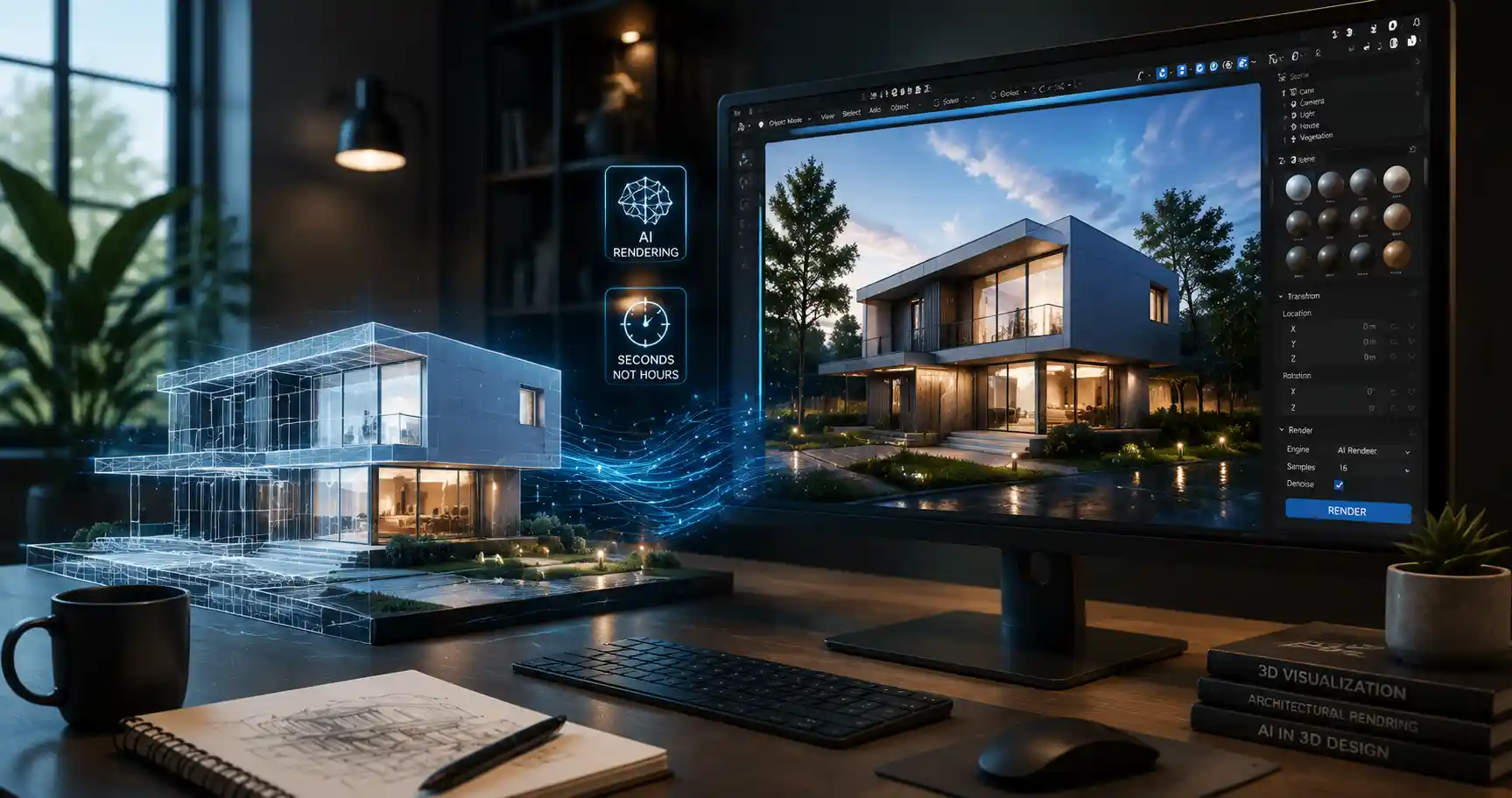
For decades, 3D rendering has been the backbone of industries from video game design and architectural visualization to product marketing and animated film. The process—calculating lighting, textures, shadows, and reflections to turn a raw 3D model into a photorealistic 2D image—once required hours of processing on powerful workstations, with artists tweaking dozens of parameters to get the perfect result. Today, artificial intelligence is upending that long-established workflow, promising near-instant renders and creative possibilities that traditional path tracing can’t match. But the question on every 3D artist’s mind remains: can AI actually render 3D models reliably, and is it ready to replace traditional rendering tools?
What Is AI Rendering, and How Does It Work?
To understand whether AI can render 3D models, it helps to start with a clear definition of how traditional rendering works, and how AI diverges from that approach. Traditional rendering relies on ray tracing or path tracing, physics-based techniques that simulate how light bounces off every surface in a 3D scene. A render engine calculates the path of millions of individual light rays to generate a final image, a process that can take minutes or even hours for complex, high-resolution scenes. AI rendering, by contrast, uses machine learning models to predict what a fully rendered image should look like, skipping much of the step-by-step physics calculation.
The Two Primary Categories of AI Rendering
Not all AI-powered 3D rendering is the same. Today’s tools fall into two broad categories that serve different use cases: AI-augmented traditional rendering, and end-to-end generative AI rendering.
AI-augmented rendering is the most common approach used in professional tools today. Instead of replacing traditional rendering entirely, AI models speed up the process by filling in gaps or completing partially calculated renders. For example, NVIDIA’s DLSS (Deep Learning Super Sampling) and AMD’s FSR 3 use AI to upscale low-resolution renders to high resolution in real time, cutting the processing load dramatically for interactive 3D applications like games. Another common use case is denoising: when traditional path tracing stops early, the resulting image is grainy, and an AI model can remove that noise much faster than running more light ray calculations. This cuts render times for static images from hours to minutes without a noticeable loss of quality for most use cases.
End-to-end generative AI rendering is the newer, more disruptive approach. These models take a raw 3D model (or even just a 3D mesh with basic materials) and generate a fully rendered 2D image directly from it, often guided by a text prompt. Models like NVIDIA’s Instant NeRF, Stable Diffusion 3D, and tools like Luma AI use neural networks trained on millions of existing 3D models and rendered images to predict how a given model should look when lit with specific lighting conditions and materials. Some even enable real-time navigation of fully rendered 3D scenes on consumer laptops, a feat that would require a $10,000 workstation for traditional path tracing.
AI rendering doesn’t try to simulate every photon of light—it learns what good renders look like, and replicates that pattern faster than any physics-based engine can. For most use cases, that’s more than enough.
At its core, AI rendering works by leveraging large datasets of already rendered images to train a neural network. The network learns the relationship between raw 3D geometry, material properties, lighting setups, and final output. When given a new, unseen 3D model, it can extrapolate that knowledge to produce a finished render in seconds, rather than minutes or hours.
What Can AI Rendering Do That Traditional Rendering Can’t?
AI rendering isn’t just a faster way to get the same result—it unlocks entirely new workflows and capabilities that were impractical or impossible with traditional tools. For independent creators, small studios, and even large production houses, these benefits are already changing how 3D content is made.
Near-Instant Renders for Rapid Iteration
The most obvious advantage of AI rendering is speed. Where a 4K photorealistic architectural render might take 4-8 hours on a high-end desktop with traditional path tracing, an AI-powered tool can produce a comparable image in 10-30 seconds. That speed changes the entire creative process. Instead of rendering a handful of options overnight and picking the best one, artists can tweak lighting, materials, and camera angles in real time, testing dozens of variations in the time it used to take to get one finished render.
For example, architectural designers working with clients can now generate multiple options for lighting, furniture, and exterior finishes during a client call, rather than asking the client to wait a day for revised renders. Product designers can test dozens of material combinations for a new consumer good in an afternoon, speeding up the product development cycle dramatically.
Real-Time Photorealism for Interactive 3D
Before AI, real-time 3D (used in games, virtual tours, and interactive product configurators) could only achieve photorealism at the cost of massive hardware requirements. Even then, results rarely matched the quality of offline traditional renders. AI changes that by offloading most of the rendering work to the neural network, enabling photorealistic interactive 3D on consumer devices. A furniture brand can now embed an interactive 3D product configurator on their website that lets customers rotate and zoom a photorealistic sofa, changing fabric colors in real time, without requiring users to have a high-end gaming GPU.
Generative Creative Flexibility
AI rendering also makes it easy to combine 3D models with generative content, opening up new creative options. Many modern AI rendering tools let artists import a basic 3D model, then use text prompts to adjust materials, lighting, and even background environments. For example, an artist can import a 3D model of a watch, then type “render this watch on a marble tabletop, soft morning natural light, photorealistic, 8K” and get a finished marketing image in seconds, without having to manually model the tabletop, set up lighting, and adjust texture parameters.
This accessibility is a game-changer for creators who don’t have advanced 3D rendering training. Small business owners, marketing managers, and hobbyists can now produce professional-quality 3D renders without spending months learning tools like V-Ray or Corona.
To put these benefits in perspective, here are just a few of the industries already adopting AI rendering for production work:
- Architecture and real estate: AI rendering generates marketing images and interactive 3D home tours in a fraction of the time and cost of traditional rendering, allowing developers to market new projects before construction is complete.
- E-commerce product marketing: Brands can generate hundreds of product renders for different angles, backgrounds, and lighting setups to populate online stores, without the cost of physical photoshoots or long traditional render times.
- Game development: AI upscaling and denoising enable real-time ray tracing on mid-range consumer GPUs, improving visual quality without sacrificing frame rates.
- Film and animation: Studios use AI denoising to cut offline render times for feature films and series, reducing server farm costs and speeding up post-production.
- Concept art: Concept artists can quickly iterate on 3D character and environment designs, generating dozens of concepts in a single workday.
Current Limitations of AI Rendering for 3D Models
For all its advantages, AI rendering is not a perfect replacement for traditional rendering, and it has significant limitations that professional artists need to account for. Understanding these weaknesses is key to deciding when to use AI and when to stick to traditional workflows.
Lack of Physics Accuracy for Specialized Use Cases
Because AI rendering learns from existing data rather than calculating actual physics, it can struggle with scenarios that are unusual or require precise physical accuracy. For example, architectural firms that need to calculate exact light levels for energy efficiency or accessibility compliance can’t rely on AI rendering—AI may produce an image that looks correct, but it won’t match the actual light propagation that a physics-based path tracer calculates. Similarly, automotive and aerospace designers that use rendering to test how light interacts with new materials or reflective surfaces often need the physical accuracy that only traditional rendering can provide.
AI also struggles with complex, overlapping transparent or refractive surfaces, like cut crystal, intricate glasswork, or deep water. The subtle light interactions that happen in these scenes are hard for AI to learn from training data, and results often look subtly wrong, with incorrect refractions or unnatural reflections.
Consistency Issues for Production Work
One of the most frustrating limitations of current generative AI rendering is a lack of consistency across multiple frames or renders. For animated projects that require hundreds or thousands of consistent frames, AI rendering can produce unwanted flickering as the model slightly changes textures or lighting between frames. While tools are improving, this is still a major barrier to using end-to-end generative AI for full-length animated feature films, where consistency across every frame is non-negotiable.
Even for static renders, consistency can be an issue. If you need 10 different renders of the same product with different background colors, AI may slightly change the shape of the product or the texture of its surface between renders, creating unwanted variation that requires extra editing to fix.
Artifacts and Unintended Changes
Even the best AI rendering models occasionally produce visual artifacts that require manual editing to fix. These can include distorted geometry, blurry textures, incorrect reflections, or unnatural details that don’t match the original 3D model. For example, if you render a 3D model of a chair with intricate carved legs, AI may smooth out the details or slightly distort the shape of the legs to match what it thinks a chair should look like, rather than matching the exact geometry of your input model.
This problem is more common with complex, high-poly 3D models with fine detail, where AI struggles to preserve every unique feature of the artist’s original work. For critical production work, the time spent fixing AI artifacts can sometimes erase the time saved by faster rendering.
Training Data Bias
AI rendering models are only as good as their training data, which means they tend to be biased toward common scenes and materials. If you’re rendering a common object like a wooden table or a plastic water bottle, AI will produce great results, because it has millions of examples of those objects in its training data. But if you’re rendering a custom, one-of-a-kind object with unique materials—say, a new type of sustainable bioplastic with a specific matte texture, or a custom piece of industrial machinery—AI may not have enough training examples to render it correctly, leading to results that don’t match the artist’s vision.
To sum up, most current limitations of AI rendering fall into three practical buckets for professional users:
- End-to-end generative AI rendering is not reliable for use cases requiring pixel-perfect accuracy or strict physical measurements, but it excels at marketing, concepting, and early-stage design work.
- AI-augmented traditional rendering is already production-ready for most professional use cases, with only minor tradeoffs in quality for most projects.
- AI rendering works best for common, predictable scenes, and struggles with unique, custom, or highly complex geometry and materials.
Popular AI Rendering Tools for 3D Models in 204
The AI rendering market is evolving fast, with new tools launching every quarter that improve on quality and capability. Today’s tools range from free, consumer-facing options to enterprise-grade solutions integrated into existing professional 3D workflows. Below is a breakdown of the most popular options, sorted by use case:
AI-Augmented Traditional Rendering (Professional Production Workflows)
For professional 3D artists already using tools like Blender, 3ds Max, or Maya, AI-augmented rendering plugins are the most common way to adopt AI without switching workflows. These tools keep the physics-based accuracy of traditional render engines while using AI to cut render times and improve quality. Top options include:
- Chaos V-Ray with AI Denoise: One of the most popular traditional render engines now includes built-in AI denoising that cuts render times by up to 50% with no noticeable quality loss. It’s widely used in architecture and product design, and integrates with all major 3D modeling tools.
- Corona Renderer AI Decode: Similar to V-Ray, Corona uses AI to remove noise from early renders, cutting render times significantly while preserving detail.
- OctaneRender: A GPU-based render engine that uses AI for upscaling and denoising, popular among game artists and product designers for its fast speed and high quality.
- NVIDIA OptiX: A framework that provides AI denoising for most major render engines, working with NVIDIA GPUs to deliver fast, high-quality noise reduction.
End-to-End Generative AI Rendering
For artists and creators looking to generate fully rendered images directly from 3D meshes, a new generation of standalone generative AI rendering tools has emerged. These tools don’t require advanced knowledge of traditional rendering parameters, and most work with text prompts to guide the final result:
- Luma AI: One of the most popular generative AI rendering tools, Luma AI can render 3D models in real time with photorealistic quality, and supports text-guided editing of materials and environments. It’s widely used for product marketing and concept art.
- Stable Diffusion 3D (ControlNet): For users familiar with Stable Diffusion, ControlNet can take an imported 3D model’s depth map and geometry, and generate a fully rendered image with custom materials and lighting based on a text prompt. It’s flexible and customizable for creative work.
- Instant NeRF (NVIDIA): A neural radiance field model that can reconstruct and render fully 3D scenes from 2D images, enabling real-time navigation of complex photorealistic scenes. It’s popular for virtual reality and 3D capture applications.
- 3DFY.ai: A tool that converts text prompts to 3D models and renders them directly, making it accessible for creators with no 3D modeling experience.
- Blender AI Render Add-ons: Popular add-ons like Dream Textures integrate AI rendering directly into Blender, letting artists render their existing Blender 3D models with AI-powered materials and lighting.
Cloud-Based AI Rendering Services
For users who don’t have a powerful GPU, several cloud-based services offer AI rendering on demand, letting you upload your 3D model and get a finished render in your browser. These include RenderStreet, which offers AI-accelerated rendering for Blender, and Sheep It Render Farm, which uses distributed computing and AI denoising to cut render costs.
For most new users, the best starting point is to test an AI rendering add-on for the 3D modeling tool you already use, rather than switching to an entirely new platform. That way, you can experiment with AI rendering without having to rebuild your existing workflow from scratch.
The Future of AI Rendering: What’s Coming Next?
AI rendering has already advanced dramatically in just the last three years, and the pace of innovation shows no signs of slowing down. Industry researchers and developers are working on solutions to most of the current limitations, and the next generation of AI rendering tools will likely close much of the quality gap with traditional rendering.
One of the most promising areas of development is neural rendering combined with physics guidance. Instead of training AI models only on existing rendered images, developers are training models on physics-based simulation data, allowing the AI to learn the rules of light propagation while still keeping the speed of AI inference. This hybrid approach promises to combine the speed of AI with the accuracy of traditional rendering, addressing many of the current limitations around physical accuracy. Early results from research teams at NVIDIA and MIT show that these hybrid models can produce results that are almost indistinguishable from traditional path tracing, at 10-100x the speed.
Another key area of development is better consistency for animation. New temporal consistency models are being developed that can ensure AI renders match across thousands of frames, eliminating flickering and opening the door for full AI rendering of animated feature films. Companies like Disney and Pixar are already investing heavily in this research, as even a 30% reduction in render times would save them millions of dollars in server farm costs per production.
AI rendering is also enabling entirely new formats for 3D content, like 3D generative AI for the metaverse and real-time 3D advertising. As more brands look to create interactive 3D content for social media and the web, AI rendering will make it possible to produce that content at a fraction of the current cost. In the next five years, it’s likely that most 3D content for web and marketing will be rendered entirely with AI, with traditional rendering reserved only for use cases that require maximum accuracy.
For 3D artists, the biggest long-term change is not that AI will replace jobs, but that it will shift the focus of the job. Instead of spending hours waiting for renders and tweaking minor parameters, artists will be able to focus more on creative design and iteration, leaving the repetitive work of rendering to AI. That shift is already happening, with many studios reporting that their artists are able to produce more high-quality content in less time, rather than reducing headcount.
Conclusion
So, can AI render 3D models? The answer is a resounding yes—for most use cases, it already does it better and faster than traditional rendering. AI-augmented traditional rendering is already production-ready for professional work, cutting render times by 50% or more without meaningful quality loss, and it has become the standard in most 3D studios around the world. End-to-end generative AI rendering is also ready for prime time for concept art, marketing, e-commerce, and early-stage design, even if it’s not yet reliable for use cases that require strict physical accuracy or pixel-perfect consistency across animation frames.
The key to using AI rendering successfully is understanding its strengths and limitations. AI excels at speed, accessibility, and rapid iteration, making it ideal for creators who need to produce lots of high-quality 3D content quickly. It’s not yet a perfect replacement for traditional rendering when physical accuracy or absolute consistency is required, but the technology is improving at a remarkable pace, and that gap will continue to close in the coming years. For any 3D creator or studio, ignoring AI rendering is no longer an option—adopting the right AI tools for your workflow can cut your production time and costs dramatically, while opening up new creative possibilities that were out of reach just a few years ago.