
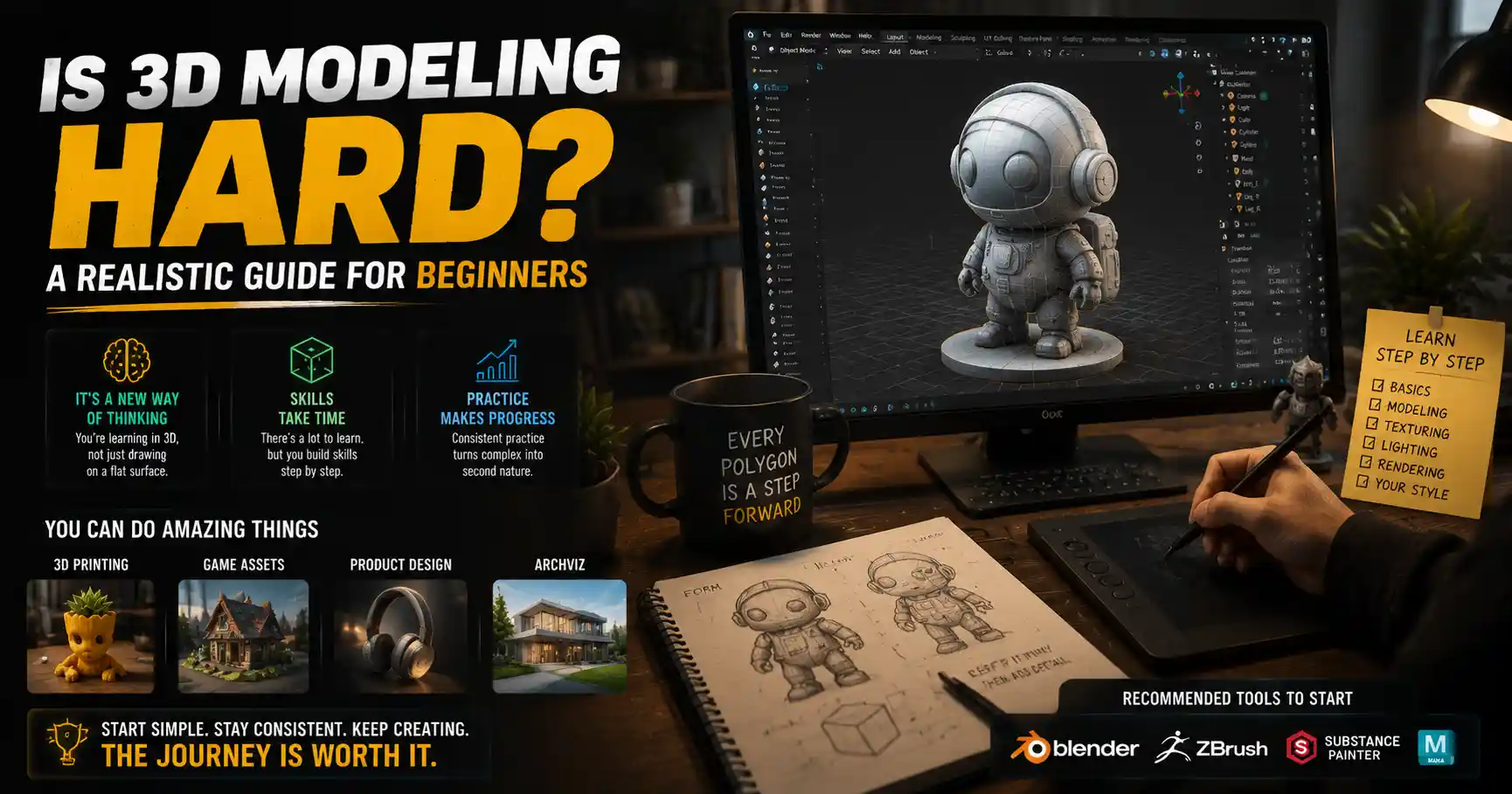
Walk into any game development studio, architectural visualization firm, or product design lab today, and you’ll see it on every screen: 3D models. These digital three-dimensional objects power everything from the immersive worlds of Fortnite to the blueprints for new skyscrapers to the custom 3D-printed parts that keep factories running. As 3D printing, virtual reality, and digital entertainment become more mainstream, more people than ever are curious about trying 3D modeling for themselves. But the question that stops almost every beginner in their tracks is simple: is 3D modeling hard? The answer isn’t a yes or no—it depends on what you want to create, how you approach learning, and what tools you choose. In this guide, we’ll break down the factors that make 3D modeling feel challenging, the skills you actually need to succeed, and how to make the learning process manageable for total beginners.
What Makes 3D Modeling Seem Hard for Beginners
When you open a professional 3D modeling program like Blender, Maya, or ZBrush for the first time, it’s easy to feel overwhelmed. The interface is covered in icons, toolbars, dropdown menus, and viewport options that look like they were designed for engineers, not casual learners. This initial shock is one of the biggest reasons people write off 3D modeling as “too hard” before they even create their first shape. But the interface is just the tip of the iceberg. 3D modeling requires a different way of thinking than most creative skills people pick up first.
It’s a departure from 2D creative thinking
If you’ve ever drawn a sketch or edited a photo, you’re used to working in two dimensions: width and height. 3D modeling adds a third dimension—depth—that you have to actively manage at every step. You can’t just draw a circle to represent a coffee cup; you have to shape the entire rim, the curved side, the hollow interior, and the handle, all while making sure every part lines up correctly from every angle. A mistake that’s invisible from the front might ruin the entire model when you rotate it to the side. This spatial awareness doesn’t come naturally to everyone at first, and it takes time to train your brain to visualize objects in three dimensions before you even start clicking and dragging.
There are dozens of specialized techniques and tools
Unlike drawing, where you might only need a pencil and a sheet of paper to get started, 3D modeling has a huge learning curve just to master the basics. You need to learn how to navigate the viewport, how to use different selection tools, how to subdivide meshes, how to add edge loops, how to apply materials, how to unwrap UVs, and how to export your model in the correct format—just to make something usable. For more advanced work, you’ll need to learn topology, retopology, texturing, rigging, animation, and rendering. Each of these is a sub-skill in its own right, and it’s easy to feel like you’ll never master all of them.
It combines creative and technical skills
3D modeling isn’t just a creative art—it’s also a technical skill. If you’re creating models for 3D printing, you need to make sure your model is watertight, has the right wall thickness, and doesn’t have any non-manifold geometry that will break the printer. If you’re creating models for video games, you need to keep your polygon count low to make sure the game runs smoothly on consoles and phones. These technical requirements can feel overwhelming for creative people who just want to make cool art, and they add an extra layer of complexity that you don’t get with traditional art forms.
Factors That Determine How Hard 3D Modeling Will Be For You
The difficulty of 3D modeling isn’t a fixed number—it varies wildly based on what you want to achieve, how much time you have to practice, and what tools you use. A professional character artist working on a AAA video game needs years of training to master their craft, but a beginner can create a simple 3D printable keychain in an afternoon. Let’s break down the key factors that will shape your experience.
Your end goal: what do you want to make?
This is the single biggest factor that determines how hard 3D modeling will be for you. If your goal is to create simple decorative models for 3D printing, design basic product mockups, or build low-poly assets for a small indie game, you can learn the skills you need in a few weeks of consistent practice. If your goal is to become a senior character artist at a studio like Naughty Dog working on the next The Last of Us, you’ll need years of dedicated practice, formal training, and portfolio work to get there. To put this in perspective:
- Beginner-level goals (low difficulty): Simple 3D-printed trinkets, low-poly game assets, basic architectural models, product mockups for small businesses. Most beginners can achieve these in 4-8 weeks of 2-3 hours of practice per week.
- Intermediate-level goals (moderate difficulty): Fully rigged characters for animation, photorealistic architectural visualizations, high-quality product models for marketing, detailed 3D miniatures for tabletop games. These typically take 6-18 months of consistent practice to master.
- Professional-level goals (high difficulty): AAA game characters, feature-film VFX assets, complex engineering models for aerospace or automotive design. These require 2+ years of specialized training and professional experience to reach a commercial standard.
Many beginners get discouraged because they compare their first week of work to professional work that’s been created by artists with 10+ years of experience. Setting a realistic initial goal makes all the difference in how hard you’ll find the process.
The tools and software you choose
Not all 3D modeling software is created equal, and the tool you choose can make the process dramatically easier or harder. Professional tools like Autodesk Maya, 3ds Max, and ZBrush are packed with features for advanced work, but they have very steep learning curves for beginners. By contrast, beginner-friendly tools like Tinkercad, SketchUp, or even the 3D modeling tools in Canva are designed for simplicity, with intuitive interfaces and only the features you need for basic projects.
For example, Tinkercad uses a simple “drag and drop” primitive shape workflow that lets total beginners create their first 3D model in less than 10 minutes. Blender, the most popular free professional 3D tool, is more powerful but has a much steeper learning curve. A common mistake beginners make is downloading the most advanced professional software first, getting overwhelmed by the interface, and quitting before they even create anything. Choosing a tool that matches your skill level and your end goal makes 3D modeling far less intimidating.
Your existing background and skills
If you already have experience with related skills, you’ll find 3D modeling much easier to pick up. For example, traditional artists who draw or sculpt already have a strong sense of form, proportion, and spatial awareness that translates directly to 3D modeling. Architects and interior designers who already work with blueprints and 2D CAD will find it easy to transition to 3D architectural modeling. Programmers and engineers who are used to thinking in terms of geometry and technical constraints will adapt quickly to the technical side of the process.
That doesn’t mean you can’t learn 3D modeling if you don’t have any of this experience—many successful self-taught 3D artists started with zero background in art or tech. But it does mean you’ll need to spend a little extra time building those foundational skills at the start, which can make the process feel harder in the first few months.
Common Beginner Challenges and How to Overcome Them
Even if you set realistic goals and choose the right tools, you’ll almost certainly run into common challenges as a new 3D modeler. The good news is that almost every beginner faces the same hurdles, and there are proven strategies to get past them. We’ve rounded up the most common issues and practical solutions to make your learning journey smoother.
1. Interface and navigation overload
When you first open Blender or another professional 3D tool, it’s normal to spend 20 minutes just trying to figure out how to rotate your view or delete a shape. This overwhelm is the number one reason beginners quit. The solution isn’t to try to memorize every tool and shortcut on day one. Instead, focus only on the tools you need for your first project. If your first project is making a simple mug, you only need to learn how to create a cylinder, how to extrude the rim, how to add a handle, and how to export the model. You don’t need to learn how to rig a character or render a photorealistic image that day.
The biggest mistake new 3D modelers make is trying to learn everything at once. You don’t need to know every tool to make something awesome—you just need to know the right three tools for your current project.
A good rule of thumb is to follow a step-by-step tutorial for your first project, and only learn the steps you need to complete it. Over time, you’ll gradually pick up new tools and shortcuts as you need them, instead of trying to cram everything into your first week.
2. Poor spatial awareness and proportion mistakes
Many new modelers struggle to get the proportions of their models right, especially when creating organic shapes like animals or people. A head that looks perfect from the front will look too long from the side, or a chair’s legs will be uneven when you rotate the view. This is completely normal, and it’s a skill that improves with practice. Here are a few practical tips to fix this:
- Use reference images. Import blueprints or photos of your object into your modeling software, and line them up in the front, side, and top viewports. This gives you a guide to follow as you shape your model, so you don’t have to rely on your memory alone.
- Rotate your model frequently. Get in the habit of spinning your model around in the viewport every few minutes to check it from all angles. Catching proportion mistakes early saves you hours of reworking later.
- Start with primitive shapes. Most 3D objects can be built from basic shapes like cubes, cylinders, and spheres. Blocking out your whole model with simple primitives first lets you check proportions before you add any details.
Over time, your spatial awareness will improve naturally. You don’t need to be born with a “good eye”—it’s a skill that’s built through consistent practice.
3. Technical issues like broken models and bad topology
If you’re creating models for 3D printing or games, you’ll quickly run into technical problems: your model has a hole in it that breaks the 3D printer, your polygon count is too high for the game engine, or your model has non-manifold geometry that makes it impossible to slice. These issues are incredibly frustrating for beginners, because they can ruin hours of work even if your model looks perfect. The best way to overcome these issues is to learn the basic rules early for your specific use case. If you’re 3D modeling for 3D printing, learn the basics of wall thickness, manifold geometry, and how to repair STL files before you start your first big project. If you’re modeling for games, learn basic poly count guidelines and good topology practices from the start.
There are also free tools that can fix many common issues automatically. For example, Meshmixer can repair broken STL files for 3D printing, and Blender has built-in tools to check for non-manifold geometry. You don’t need to fix every issue by hand when you’re starting out—use the tools available to make your life easier.
4. Unrealistic expectations and comparison culture
Scroll through Instagram, ArtStation, or TikTok, and you’ll see thousands of incredibly detailed 3D models created by professional artists with years of experience. It’s easy to look at that work and think “I’ll never be that good,” even when you’re just a week into learning. This comparison trap is one of the biggest emotional barriers to learning 3D modeling. The solution is to track your own progress instead of comparing yourself to others. Save your first model, then compare it to what you create after one month, three months, and six months. You’ll be shocked at how far you’ve come, even if you’re not creating professional-level work yet.
How Long Does It Take to Learn 3D Modeling? A Realistic Timeline
When you’re trying to figure out if 3D modeling is too hard for you, it helps to have a realistic sense of how long the learning process takes. Based on feedback from hundreds of self-taught 3D artists and professional instructors, here’s a realistic timeline for different skill levels, assuming you practice 2-3 hours per week:
Absolute beginner to basic competence (1-2 months)
In your first 1-2 months, you’ll learn how to navigate your software, master the core tools you need for simple projects, and create your first usable models. If you’re using a beginner-friendly tool like Tinkercad or SketchUp, you’ll be able to create simple 3D printable models, basic architectural models, or low-poly assets within this timeframe. Even if you’re learning a more advanced tool like Blender, you’ll be able to complete simple projects like a mug, a chair, or a low-poly character within 2 months.
The key here is to stick to small, achievable projects instead of jumping into a huge 100-hour project on day one. Completing small projects builds confidence and gives you practical experience that you can build on later.
Basic competence to intermediate skill (6-12 months)
After 6-12 months of consistent practice, you’ll be able to handle more complex projects. You’ll be able to create detailed 3D miniatures for 3D printing, photorealistic product visualizations for clients, fully textured characters for indie games, or detailed architectural models for real estate clients. Many self-taught artists start doing freelance work at this stage, taking on small projects for small businesses or indie game developers.
At this stage, you’ll still run into challenges with advanced techniques like topology or complex organic modeling, but you’ll know how to look up solutions and work through problems on your own.
Intermediate to professional skill (1-3 years)
Reaching a professional skill level that qualifies you for a full-time job in game development, film, or industrial design typically takes 1-3 years of consistent practice and portfolio building, on top of any formal training. This is because professional work requires not just good modeling skills, but also mastery of related skills like texturing, rigging, animation, rendering, and collaborating with other team members. That doesn’t mean you need a degree in 3D modeling—hundreds of self-taught artists get hired every year without formal education—but it does take time to build the portfolio and skill set that employers are looking for.
Practical Tips to Make Learning 3D Modeling Easier
Learning 3D modeling doesn’t have to be a painful, overwhelming experience. With the right approach, you can make the process much more enjoyable and reach your goals faster. Here are actionable tips from experienced 3D artists to make learning easier:
- Start small, with a clear project goal. Don’t open your software and say “I want to learn 3D modeling.” Instead, say “I want to make a 3D printed keychain of my dog” or “I want to make a low-poly tree for my game.” A specific small goal keeps you focused and gives you a sense of accomplishment when you finish.
- Choose the right tool for your goal. If you want to make simple 3D printable models, start with Tinkercad or SketchUp, not Maya. If you want to do character modeling for games, Blender is a great free option that doesn’t require a paid subscription to start. Don’t jump into a professional tool until you’ve mastered the basics with a simpler option.
- Follow step-by-step tutorials from reputable creators. There are thousands of free high-quality tutorials on YouTube, Blender Market, and Coursera that will walk you through creating a specific model from start to finish. Following a tutorial is the fastest way to learn, because you get hands-on experience with tools instead of just memorizing theory.
- Join a community of other beginners. Learning alone is much harder than learning with other people. Join Reddit’s r/blender or r/3Dprinting, or a Discord server for new 3D artists, where you can ask questions, share your work, and get feedback from other people who are also learning. Most experienced artists are happy to help beginners work through common problems.
- Focus on one sub-skill at a time. Don’t try to learn modeling, texturing, rigging, and animation all in your first month. Master basic modeling first, then add new skills one by one as you get comfortable. This prevents overwhelm and helps you build a strong foundation.
One common misconception is that you need a powerful, expensive computer to start learning 3D modeling. While high-end models with thousands of polygons do require a good GPU, most beginner and intermediate projects run fine on a mid-range laptop that you already own. Many beginner-friendly tools like Tinkercad are even browser-based, so you don’t need to download any large software or have a powerful computer to get started.
Conclusion
So, is 3D modeling hard? The answer is that it can be challenging, but it’s not as hard as most beginners think it is going in. The steep initial learning curve that scares so many people off is mostly caused by bad tool choices, unrealistic goals, and trying to learn everything at once. If you start with small, achievable projects, choose a tool that matches your skill level, and build your skills gradually, you can create your first usable 3D model in a single afternoon, and master the skills you need for most hobbyist or small freelance projects in a few months. The most important thing is to stop comparing your first step to someone else’s 10 years of experience, and focus on your own progress. 3D modeling is an incredibly rewarding creative and technical skill that can lead to a fun hobby, a side income, or a full-time career—and it’s absolutely within your reach if you start small and stick with it.