
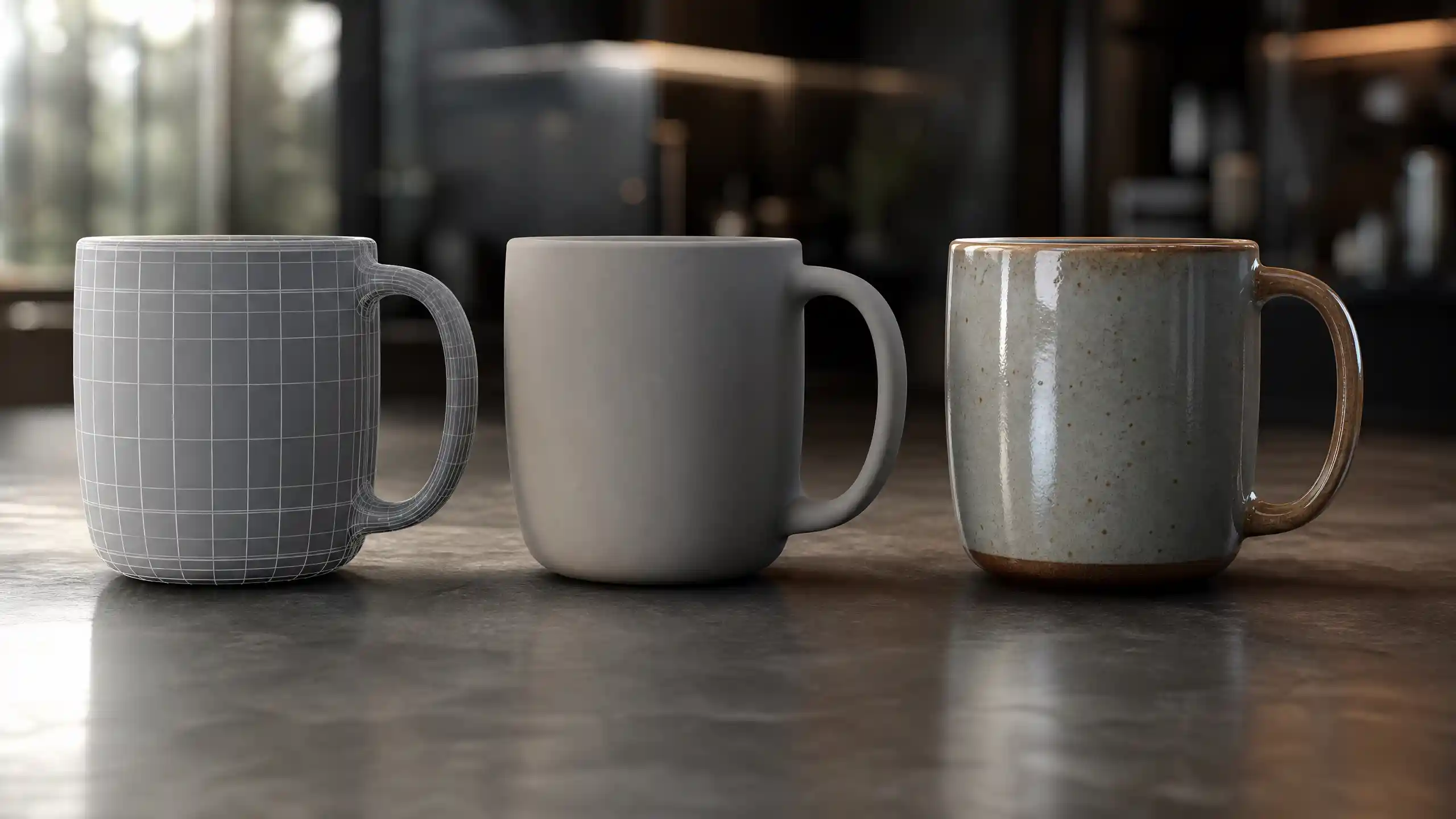
3D modeling has transformed from a niche technical tool used primarily by industrial designers and video game studios into a foundational technology powering industries from healthcare to architecture, entertainment to manufacturing. Today, anyone with a laptop and an internet connection can access beginner-friendly 3D modeling software, but understanding the core approaches to creating three-dimensional digital objects remains critical for choosing the right method for your project. Not all 3D models are created equal: different workflows produce different results, serve different use cases, and require different skill sets to master. At the highest level, 3D modeling is divided into three distinct categories, each with its own strengths, limitations, and ideal applications. This guide breaks down each of the three main types of 3D modeling, explains how they work, and helps you determine which one fits your next project.
1. Solid 3D Modeling
Solid 3D modeling is the most widely used approach for engineering, manufacturing, and product design, and it’s often considered the most mathematically accurate of the three core 3D modeling types. Unlike other methods that focus on defining the surface or appearance of an object, solid modeling creates a complete digital representation of an object that includes information about its volume, internal structure, and physical properties. This means a solid model of a coffee mug isn’t just a hollow shell shaped like a mug—it’s a fully solid object that correctly represents the thickness of the ceramic walls, the volume of liquid it can hold, and how it will interact with other objects in a physical space.
The core strength of solid modeling lies in its parametric design capabilities, a feature that sets most modern solid modeling software apart from other types of 3D modeling. Parametric design means every aspect of a model is defined by editable parameters (numerical values) that can be adjusted at any point in the design process. If you design a 10cm tall wooden chair leg and later decide you need it to be 12cm tall, you simply change the height parameter, and the entire model updates automatically, preserving all other features like tapering or notches you added earlier. This makes solid modeling ideal for iterative design, where engineers and designers test multiple versions of a product before going into production.
How Solid Modeling WorksSolid modeling uses two primary construction methods to build objects: CSG (Constructive Solid Geometry) and boundary representation (B-Rep). CSG works by combining basic primitive shapes—cubes, cylinders, spheres, cones—using Boolean operations like union (combining two shapes into one), difference (cutting one shape out of another), and intersection (keeping only the overlapping area of two shapes). For example, to make a solid model of a chess pawn, you might start with a cylinder for the base, add a sphere for the head, cut a small notch out of the base to add a texture, and combine all those shapes into a single solid object.
B-Rep, by contrast, defines a solid object by its boundaries: the faces, edges, and vertices that enclose its volume. This method is more flexible for creating complex organic shapes while still retaining the accurate volume data that makes solid modeling useful for manufacturing. Most modern professional solid modeling software, like SolidWorks, Autodesk Inventor, and Fusion 360, combines both CSG and B-Rep methods to give designers the best of both worlds.
Common Use Cases for Solid ModelingThe accuracy and physical data that solid modeling provides make it the default choice for any project that will eventually be turned into a physical object. Key use cases include:
- Industrial and product design: From smartphone cases to household appliances, solid modeling lets designers test fit, function, and manufacturability before producing a single physical prototype. A shoe designer can adjust the thickness of the sole, test how different materials will perform under stress, and export the finished model directly to a 3D printer or CNC machine.
- Mechanical engineering: Engineers use solid modeling to design everything from engine parts to bridge components. The volumetric data in a solid model makes it easy to run simulations to test how a part will handle stress, heat, or vibration, reducing the risk of failure after production.
- Architecture and construction: Architects use solid modeling to create detailed models of buildings that include accurate measurements for walls, windows, and structural components. This helps contractors avoid costly measurement errors during construction.
- 3D printing for functional parts: Because solid models contain complete volumetric data, they slice correctly for 3D printing, ensuring that functional parts print with the correct internal structure and wall thickness.
Despite its many advantages, solid modeling is not the best choice for every project. It has a steeper learning curve than some other types of 3D modeling, and it is less flexible for creating highly organic, artistic shapes like character models for video games or sculpted sculptures. For those use cases, another type of 3D modeling is a better fit.
2. Surface 3D Modeling
Surface 3D modeling focuses on creating the outer surface of an object, rather than its solid internal volume. Where solid modeling treats an object as a fully enclosed solid, surface modeling treats it as a collection of connected, curved surfaces that form the outer skin of the object. A surface model of a car body is just that: the outer shape of the car, with no information about what’s inside the shell. This makes surface modeling far more flexible for creating complex, smooth, organic shapes that are difficult or impossible to achieve with solid modeling.
For many years, surface modeling was primarily used in conjunction with solid modeling for industrial design, but today it’s a standalone approach for many creative and technical projects. What makes surface modeling unique is its focus on continuity—the smoothness of the transition between adjacent surfaces. Designers work with different levels of continuity to ensure curves flow seamlessly into one another, which is critical for products like car bodies, airplane wings, and consumer electronics that require both aerodynamic efficiency and aesthetic appeal.
Key Concepts in Surface ModelingSurface modeling starts with curves, which are then stretched or connected to form surfaces. The most common type of surface is the NURBS (Non-Uniform Rational B-Spline) surface, which is mathematically defined and can be scaled infinitely without losing quality. Unlike mesh surfaces (which we’ll discuss in the next section), NURBS surfaces are always smooth and editable, making them ideal for precise curved shapes.
Designers categorize surface connections by their level of continuity, which determines how smooth the transition between two surfaces is:
- G0 continuity: Two surfaces just touch at the edge, with no smooth transition. This creates a visible hard edge between the two surfaces, useful for corners or seams.
- G1 continuity: Two surfaces are connected and share the same slope at the connection point, creating a tangent transition. This is smoother than G0 but may still leave a faint visible line.
- G2 continuity: Two surfaces share the same slope and curvature at the connection point, creating a completely seamless transition that is invisible to the eye. This is the standard for high-quality consumer products like car bodies and luxury watches.
This focus on seamless curvature is why surface modeling is the go-to choice for any project where shape and aesthetics are as important as function. Unlike solid modeling, which prioritizes accurate volume data first, surface modeling prioritizes shape and form first. Once the surface design is complete, designers can close the surface to create a solid model if needed for manufacturing or 3D printing, blending the flexibility of surface modeling with the accuracy of solid modeling.
Common Use Cases for Surface ModelingSurface modeling’s flexibility for creating smooth, complex shapes makes it indispensable for a range of industries:
- Automotive and aerospace design: Car bodies, airplane wings, and boat hulls require perfectly smooth curved shapes to optimize aerodynamics and visual appeal. Most concept car designs are created entirely with surface modeling before being translated into solid models for engineering.
- Consumer product design: High-end products like smartphones, laptops, and water bottles rely on sleek organic shapes to stand out in the market. Surface modeling lets designers refine every curve to get the exact look and feel they want.
- Character and prop modeling for animation: While mesh modeling is common in game development, many high-end animated films use NURBS surface modeling to create perfectly smooth character models that render without visible polygons.
- Industrial design concepting: Designers use surface modeling to quickly iterate on different shape concepts for new products, without needing to define all the internal solid structure early in the design process.
Surface modeling is where art meets engineering. Solid modeling tells you how big something is and how it fits together; surface modeling tells you how it looks and how it feels to the touch. The best product designs start with great surfaces, then add the solid engineering to back them up.
— Jane Morrison, senior industrial designer at Tesla
Like solid modeling, surface modeling has limitations. It requires a deep understanding of curvature and continuity to get seamless results, so it has a steep learning curve for new designers. Because it doesn’t include native volumetric data, it can’t be used directly for engineering simulations or 3D printing without first being converted to a solid model, adding an extra step to the workflow. For artists and designers who need even more flexibility to create organic shapes, the third type of 3D modeling is often the best choice.
3. Mesh (Polygon) 3D Modeling
Mesh 3D modeling—also called polygon modeling—is the most common type of 3D modeling used in creative industries like video games, animation, 3D art, and virtual reality. Unlike solid and surface modeling, which use mathematical equations to define shapes, mesh modeling builds objects out of a grid of small flat polygons (usually triangles or quads) connected at their edges and vertices. The more polygons you use, the more detail you can add to the shape, and the smoother it will look when rendered.
Polygon modeling is incredibly flexible, because every vertex in the mesh can be moved individually to sculpt almost any shape imaginable. This makes it the go-to approach for creating highly detailed organic shapes like human faces, trees, creatures, and environment models. Unlike solid and surface modeling, which require precise mathematical definitions for every part of the model, polygon modeling lets artists work intuitively, pushing and pulling the mesh to get the exact shape they want, similar to how a sculptor works with clay.
Core Approaches to Mesh ModelingThere are two primary sub-approaches to mesh 3D modeling: box modeling and sculpting. Both produce polygon meshes, but they use different workflows to get there:
Box Modeling is the most common workflow for beginners and professional artists alike. It starts with a simple primitive shape—a cube, sphere, or cylinder—and the artist gradually adds more geometry and refines the shape by moving vertices, edges, and faces. For example, to create a character head, you might start with a sphere, pull out the jaw and cheekbones, add geometry around the nose and mouth, and then refine the shape until it matches your concept. Box modeling is great for creating clean, low-poly models that work well for video games, where polygon count needs to be kept low to maintain good performance.
3D Sculpting is a more intuitive, artistic approach that uses specialized tools to sculpt high-poly meshes with incredibly fine detail. Instead of starting with a simple primitive and manually moving vertices, artists use digital brushes to push, pull, smooth, carve, and add texture to the mesh. Modern sculpting software like ZBrush lets artists work with meshes that have billions of polygons, making it possible to create incredibly detailed models like a human face with pores, wrinkles, and individual hair follicles, or a creature with scales, claws, and intricate surface texture. High-poly sculpts are often “baked down” to lower-poly meshes for use in games or animation, transferring all the fine detail as a texture map that preserves the look of the high-resolution model without the performance cost.
Another key feature of mesh modeling is that it can easily handle arbitrary levels of detail, which is why it’s the dominant approach for interactive media. Game engines like Unity and Unreal Engine are designed to work natively with polygon meshes, so mesh models require no extra conversion to be used in a game or VR experience.
Common Use Cases for Mesh ModelingThe flexibility and native compatibility with interactive media have made mesh modeling the most widely used type of 3D modeling for creative projects. Key use cases include:
- Video game development: Every character, prop, environment, and asset in a modern video game is a polygon mesh. Low-poly meshes are used for real-time rendering, while high-poly sculpts add fine detail via texture maps.
- Film and animation: 3D animated films and visual effects use polygon meshes for characters, sets, and effects. Even films that use NURBS for initial modeling usually convert the final models to polygons for rendering.
- 3D art and sculpture: Digital artists use mesh modeling and sculpting to create everything from abstract art to realistic figurines for 3D printing. The intuitive workflow makes it easy to experiment with organic forms.
- Augmented and virtual reality: AR and VR applications require real-time rendering of 3D objects, which works seamlessly with polygon meshes.
- Architectural visualization: Architects use mesh modeling to create detailed, realistic models of buildings that can be rendered to create marketing images and walkthroughs for clients.
Mesh modeling does have some limitations compared to solid and surface modeling. Because it’s made of small flat polygons, mesh models are not as mathematically precise as solid or NURBS surface models, which makes them a poor choice for engineering or manufacturing applications where exact measurements are critical. A mesh model of a mechanical part might look correct, but it can have small gaps or inaccuracies in the geometry that would cause it to fail when 3D printed or machined. Additionally, very high-poly meshes require a lot of computing power to work with, so artists have to carefully manage polygon count to keep workflows smooth.
How to Choose the Right Type of 3D Modeling for Your Project
With three distinct types of 3D modeling to choose from, picking the right one for your project depends on three key factors: what you plan to do with the model, how much accuracy you need, and what your skill level is. Many projects actually combine multiple types of 3D modeling, so it’s not always an either/or choice—but understanding the strengths of each approach will help you plan your workflow more effectively.
Consider your end goal firstThe first question to ask is whether your model will be used to create a physical object, or if it will only exist digitally. If you need to manufacture, 3D print, or engineer a functional physical part, solid modeling is almost always the best starting point, because it provides the accurate volumetric data and measurements you need. If your main focus is creating a smooth, aesthetically pleasing shape for a consumer product, you’ll likely combine surface modeling for the outer shape with solid modeling for the internal engineering.
If your model is for a video game, animation, VR, or digital art, mesh modeling is almost always the right choice. It’s compatible with all game engines and rendering software, and it gives you the flexibility to create any organic shape you can imagine. For character modeling or highly detailed organic shapes, 3D sculpting (a subset of mesh modeling) is the industry standard.
Think about accuracy vs. flexibilitySolid modeling offers the highest accuracy, but the lowest flexibility for organic shapes. Mesh modeling offers the highest flexibility, but the lowest accuracy. Surface modeling sits in the middle, offering a balance of smooth shape control and accuracy for manufacturing. If you’re an artist working on a digital sculpture, accuracy of measurements doesn’t matter as much as the look and feel of the shape, so mesh modeling is the clear choice. If you’re an engineer designing a bracket for a bridge, accuracy is everything, so solid modeling is non-negotiable.
Factor in your skill and software budgetProfessional solid and surface modeling software like SolidWorks or CATIA can cost thousands of dollars in annual subscriptions, and requires months of training to use effectively. If you’re a hobbyist or beginner just getting started with 3D modeling, mesh modeling is much more accessible: there are free beginner-friendly tools like Blender that offer full mesh modeling and sculpting capabilities, and there are thousands of free tutorials online to help you learn the basics.
It’s also important to remember that modern 3D software often includes all three types of modeling in a single package. Fusion 360, for example, includes solid, surface, and basic mesh modeling tools, so you can switch between approaches as needed for your project. Blender includes mesh modeling, sculpting, and limited solid and surface tools for designers who need to combine approaches. This means you don’t have to pick one type forever—you can use what works best for each step of your project.
Conclusion
Solid, surface, and mesh 3D modeling are the three core approaches to creating three-dimensional digital objects, each with its own unique strengths, limitations, and ideal use cases. Solid modeling leads the way for engineering and manufacturing, delivering unmatched mathematical accuracy and parametric flexibility for iterative design. Surface modeling bridges the gap between art and engineering, making it possible to create the seamless, smooth organic shapes that define modern consumer products and vehicles. Mesh modeling is the foundation of the digital creative industry, giving artists the flexibility to sculpt almost any shape imaginable for video games, animation, VR, and 3D art.
As 3D technology continues to evolve, the lines between these three types of modeling are becoming increasingly blurred, with modern software integrating tools from all three approaches into a single workflow. But understanding the core differences between them remains critical for anyone working with 3D, from beginner hobbyists to professional designers. By matching the right type of 3D modeling to your project’s goals, you can save time, avoid frustration, and create a final result that meets your needs exactly. Whether you’re designing a new mechanical part, sculpting a character for a video game, or refining the shape of a new consumer product, there’s a 3D modeling approach that’s perfect for the job.