
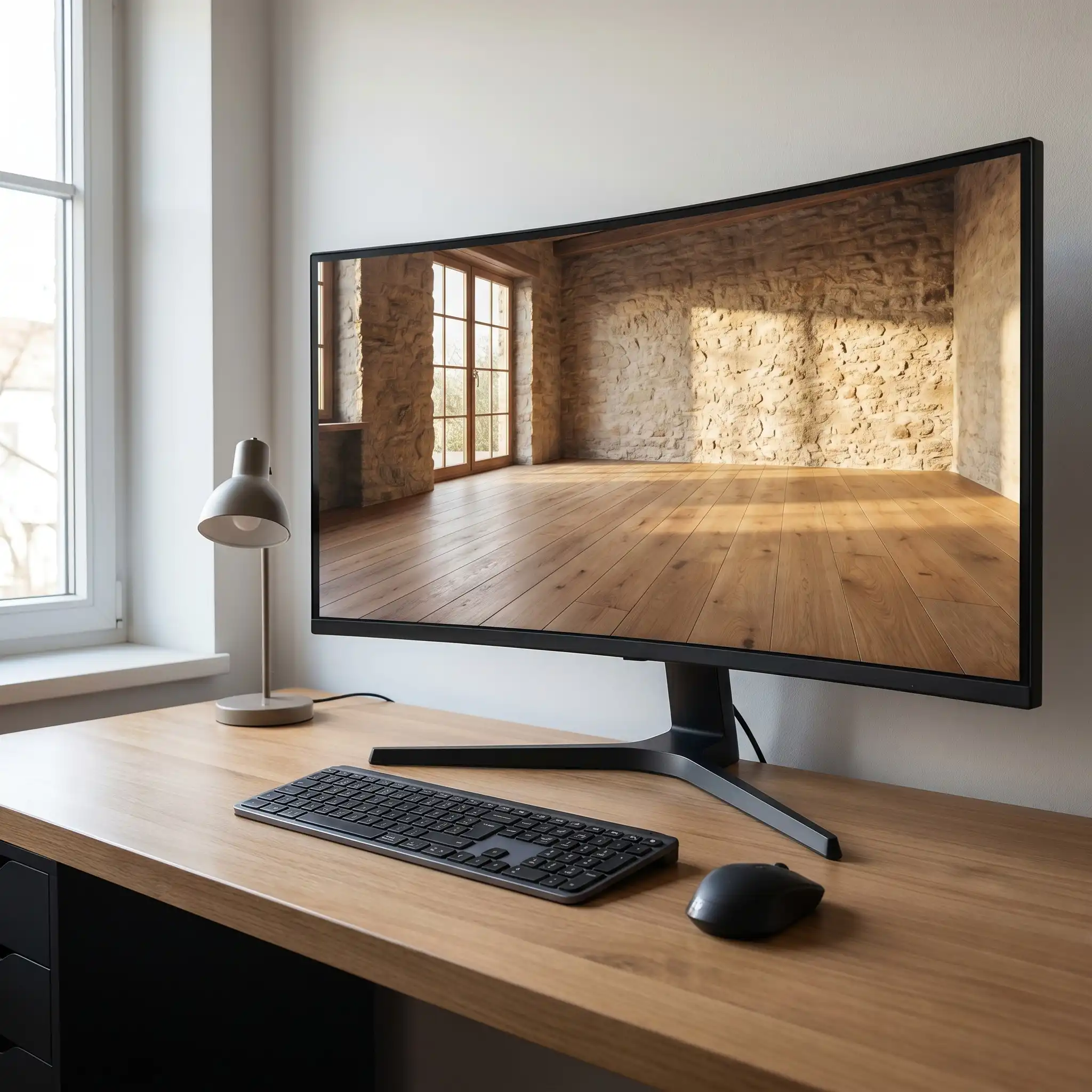
 Seamless textures applied to a 3D interior visualization.
Alt text: 3D interior scene with seamless wood and stone textures on a computer monitor
Seamless textures are the backbone of realistic 3D rendering. Whether you are working on an architectural visualization, a product render, or a game environment, the quality of your textures directly affects how believable the final image looks. A single visible seam or repeating pattern can break the illusion instantly.
For 3D artists, architects, interior designers, and product visualizers, finding reliable sources of seamless textures is an ongoing task. The internet is full of options, but not all of them deliver the resolution, consistency, or licensing clarity that professional work demands. This article walks through the best free and paid resources for seamless textures, with practical tips on how to choose, download, and use them effectively.
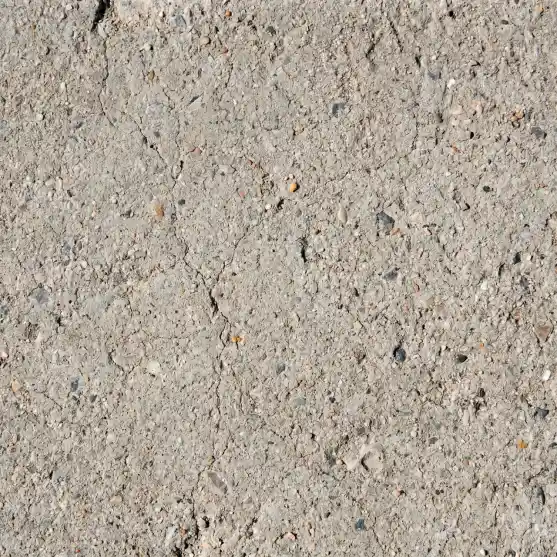
Example of a seamless concrete texture with natural surface variation.
Alt text: Close-up of a seamless concrete texture tile
What Makes a Texture Seamless?
A seamless texture is an image that can be tiled repeatedly without visible borders or discontinuities. When applied to a 3D surface, it repeats smoothly across the entire geometry. The key characteristics include:
Edge matching: The left edge blends into the right edge, and the top blends into the bottom.
No visible repeats: With good design, the pattern does not call attention to itself even after multiple tiles.
Consistent lighting and color: The overall brightness and hue remain uniform across the tile.
Seamless textures are essential for materials like wood flooring, concrete walls, stone pavements, fabric upholstery, and ceramic tiles. Without seamlessness, you would see hard lines where each tile meets the next.
Where to Find Seamless Textures
Many platforms offer seamless texture downloads, ranging from completely free collections to high-end commercial libraries. Below are some of the most useful sources for 3D artists.
1. Specialized Texture Libraries
Websites dedicated to textures often provide the highest quality and most consistent results. They typically organize assets by material type, resolution, and style. Some platforms offer both free and paid resources, so you can start with selected free assets and upgrade when a project demands more.
[Relebook](https://www.relebook.com/) is one such platform that 3D artists frequently turn to. It offers a range of 3D models, textures, HDRI, and other CG resources that fit into visualization workflows. While not all assets are free, the collection is curated to support realistic rendering across different software. Artists using Blender, 3ds Max, Cinema 4D, or Unreal Engine can find textures that match common material needs. As with any resource, it is wise to review each asset page for format, license, and usage details before downloading.
2. Community-Driven Platforms
Online communities like Poly Haven (formerly Texture Haven) and ambientCG provide high-quality seamless textures released under Creative Commons licenses. These are excellent for personal projects, learning, and even some commercial work depending on the specific license. The textures are often photographed and processed by artists who understand the needs of 3D rendering.
3. Stock Image Sites
Large stock photography platforms like Unsplash, Pixabay, and Pexels offer thousands of texture photos. However, most of these are not seamless out of the box. You will need to edit them using software like Photoshop or GIMP to make them tileable. The advantage is variety; the downside is the extra processing time.
4. Software-Specific Marketplaces
If you use Blender, the Blender Market has many texture packs created specifically for that software. Similarly, the Unreal Engine Marketplace and Unity Asset Store offer seamless textures optimized for real-time rendering. These often include additional maps like normal, roughness, and displacement.
How to Choose the Right Seamless Texture
Not all seamless textures are created equal. Here are criteria to consider when selecting textures for your projects.
Resolution
Higher resolution textures (2K, 4K, or even 8K) allow for closer camera angles without pixelation. For background elements or distant surfaces, 1K or 2K may be sufficient. Always match the resolution to the expected viewing distance.
Material Authenticity
A good seamless wood texture should show natural grain variation, knot patterns, and color shifts that look realistic. Concrete textures should capture subtle imperfections, air holes, and aggregate details. The more authentic the source photo, the better the final material.
Map Availability
Many seamless textures come with additional maps: normal maps for surface detail, roughness maps for reflectivity, and displacement maps for geometry. Having these maps saves time and improves realism. Some platforms provide complete material packages, while others offer only the diffuse color map.
License Clarity
Before using any texture in a commercial project, check the license. Some free resources allow commercial use, others restrict it. Availability and licensing can vary between platforms, so it is your responsibility to verify. Relebook, for example, lists usage terms on each asset page so you can make an informed decision.
Practical Workflow Tips for Using Seamless Textures
Once you have downloaded a seamless texture, the way you apply it in your 3D software matters. Here are a few workflow notes.
Tiling and Scale
Set the tiling parameters to match the real-world size of the surface. A brick texture that repeats every 20 cm will look wrong if tiled every 2 meters. Use the material editor to adjust UV tiling and offset.
Blending Multiple Textures
For large surfaces like floors or walls, a single seamless texture can look too uniform. Consider blending two or three variations using a mask or vertex paint. This breaks up the repetition and adds visual interest.
Using Maps Together
Apply the normal map, roughness map, and displacement map in the correct slots. The normal map adds micro-detail, the roughness map controls how light scatters, and the displacement map physically alters the geometry. Together, they create a convincing material.
Testing in Different Lighting
A texture that looks good in a bright studio setup may appear flat in a dim interior scene. Test your materials under different lighting conditions, including natural daylight, artificial warm light, and mixed environments.
Seamless Texture Categories You Should Know
Here are some of the most commonly used seamless texture categories in 3D visualization.
Seamless Wood Texture
Wood textures are essential for furniture, flooring, and architectural details. Look for textures that show clear grain direction and natural color variation. Seamless wood textures are often used in interior design visualizations where flooring or paneling is a focal point.
Seamless Concrete Texture
Concrete is widely used in modern architecture and urban environments. A good seamless concrete texture captures the porous surface, subtle cracks, and occasional aggregate. It works well for walls, floors, and structural elements.
Seamless Stone Texture
Stone textures cover everything from cobblestone to marble. They are used in exterior scenes, pathways, and feature walls. The tiling should be large enough to avoid obvious repeats, especially for large surfaces.
Seamless Fabric Texture
Fabric textures are used for upholstery, curtains, carpets, and clothing. They require careful attention to weave patterns and softness. Seamless fabric textures often include a roughness map to simulate the fuzziness of the material.
Seamless Tile Texture
Tile textures are common in kitchens, bathrooms, and commercial spaces. They can be ceramic, porcelain, or stone. The grout lines must align perfectly across tiles to maintain the seamless appearance.
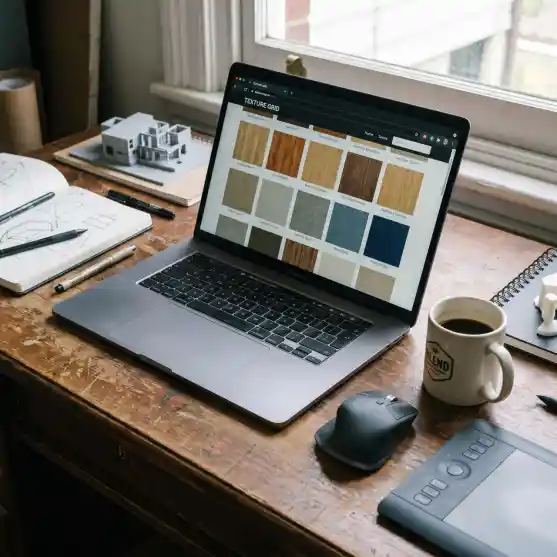
Browsing seamless textures on a CG resource platform.
Alt text: Laptop displaying a seamless texture library website on a desk
Why Relebook Fits Into a 3D Artist’s Workflow
For 3D artists who regularly work on architectural visualization or product design, having a reliable source of textures and models streamlines the creative process. [Relebook](https://www.relebook.com/) provides a curated collection of CG resources that includes seamless textures, 3D models, and HDRI environments. The platform is designed to support visualization workflows, which means the assets are often ready to use with minimal adjustments.
Instead of spending hours searching multiple sites for a matching set of textures, you can browse by category and find consistent options. The site also offers 3D models that can be combined with textures for complete scene setups. As always, check each asset’s page for specific format and license information before integrating it into your project.
Common Mistakes to Avoid
Ignoring scale: Applying a texture without setting the correct real-world scale leads to unrealistic proportions.
Overusing one texture: Using the same seamless texture across multiple surfaces in a scene can make everything look identical. Vary your materials.
Skipping map combinations: Using only the diffuse map misses out on depth and realism that normal and roughness maps provide.
Not checking licenses: Assuming all free textures are usable commercially can cause legal issues. Always verify.
Final Thoughts
Seamless textures are a fundamental part of 3D rendering. Whether you are working on a simple product shot or a full architectural walkthrough, the right textures elevate the visual quality. By choosing high-quality sources, understanding what makes a texture seamless, and applying them correctly in your software, you can achieve professional results.
Explore different platforms, build your own material library over time, and always keep an eye on resolution and licensing. With the right approach, seamless textures become a powerful tool in your 3D workflow.
FAQ
What are seamless textures?
Seamless textures are images that can be tiled repeatedly without visible borders or discontinuities. They are used in 3D rendering to cover large surfaces with a consistent material appearance.
Where can I download free seamless textures?
You can find free seamless textures on platforms like Poly Haven, ambientCG, and some sections of Relebook. Availability and licensing can vary, so always check the terms before use.
Can I use seamless textures for commercial projects?
It depends on the license of each texture. Some free resources allow commercial use, while others do not. Review the license on the asset page before using it in a commercial project.
What resolution should I choose for seamless textures?
For close-up shots, 4K or higher is recommended. For distant surfaces, 2K may be sufficient. Match the resolution to the viewing distance and camera angle.
Do I need additional maps besides the color texture?
For realistic results, it is best to use normal, roughness, and displacement maps alongside the color texture. These maps add depth, surface detail, and realistic light behavior.