
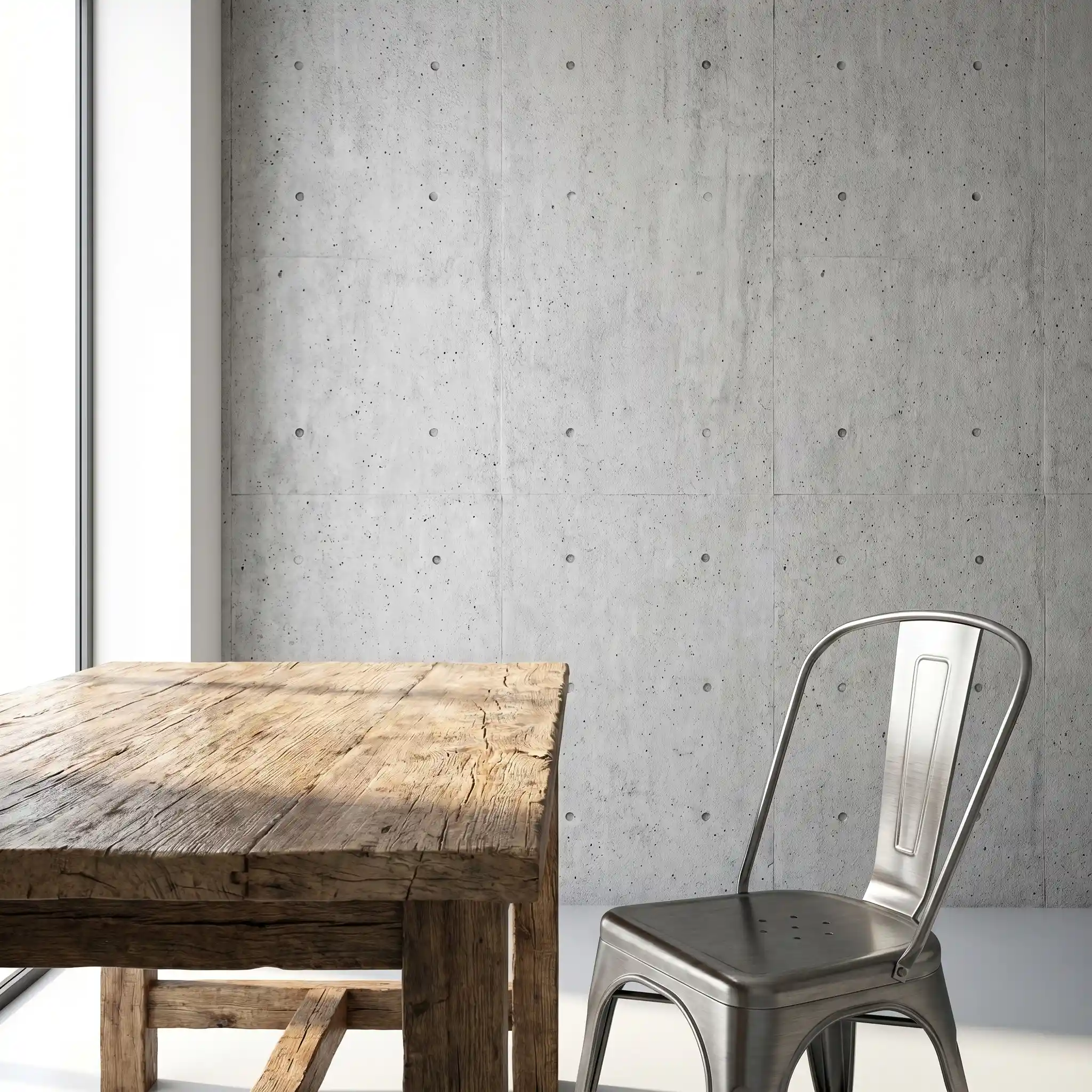
High-quality PBR textures bring materials like wood, concrete, and metal to life in 3D rendering.
Alt text: Realistic 3D interior render with wood, concrete, and metal PBR textures
When you are building a 3D scene, the difference between a flat, unconvincing render and one that feels almost photographic often comes down to the surface detail. Lighting and geometry set the stage, but it is the texture that tells the story of wear, age, and material character. For artists working in Blender, 3ds Max, Cinema 4D, or Unreal Engine, physically based rendering (PBR) textures have become the standard for achieving realistic results. The good news is that you do not always have to build these maps from scratch. A growing number of platforms, including Relebook, offer access to free PBR textures that can elevate your work without stretching your budget.
This article covers what PBR textures are, why they matter for realistic rendering, how to choose the right ones, and where to find reliable free and paid resources. We will also walk through practical workflow tips so you can integrate these textures into your projects with confidence.
What Are PBR Textures?
PBR stands for physically based rendering, a shading model that simulates how light interacts with surfaces in the real world. Instead of relying on a single diffuse map, a PBR texture set typically includes several maps that work together: albedo (base color), normal (surface detail), roughness (how rough or shiny the surface is), metallic (whether the surface behaves like metal), and sometimes ambient occlusion or displacement.
The advantage of this approach is consistency. Because the maps are built to follow real-world physical properties, they look correct under any lighting condition. A PBR wood texture, for example, will reflect light differently depending on whether it is varnished or raw, and the roughness map ensures that difference is visible. This makes PBR textures essential for architectural visualization, product rendering, and game asset creation.
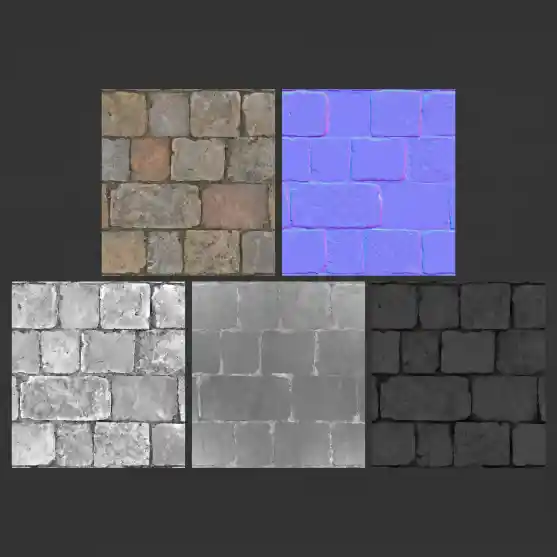
A complete PBR texture set typically includes albedo, normal, roughness, metallic, and ambient occlusion maps.
Alt text: Example PBR texture map set showing albedo, normal, roughness, metallic, and ambient occlusion
Why Free PBR Textures Matter for 3D Artists
Not every project has a budget for premium texture libraries. Freelance artists, students, and small studios often need to produce high-quality renders while keeping costs low. Free PBR textures fill that gap. They allow you to prototype materials quickly, test lighting setups, and build out scenes without committing to a purchase upfront.
That said, free does not mean low quality. Many platforms offer carefully scanned or authored textures that rival paid collections. The key is knowing where to look and understanding the licensing terms. Some free textures are released under Creative Commons licenses, while others are free for personal use only. Always check the license before using a texture in commercial work.
What to Look for in a Free PBR Texture
When you browse for free PBR textures, keep these criteria in mind:
Map completeness: A good set includes at least albedo, normal, and roughness. Metallic and ambient occlusion are bonuses.
Resolution: 2K is a solid baseline for most scenes. 4K can be useful for hero assets, but it also increases file size and render time.
Seamlessness: Seamless textures tile without visible repetition. This is critical for large surfaces like floors, walls, or roads.
Realism: Look for textures that capture real surface imperfections: scratches, dirt, grain, or wear. These details sell the realism.
Color accuracy: The albedo map should represent the true color of the material without baked-in lighting or shadows.
Categories of Free PBR Textures You Should Have in Your Library
Wood Textures
Wood is one of the most common materials in architectural and interior visualization. Free PBR wood textures come in many varieties: oak, walnut, pine, mahogany, and weathered barn wood. Look for sets that include clear grain direction and subtle color variation. Roughness maps for wood should show the difference between polished and raw areas.
Concrete and Stone
Concrete textures are essential for modern architecture, industrial interiors, and urban scenes. Free PBR concrete textures often feature surface pores, cracks, and formwork lines. Stone textures, including marble, granite, and slate, benefit from high-resolution normal maps that capture surface relief.
Metal Textures
Metals behave differently from dielectrics in PBR workflows. A good metal texture set includes a metallic map that defines which parts of the surface are conductive. Free PBR metal textures cover brushed steel, copper, aluminum, rusted iron, and gold leaf. Roughness is especially important for metals: a polished chrome surface has very low roughness, while cast iron is rough.
Fabric and Leather
Fabric textures add softness to interiors and product shots. Free PBR fabric textures include cotton, linen, velvet, and canvas. For leather, look for maps that capture the natural grain and creasing. The normal map should be subtle, as fabric and leather have relatively low surface relief.
Ground and Organic Surfaces
Grass, gravel, mud, and sand are useful for exterior scenes. Free PBR ground textures often come as large tileable sets. Displacement maps can add extra depth for ground surfaces, especially when combined with a good normal map.
Where to Find Free PBR Textures
Several platforms offer free PBR textures, each with different strengths. Here is a brief overview:
Relebook: A growing resource for 3D artists, Relebook provides access to a range of 3D models, textures, and HDRI environments. The platform includes both free and paid assets, making it a useful stop for artists looking to expand their material library. You can browse categories such as wood, concrete, metal, and fabric, and download textures that fit your project needs. As with any resource, check each asset page for format, license, and usage details before downloading.
ambientCG: Offers a large collection of CC0 textures, meaning they are free for any use including commercial projects. The maps are well-organized and available in multiple resolutions.
Poly Haven: Known for high-quality CC0 textures, HDRI, and 3D models. Their texture library is curated and frequently updated.
Texture Haven (now part of Poly Haven): Same as above, with a focus on seamless PBR textures.
ShareTextures: A community-driven platform with many free PBR textures. Quality varies, so check previews carefully.
3DTextures.me: Offers free textures with a focus on realism. The library includes many tileable options.
Workflow Tips for Using Free PBR Textures
Once you have downloaded a texture set, here are a few tips to integrate it smoothly into your scene:
1. Set Up Your Material Node Correctly
In Blender, 3ds Max, or Unreal Engine, connect the maps to the correct inputs. The albedo goes into the base color, the normal map connects to the normal input (with a Normal Map node in Blender), and roughness goes into the roughness slot. If a metallic map is included, plug it into the metallic input. Do not forget to set the color space: albedo should be sRGB, while normal, roughness, metallic, and ambient occlusion should be Non-Color.
2. Adjust Tiling
Most seamless textures tile by default. If the texture looks too repetitive, increase the scale or use a tiling modifier. For large surfaces, you may need to adjust the UV mapping to avoid obvious repetition. Some artists use a combination of two different textures blended with a mask to break up the pattern.
3. Use Texture Blending
For realistic surfaces, pure materials are rare. A concrete floor might have dirt in the corners, a wooden table might have scratches. Use vertex paint or a mask to blend multiple textures. For example, blend a clean concrete texture with a dirty version using a noise mask.
4. Check Scale in the Real World
A brick texture that looks good in preview might be completely wrong in scale when applied to a wall. Use real-world measurements to set the texture scale. A standard brick is about 200 mm long. If your texture tiles every 200 mm, it will look correct.
5. Optimize Resolution
Not every object needs a 4K texture. Use higher resolutions for hero objects that are close to the camera, and lower resolutions for background elements. This saves memory and render time.
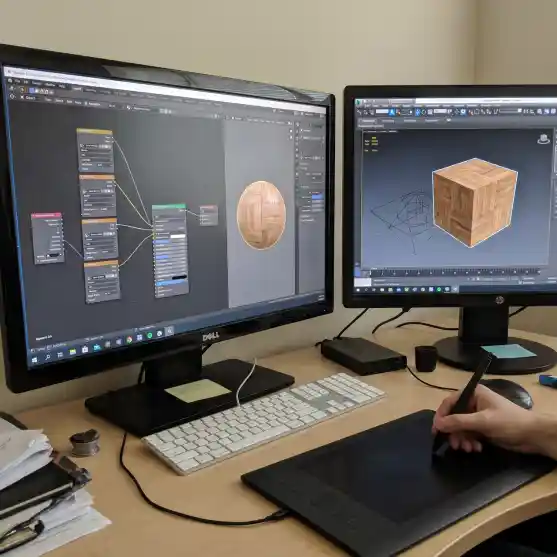
Connecting PBR maps correctly in the shader editor is essential for realistic material results.
Alt text: 3D artist using PBR texture node setup in Blender viewport
Common Mistakes to Avoid
**Using the albedo as a diffuse map in a non-PBR workflow**: If your render engine does not support PBR, the texture will look flat. Always use a PBR-compatible engine.
**Ignoring the roughness map**: Without roughness, materials look plastic. Even a subtle roughness map adds realism.
**Forgetting to flip the green channel on normal maps**: Some engines expect the normal map to have the green channel flipped. Blender, for example, automatically handles this, but other engines may require manual adjustment.
**Using textures without checking the license**: This can cause legal issues if you use the texture in a commercial project. Always read the license terms on the download page.
How to Build a Personal Texture Library
Over time, you will collect hundreds of textures. Organizing them early saves frustration later. Here is a simple system:
Create folders by material type: Wood, Concrete, Metal, Fabric, Stone, Ground, Plastic, etc.
Within each folder, keep the texture set together. Include the albedo, normal, roughness, metallic, and any other maps.
Rename files consistently. For example: Wood_Oak_Albedo.png, Wood_Oak_Normal.png, Wood_Oak_Roughness.png.
Keep a spreadsheet or note with the source URL and license type for each texture. This is especially important for commercial projects.
Platforms like Relebook can help you discover new textures and 3D assets as your library grows. Browsing their categories may give you ideas for materials you had not considered.
The Future of Free PBR Textures
The quality of free PBR textures continues to improve. Advances in photogrammetry and scanning technology mean that free textures today are often indistinguishable from paid ones. More platforms are adopting open licenses, making it easier for artists to share and reuse assets. As real-time rendering becomes more common in architecture and product design, the demand for high-quality, ready-to-use textures will only increase.
For now, the best approach is to build a reliable set of go-to sources, check licenses carefully, and develop a consistent workflow for applying and adjusting textures. Whether you are rendering a photorealistic interior or a stylized game environment, free PBR textures give you a solid foundation without the upfront cost.
Final Thoughts
Free PBR textures are an essential resource for any 3D artist. They allow you to experiment, iterate, and produce professional-quality renders without spending money on every asset. By understanding what makes a good texture set, knowing where to find them, and following a few workflow best practices, you can save time and improve your results.
If you are looking to expand your collection, Relebook is worth exploring. The platform offers a mix of free and paid textures, 3D models, and HDRI environments that can support a wide range of visualization workflows. As always, review the details on each asset page to confirm format, license, and download options. With the right textures and a solid workflow, realistic 3D rendering is within reach for any artist.
FAQ
What does PBR stand for in textures?
PBR stands for physically based rendering. It is a shading model that simulates how light interacts with real-world surfaces using multiple maps such as albedo, normal, roughness, and metallic.
Are free PBR textures good enough for professional rendering?
Yes. Many free PBR textures are created using high-quality photogrammetry and scanning techniques. They can produce photorealistic results when used correctly. Always check the resolution and map completeness before use.
Can I use free PBR textures in commercial projects?
It depends on the license. Some free textures are released under CC0 (public domain) and can be used commercially. Others are free for personal use only. Always read the license terms on the download page.
What maps are included in a typical PBR texture set?
A standard PBR set includes albedo (base color), normal, and roughness maps. Many sets also include metallic, ambient occlusion, and displacement maps.
How do I make a PBR texture seamless?
Many free PBR textures are already seamless. If you need to make one seamless, you can use image editing software like Photoshop or GIMP with the offset filter and clone stamp tool to blend edges.
Where can I find free PBR textures for Blender?
Platforms like Relebook, ambientCG, Poly Haven, and ShareTextures offer free PBR textures that work in Blender. Make sure to connect the maps correctly in the shader editor.