
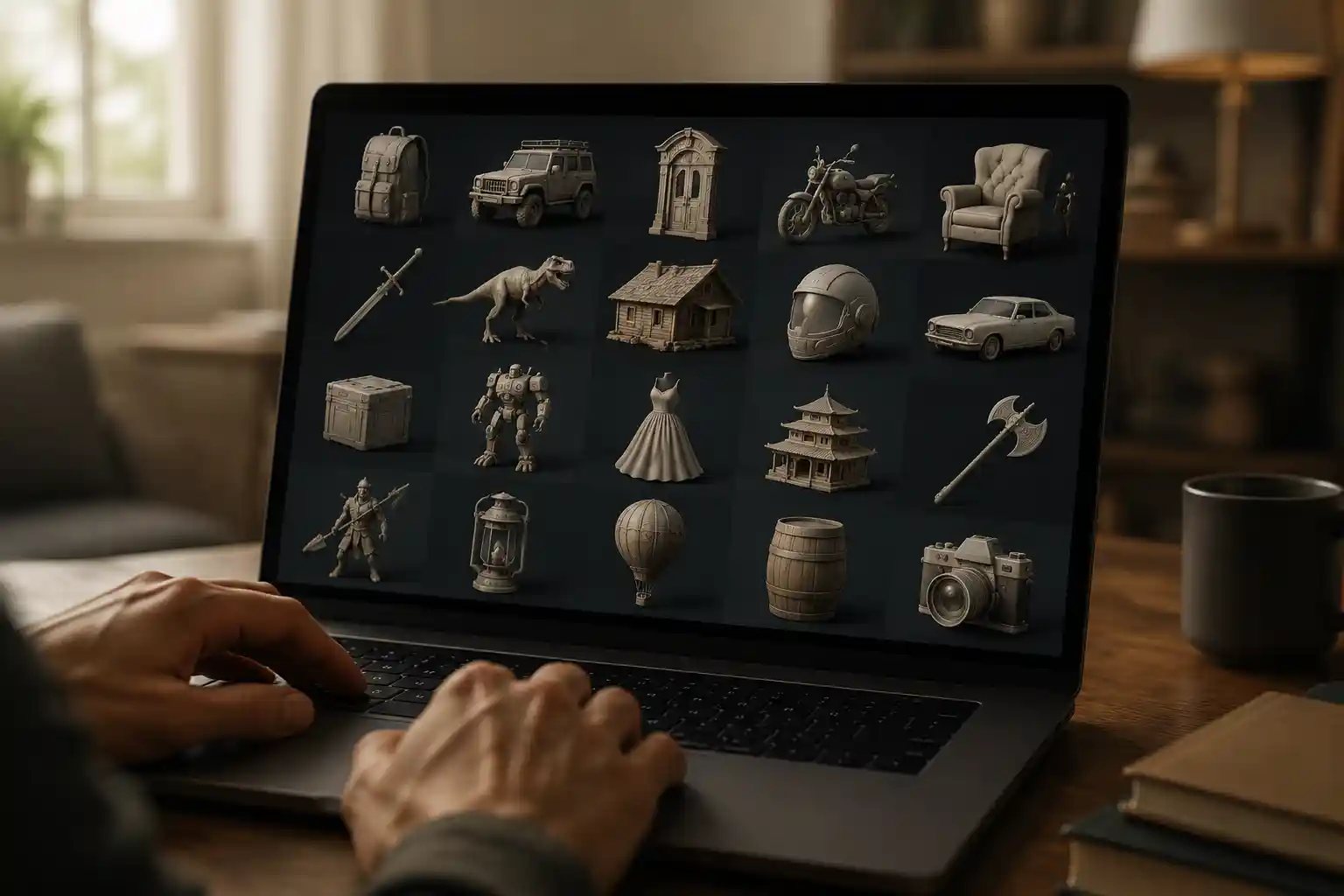
Whether you’re a hobbyist 3D printer, a game developer on a tight budget, an architecture student working on a final project, or a digital artist exploring new concepts, free 3D models can cut your workflow time from weeks to hours. The internet is flooded with repositories offering thousands of free downloads, but navigating these sites to find high-quality, legally safe, and print-ready models can feel like searching for a needle in a digital haystack. This guide breaks down everything you need to know to find, download, and use free 3D models confidently, no matter your project.
Understanding Different Types of Free 3D Models
Before you start browsing repositories, it’s important to understand what types of free 3D models are available, and which fit your specific use case. Not all free models are created equal: some are designed for 3D printing, others for animation or visual effects, and many come with different legal restrictions that can impact how you use them.
3D Printable ModelsModels optimized for 3D printing are designed to be solid, manifold (no gaps or overlapping geometry), and exported as STL files, the standard file type for consumer 3D printers. Many free printable models are pre-sliced for common printer brands like Prusa or Ender, making them ready to print straight after download. Common categories include functional parts (like replacement kitchen tool handles or phone stands), cosplay props, tabletop gaming miniatures, and art sculptures. Because these models are shared by a global community of makers, you’ll often find user comments highlighting print issues, suggested settings, and modifications that other creators have already tested.
Models for Visualization, Animation, and GamingFor digital projects like architectural renderings, video game assets, or animated short films, you’ll need models optimized for real-time or high-resolution rendering, rather than physical printing. These models are usually exported as OBJ, FBX, or GLB files, and often include UV maps, texture files, and rigged skeletons for animated characters. Many free models in this category are created by professional artists sharing their work for non-commercial use, making them perfect for student projects, indie game jams, or concept work. Unlike printable models, digital assets often include high-poly details that look great on screen but would be impossible or unnecessary to print.
What’s the Difference Between Free and Royalty-Free?A common point of confusion for new users is the difference between free and royalty-free 3D models. “Free” just means you don’t pay to download the model, but it doesn’t automatically mean you can use it for any purpose. Royalty-free models are available for commercial use (often even after a free download) with a one-time license, meaning you don’t have to pay ongoing royalties to the original creator when you use the model in your final product. Always check the license terms before using a free model in a commercial project—this small step can save you from expensive copyright disputes down the line.
Top Trusted Repositories for Free 3D Models
Not all 3D model websites are created equal. Some are known for strict quality control, clear license terms, and active communities, while others are filled with broken files, stolen models, and hidden malware. Below are the most reputable platforms, organized by use case, to help you start your search.
For 3D Printing: ThingiverseOwned by 3D printer manufacturer Ultimaker, Thingiverse is the oldest and largest community for free 3D printable models, with over 2 million free downloads available. Every model on the site is uploaded by users, and most are licensed for non-commercial use with attribution. What makes Thingiverse stand out is its active community: users regularly remix original models, share print settings, and fix issues in the comments section. If you’re looking for a common functional part, a cosplay accessory, or a tabletop miniature, chances are you’ll find it here for free.
For 3D Printing: PrintablesPrintables, also owned by Prusa, has quickly grown into one of the most popular alternatives to Thingiverse, with a focus on high-quality, tested models. The site features a curation system that highlights top-rated models, and many creators offer pre-sliced files for different printer sizes, complete with recommended print settings. Unlike some older platforms, Printables has a modern interface with powerful filtering options, letting you search by file type, license, and difficulty level. All free models on Printables are clearly marked with their license terms, making it easy to find models you can use legally.
For Digital Assets: SketchfabSketchfab is the go-to platform for 3D models designed for digital use, with hundreds of thousands of free models available for download. What makes Sketchfab unique is its built-in 3D viewer, which lets you rotate, zoom, and inspect a model before you download it—so you don’t waste time downloading broken or low-quality files. You can filter free searches by license type, including models marked for commercial use with attribution. Sketchfab is especially popular for finding environmental assets, architectural models, and scanned real-world objects, which are perfect for game development and visualization projects.
For Professional Projects: TurboSquid Free SectionTurboSquid is best known for its premium professional 3D models, but it also has a large section of free models available for download. Many free models on TurboSquid are released by professional artists looking to build their portfolio, so you’ll often find higher-quality assets than you would on community-run sites. All free models on TurboSquid come with clear license terms, and many are available for commercial use. The downside is that the free selection is smaller than on community platforms, but it’s worth checking if you need a high-quality model for a professional project on a budget.
Open Source and Academic CollectionsIf you’re looking for historically accurate models, scientific visualizations, or open-source assets, there are several public collections that offer free downloads from trusted institutions. For example, the Smithsonian X 3D collection includes hundreds of scanned historical artifacts, from dinosaur bones to famous sculptures, all available for free non-commercial use. The NIH 3D Print Exchange offers free models of biological structures and medical devices, perfect for research and educational projects.
How to Check Model Quality and Legality Before Downloading
Even on trusted platforms, you’ll find low-quality, broken, or illegally shared models. Taking a few minutes to check these key details before you download will save you hours of frustration later.
Checking model quality starts before you even click the download button. Most reputable platforms let users leave reviews and comments, so start by reading through recent feedback from other users. If multiple people mention that the model is broken, doesn’t print correctly, or is missing texture files, cross it off your list and find an alternative. For printable models, look for photos of finished prints uploaded by other users—this is the best proof that the model actually works.
Next, check the model’s geometry. For digital models, Sketchfab’s built-in viewer lets you check for non-manifold geometry, missing faces, or flipped normals right in your browser. For printable STL models, you can use free online tools like MeshLab or 3D Builder to inspect and repair the model after downloading before you send it to your printer. Common issues to look for include:
- Gaps between faces that will prevent the model from slicing correctly
- Overlapping polygons that can cause 3D printer errors
- Hollow sections in functional parts that lead to weak prints
- Missing texture files or incorrectly mapped UVs for digital models
“The biggest mistake new 3D creators make is not checking the license before they use a free model in a commercial project. Even if a model is free to download, that doesn’t mean it’s free to sell or use in your own profitable product.”
Legal compliance is just as important as quality. Most free 3D models fall under one of several common license types, and it’s critical to understand what each allows:
- Public Domain: Models marked as public domain have no copyright restrictions, and you can use them for any purpose, commercial or non-commercial, without attribution. This is the most flexible license for free models.
- Creative Commons Attribution (CC BY): You can use the model for commercial or non-commercial use, as long as you credit the original creator. This is one of the most common licenses on community platforms.
- Creative Commons Non-Commercial (CC BY-NC): You can use the model freely for personal or educational projects, but you cannot use it in any commercial product or service. This is the license you’ll find most often on free community-uploaded models.
- Royalty-Free Commercial: Many platforms offer free models with a royalty-free commercial license, meaning you can modify and use the model in commercial products without paying ongoing royalties. Always check if there are any restrictions, like limiting the number of copies you can produce or requiring attribution.
One important red flag to watch for is stolen models. It’s not uncommon for users to upload models created by other artists without permission, even on large platforms. If you find a model that’s being sold for a premium on another site, but offered for free on the platform you’re browsing, it’s almost certainly stolen. Stick to models uploaded by the original creator, and when in doubt, do a quick reverse image search to confirm the original source.
Common Problems and How to Fix Them
Even when you download a model from a trusted source, you may run into common issues that prevent you from using it. Most of these problems are easy to fix with free tools and a little bit of know-how.
Broken or Non-Manifold STL FilesNon-manifold geometry is the most common issue with free 3D printable models. This happens when the model has gaps, overlapping faces, or edges that are shared by more than two faces, which can confuse slicer software and lead to failed prints. The good news is that most consumer 3D printing slicers, like Cura or PrusaSlicer, have built-in repair tools that can fix most common issues automatically. For more complex problems, free tools like MeshFix or Blender’s 3D Print Toolbox add-on can repair more complex geometry errors in just a few clicks. Always run a repair check on any new STL before you slice it, even if the model is rated highly by other users.
Missing Textures or Materials for Digital ModelsIt’s common for free digital models to be uploaded without their accompanying texture files, or for texture paths to break when you import the model into your software. If the texture files are included with the download but aren’t loading automatically, you can usually re-link them manually in your 3D software (Blender, Maya, Unity, etc.) by selecting the model’s material and pointing the software to the texture file location. If the original textures are missing, you can find free PBR texture sets on sites like Poly Haven or Textures.com to replace them, which takes just a few minutes to set up.
The Model Is Too Big or Too Small for Your ProjectWhether you’re 3D printing or using a model in a digital scene, size mismatches are extremely common. Most 3D model repositories don’t enforce a standard unit of measurement, so a model that’s supposed to be a 10cm phone stand might export as 10 meters by default. Fixing this is simple: just import the model into your slicer or 3D software, use the measure tool to check the dimensions of a key feature, then scale the entire model uniformly to match the size you need. For 3D printing, always double-check the outer dimensions against your printer’s build volume before you start slicing—nothing is more frustrating than realizing your 20cm cosplay helmet won’t fit on your 18cm build plate after you’ve already downloaded and repaired the file.
Watermarking or Low ResolutionSome free models are low-resolution previews of premium models, or include watermarks that will show up in your final render. This is common on sites that offer both free and premium assets, so always check the description before downloading to confirm that you’re getting the full-resolution model without watermarks. If you do end up with a low-poly model that you want to use for a high-resolution render, you can use free subdivision tools in Blender to smooth out the geometry and add detail, or use a 3D scanning tool to add extra details if you need them.
Best Practices for Using Free 3D Models in Your Projects
Once you’ve found a high-quality, legally compliant free model, following these best practices will help you get the best results and stay on good terms with the creator community.
First, always give credit where credit is due. Even if the license doesn’t explicitly require attribution, most creators spend dozens of hours designing and refining their models, and a simple shoutout on your social media, project page, or product description is a small way to thank them for their work. Many creators rely on exposure to grow their audience and sell their other work, so attribution benefits the entire community and encourages more people to share free models in the future.
Second, don’t be afraid to modify free models to fit your needs. One of the biggest advantages of 3D models is that they’re easy to edit, and most licenses encourage remixing as long as you follow the original license terms. If you need a phone stand that’s 1cm wider, or a character model that has a different head shape, you can adjust the model in free software like Blender to fit your exact needs. If you create a modified version that works well, consider sharing it back to the community so other users can benefit from your changes.
For commercial projects, here are a few actionable tips to stay compliant and get professional results:
- Stick to models with clear commercial licenses, even if that means filtering out most free results during your search. The small time investment up front avoids legal issues later.
- Always modify the original model enough to make it your own, especially if you’re selling a physical or digital product based on it. Most commercial licenses allow modification, and putting your own spin on the model helps you create a unique product.
- Save a copy of the license terms and the original creator’s information for your records. If you ever need to prove you have the right to use the model, having this documentation on hand will resolve any disputes quickly.
Finally, if you find a free model that you love and use regularly, consider supporting the creator. Many creators link to their Patreon, Ko-fi, or online store on their profile page. Even a small one-time donation helps them continue creating and sharing free models with the community. Some creators also offer premium versions of their free models with extra features or commercial licenses, so if you’re using the model for a commercial project, upgrading to a premium license is a great way to support the creator and get a more polished asset.
Conclusion
Free 3D models are an incredible resource for makers, artists, students, and professionals alike, cutting down project timelines and making 3D design accessible to people who don’t have the time or skills to model every part from scratch. By starting with trusted repositories, checking quality and license terms before you download, fixing common issues with free tools, and following community best practices, you can get great results while staying legal and supporting the creators who share their work. Whether you’re printing your first functional part for your home or building assets for an indie game, there’s a huge world of high-quality free models waiting for you to explore—you just need to know where to look.