
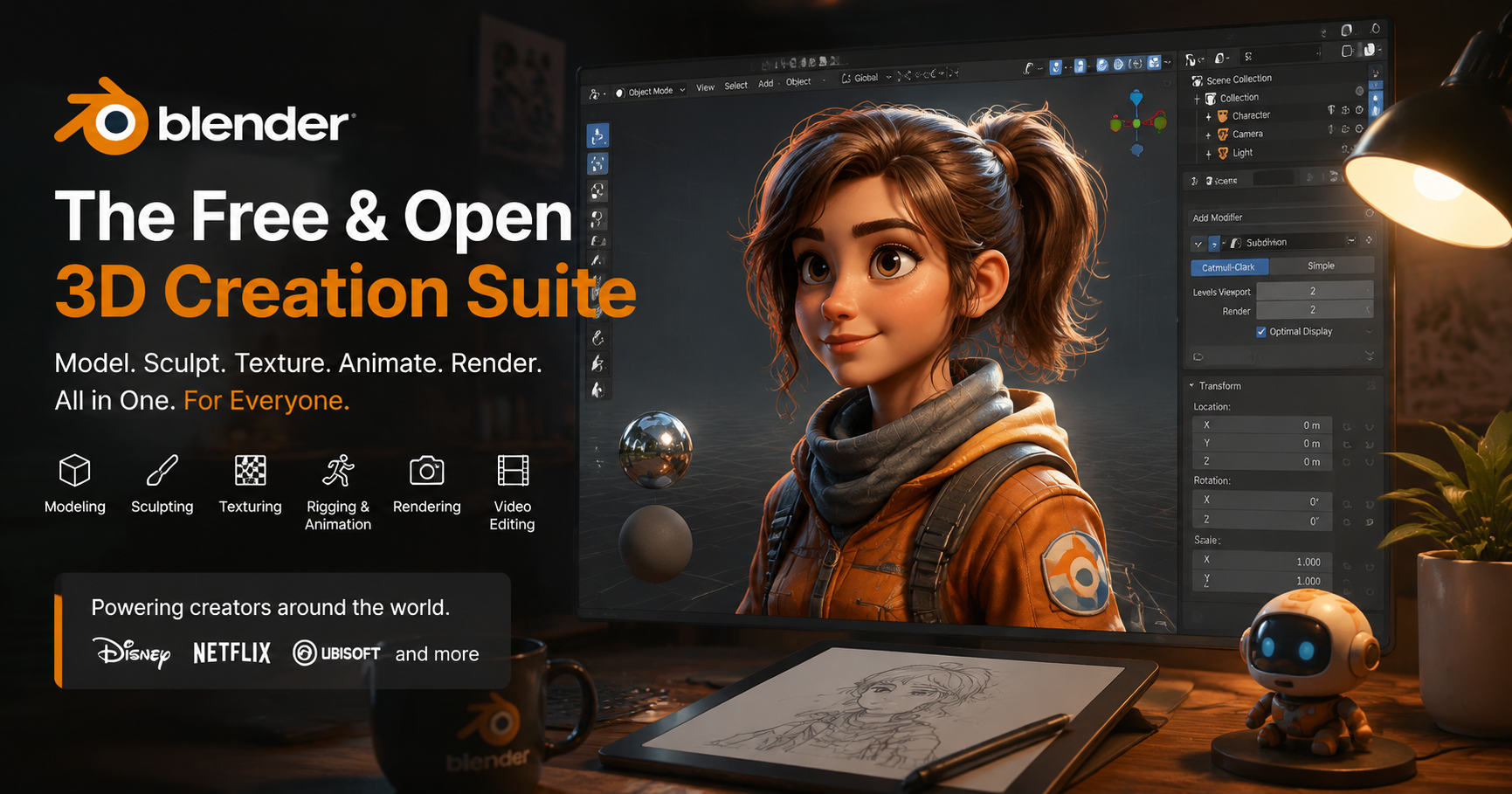
In 2002, a small Dutch open-source project released a free 3D creation tool that would upend an industry dominated by thousand-dollar subscription software. Two decades later, Blender is used by everyone from independent hobbyists to major studios like Disney, Netflix, and Ubisoft, powering everything from indie video game assets to Academy Award-winning animated shorts. For anyone new to 3D art, game design, or visual effects, the first question that usually comes up is simple: is Blender actually the best 3D modeling software available today? The answer depends on your goals, budget, and workflow—but it’s impossible to deny that Blender has redefined what users can expect from a 3D tool, challenging even the most established paid alternatives.
What Makes Blender Stand Out From Competitors
To understand Blender’s rise, it helps to start with the unique advantages that set it apart from industry staples like Autodesk Maya, 3ds Max, ZBrush, and Substance Painter. Unlike these tools, which require monthly subscriptions that can run $20 to $50+ per user, Blender is 100% free to download, use, and modify for any purpose—personal, commercial, or educational. That zero-cost barrier has opened up 3D creation to millions of people who could never afford the upfront or ongoing costs of paid software, democratizing an industry that was once locked behind paywalls accessible only to large studios and wealthy professionals.
Full Integrated Workflow, No Extra Purchases Required
One of the biggest pain points for 3D artists working with paid software is the need to buy multiple separate tools to complete a single project. A typical workflow might require one tool for modeling, another for sculpting, another for texturing, another for rigging and animation, another for rendering, and another for video editing or compositing. Blender eliminates that fragmentation by including every single one of these tools in a single download.
Whether you’re sculpting a high-poly character, retopologizing the mesh, baking texture maps, rigging it for animation, rendering a final shot, and even editing the final clip together, you never have to leave Blender or pay for extra plugins to get core functionality. For independent creators and small teams, that integration saves thousands of dollars per year and eliminates the friction of exporting and importing assets between different programs.
Massive Active Community and Free Learning Resources
As an open-source project, Blender is developed and maintained by a global community of thousands of contributors, from professional developers working full-time on the foundation-funded team to volunteer artists and programmers who contribute fixes, new features, and support. That community translates to an unparalleled library of free learning content, from step-by-step tutorials on YouTube to free model assets, custom plugins, and active forums where new users can get help with any problem.
Unlike paid software, which often restricts official learning content to paid members or retires support for older versions, Blender’s community resources stay accessible forever. Platforms like Blender Artists, Reddit’s r/blender, and Blender Stack Exchange have millions of posts covering every possible issue, from beginner modeling mistakes to advanced rendering optimization.
Constant, Rapid Development
Blender releases a major new version every three months, with each update adding significant new features, performance improvements, and bug fixes. The Blender Foundation, which oversees development, funds its work through donations, grants, and partnerships with major studios, meaning development is driven by user needs rather than corporate profit goals. For example, when the film and game industries started demanding better geometry nodes for procedural modeling, the community prioritized the feature, and it’s now one of Blender’s most powerful tools. In recent years, updates have added real-time rendering, improved sculpting brushes, better UV unwrapping, and a completely revamped animation system, closing gaps that once separated Blender from top paid alternatives.
Blender’s Strengths for 3D Modeling
While Blender is a full-suite creation tool, its core functionality has always been 3D modeling. For most use cases, Blender’s modeling toolset can compete with or even outperform paid options. Let’s break down the key strengths that make it a favorite for modelers across disciplines.
Versatile Modeling Options for Every Workflow
Blender supports every major 3D modeling approach, so you can switch between methods depending on your project needs:
- Polygon modeling: Blender’s core modeling toolset includes all the standard extrusion, inset, bevel, and loop cut tools most artists use for hard-surface and organic modeling. The knife project tool, snap tools, and proportional editing make it easy to refine meshes with precision, and the undo system supports hundreds of steps to experiment without fear of losing work.
- Sculpting: Blender’s dynamic topology sculpting system lets artists block out high-poly models without worrying about mesh density, with dozens of customizable brushes for everything from adding fine details to shaping large forms. It can handle multi-million-poly meshes smoothly on most modern hardware, and the recent addition of dynamic cloth simulation has made it even easier to sculpt organic shapes like clothing or skin.
- Procedural modeling with Geometry Nodes: One of Blender’s most exciting recent additions, Geometry Nodes lets artists create parametric models and generate complex repeating assets (like trees, buildings, or crowds) with node-based programming, no coding required. You can create a single tree model that generates endless variations, or scatter thousands of rocks across a terrain in seconds, cutting down hours of manual modeling work.
- NURBS and curve modeling: For industrial designers or architects that need precise curved surfaces, Blender supports NURBS and curve-based modeling, though it’s worth noting this toolset is less developed than its polygon modeling options.
For independent game developers, that versatility is a game-changer. A solo dev can block out a level in Blender, model all the props, sculpt and texture the main character, export it directly to Unity or Unreal Engine, and never pay a cent for software. Even large studios use Blender for previsualization and asset creation because it cuts down on licensing costs for large teams.
Industry-Standard Export Compatibility
A common misconception about Blender is that it’s difficult to integrate into professional pipelines that use other tools. In reality, Blender supports every standard 3D file format, including FBX, OBJ, GLB, STL, USD, and Alembic, so you can export your models to any game engine, rendering tool, or other 3D software without issues. It also supports importing files from almost every other popular 3D tool, so if you receive a model from a Maya user, you can open it, edit it in Blender, and send it back without compatibility problems.
This compatibility has made Blender a popular secondary tool even for studios that rely on paid software for core work. Many character artists use Blender for retopology and UV unwrapping because it’s faster and more intuitive than the tools built into Maya or ZBrush, and it’s easy to export the final mesh back to their primary tool for the next step of the workflow.
3D Printing Optimization Tools
For 3D printing enthusiasts and product designers, Blender has a robust set of free tools for preparing models for print. You can check for non-manifold geometry, solidify meshes, split models into printable parts, and add custom supports, all without paying for separate 3D printing software like Meshmixer. The 3D printing community has created hundreds of free plugins to add even more functionality, from automatic mesh repair to export tools for specific printer brands.
“Blender didn’t just become popular because it’s free. It became popular because for a lot of creators, it’s actually better than the paid tools they were using before. The workflow is faster, it’s all in one place, and the community builds exactly what users need, not what a corporation thinks we should buy.”
— Jonathan Williamson, founder of Blender Cookie and veteran 3D artist
Where Blender Falls Short Compared to Paid Alternatives
For all its strengths, Blender isn’t the best choice for every 3D modeling project or professional. To answer the question of whether it’s the best software, we have to be honest about its limitations, which stem from both its open-source development model and its historical position as a tool for independent creators.
Industry Standard Pipeline Expectations
If you’re looking for a job as a 3D artist at a major game studio, VFX house, or architectural firm, the odds are good that the job description will require proficiency in Autodesk Maya, 3ds Max, or ZBrush. For decades, these tools have been the industry standard, and many large studios have built their entire pipelines around them, with custom plugins, internal tools, and established workflows that rely on paid software. While more and more studios are adding Blender to their toolkits, it’s not yet the default for most large commercial productions.
That said, this gap is closing fast. Disney used Blender to create the 2021 animated short Us Again, Netflix used it for animated sequences in Love, Death & Robots, and Ubisoft has used it for asset creation in multiple AAA games. As more artists learn Blender early in their careers, more studios are adopting it to cut licensing costs and attract new talent.
Limited Specialized Tools for Industrial and Architectural Modeling
For industrial designers and architects that need precise, parametric modeling for manufacturing or construction plans, Blender’s toolset is generally less robust than dedicated tools like SolidWorks, AutoCAD, or Rhino. Blender’s strength is in creative 3D work—characters, environments, props, animation—not in the precision required for engineering or large-scale architectural projects. While you can import CAD files into Blender for rendering and visualization, the core modeling tools aren’t designed for the dimension-driven work that industrial and architectural modelers need.
For architectural visualization, tools like 3ds Max and Cinema 4D still have more specialized plugins for things like instant window generation, roof modeling, and integration with CAD software, though Blender’s community has created free alternatives that work well for smaller projects.
Steeper Initial Learning Curve for New Users
Because Blender includes so many different tools in a single package, it can be overwhelming for new users. Unlike paid tools that often have more structured onboarding and official customer support, Blender’s interface is highly customizable but can feel unintuitive to users who are coming from other 3D software or are completely new to 3D modeling. The hotkey system, in particular, is a common point of frustration for beginners, and while you can customize it to match other software, the default setup is unique to Blender.
It’s worth noting that Blender has made major improvements to its interface and onboarding in recent years, with a new beginner-friendly workspace layout and better tooltips. But it still requires more time to learn the basics than some simpler, more focused paid 3D tools.
Consistency and Support
While Blender’s open development model is a huge strength for innovation, it can also lead to inconsistency in some tools. Some less commonly used features are maintained by small teams of volunteers, so they may be less polished or slower to get updates than core features. Unlike paid software, which offers official customer support for enterprise users, Blender relies on community support, so if you run into a rare bug or a critical issue for a commercial project, you can’t call a support line to get it fixed immediately.
For most independent creators and small teams, this is a reasonable tradeoff for free software. But for large studios working on tight deadlines, the guaranteed support and stability of paid software can be worth the high cost.
How Blender Compares to Top Paid 3D Modeling Software
To put Blender’s strengths and weaknesses in context, it helps to compare it directly to the most popular paid alternatives, to see when Blender is the better choice and when a paid tool makes more sense.
Blender vs. Autodesk Maya/3ds Max
Autodesk’s Maya and 3ds Max have been the industry standard for decades, with Maya dominating VFX and animation and 3ds Max popular for architectural visualization and game asset creation. For modeling specifically, Blender’s toolset is now on par with both for most creative workflows, with a more intuitive interface for polygon modeling and retopology. The biggest advantages Autodesk holds are industry pipeline integration, specialized plugins for architectural and industrial work, and official enterprise support. For independent creators, Blender is almost always the better choice: it’s free, it has all the core modeling functionality you need, and it integrates seamlessly with game engines.
Blender vs. ZBrush
ZBrush is the industry standard for high-poly sculpting and character modeling, with a huge library of brushes and a unique dynamic mesh system that’s optimized for extremely detailed sculpting. Blender’s sculpting tools have improved dramatically in recent years, but ZBrush still holds an edge for ultra-high-detail character work, with more advanced masking and alphas tools and better performance for meshes with tens of millions of polygons. That said, ZBrush costs $899 for a perpetual license (or $19.95 per month for a subscription), which is out of reach for many beginners. For most sculpting work that doesn’t require Hollywood-level detail, Blender is more than capable, and it’s free.
Blender vs. Cinema 4D
Cinema 4D is a popular choice for motion graphics and product visualization, known for its intuitive interface and stable workflow. Blender matches most of Cinema 4D’s modeling functionality, and its Geometry Nodes system now competes with Cinema 4D’s MoGraph for procedural motion graphics. Cinema 4D is still generally considered more stable for motion graphics work, and it has better integration with popular Adobe tools like After Effects. But for modeling, Blender is just as capable for most users, and the zero cost makes it a much better value.
Blender vs. SolidWorks/Rhino
For industrial design, product design, and CAD modeling, SolidWorks and Rhino are the dominant tools, with precise dimensioning, parametric modeling, and tools designed for manufacturing. Blender cannot compete here: it’s not designed for precision engineering, and it doesn’t have the tools needed to create models for mass production. If you’re a product designer or engineer working on physical manufactured parts, a dedicated CAD tool is non-negotiable, even if you use Blender for final rendering and visualization.
Who Should Use Blender for 3D Modeling (And Who Shouldn’t)
After weighing all the pros and cons, we can break down who will get the most out of Blender, and who is better off investing in a paid alternative. Here’s a practical breakdown:
- Beginner 3D artists, students, and hobbyists: Blender is 100% the best choice. There’s no risk to try it, you don’t have to pay for a subscription while you’re learning, and it has all the tools you need to build a portfolio. The massive community of new users means you’ll find answers to every beginner question, and you can start creating models on day one without a large investment.
- Independent game developers, solo animators, and freelance 3D artists: Blender is almost always the best choice. The full integrated workflow cuts down on costs and saves time, you can export to any game engine or client requirement, and you’ll never have to deal with expired subscriptions interrupting your work. The only exception is if all your clients require work done in a specific paid tool, which is rare for most freelance projects.
- 3D printing enthusiasts and small product designers: Blender is a great choice for most projects. It has all the tools you need to prepare models for printing, and the free price point makes it perfect for small businesses and hobbyists. If you’re working on precision manufactured products, you’ll still need a CAD tool for the core modeling, but you can use Blender for rendering and prototyping aesthetic designs.
- Aspiring professional artists looking for studio jobs: Blender is a great starting point, but you should also learn the industry standard tool for your niche. If you want to work in VFX, learn Blender and Maya; if you want to do character art, learn Blender and ZBrush. The good news is that most 3D modeling skills transfer between tools, so learning Blender first will make it easier to pick up the paid tool later, and you’ll save money while you’re building your portfolio.
- Large studios working on AAA games or major VFX productions: Blender is an excellent secondary tool, but paid software is still the safer core choice. The official support, stability, and established pipeline integration make paid tools worth the cost for large teams working on tight deadlines, but Blender can cut down costs for previsualization, asset creation, and retopology.
- Industrial designers and architects working on precision projects: Blender is a great tool for visualization, but not for core modeling. You’ll still need a CAD tool like AutoCAD or SolidWorks for your core modeling work, but you can import your models into Blender for rendering and presentation work for no extra cost.
It’s also worth noting that many artists use a hybrid workflow, combining Blender with other tools to get the best of both worlds. For example, a character artist might sculpt a high-poly model in ZBrush, retopologize it in Blender, texture it in Substance Painter, and animate it in Maya. Blender fits perfectly into this kind of mixed workflow, so you don’t have to choose it exclusively to get value from it.
Conclusion
So, is Blender the best 3D modeling software? For the majority of users—beginners, hobbyists, freelancers, independent creators, and small teams—the answer is yes. It’s free, it’s powerful, it has every core modeling tool you need for most creative projects, and its open-source development model means it’s only getting better with every release. It has democratized 3D modeling, opening up the field to millions of people who would never have been able to afford paid software, and it’s forced established industry players to innovate and lower their prices to compete.
That doesn’t mean it’s the best choice for everyone. If you need precision CAD tools for industrial design, or you’re working at a large studio that requires a specific paid tool for pipeline compatibility, a paid alternative will serve you better. But even then, Blender is a valuable addition to your toolkit that can cut down on costs and speed up your workflow for many tasks.
Twenty years ago, no one would have predicted that a free open-source tool could compete with the industry’s biggest paid software brands. Today, Blender isn’t just competing—it’s leading the way in many areas, from procedural modeling to real-time rendering. For anyone who wants to create 3D models, there’s never been a better time to start: just download Blender, join the community, and start creating.