
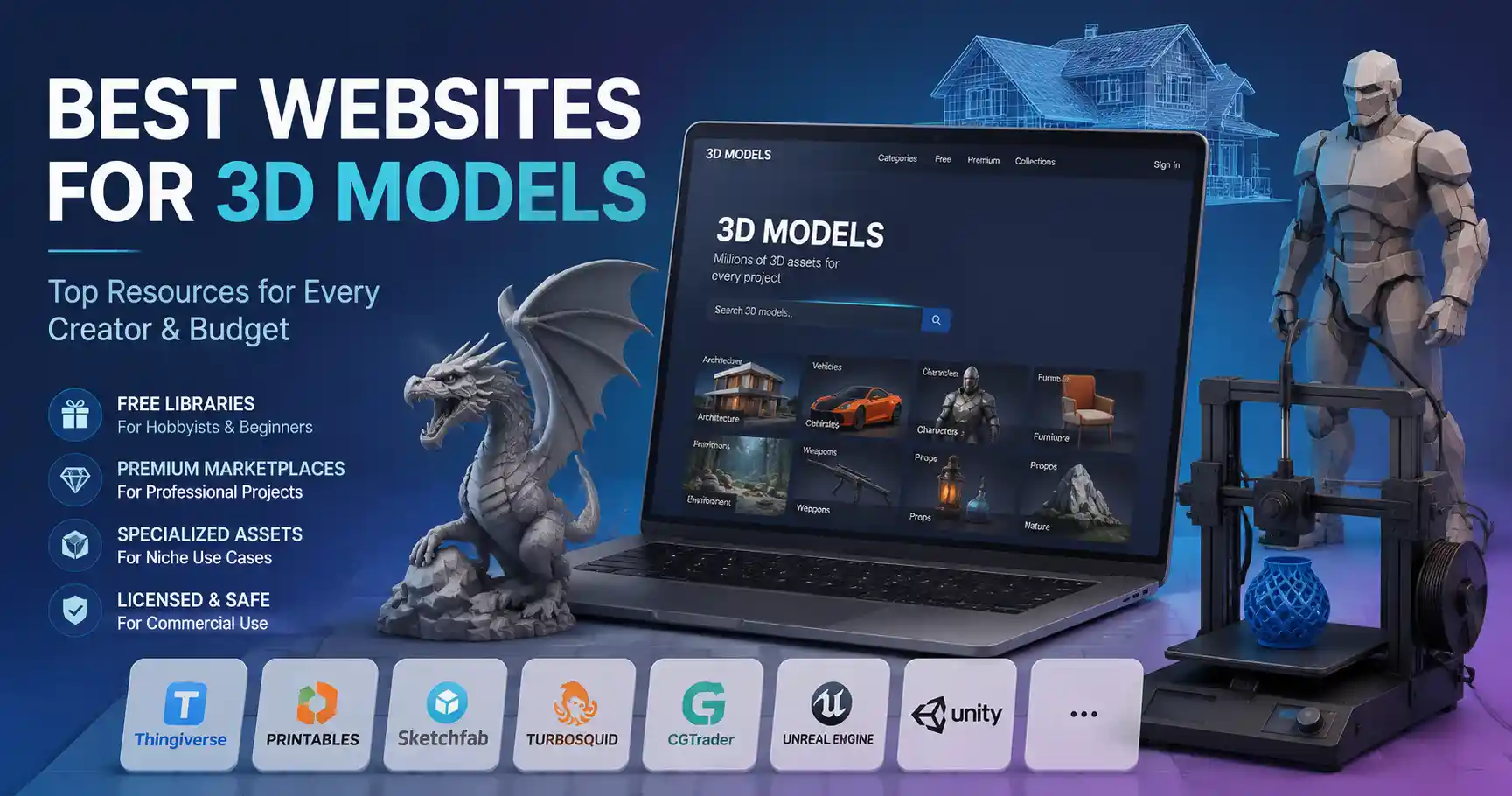
Whether you’re a hobbyist 3D printer testing a new design, a game developer building an open-world environment, an architect visualizing a new build, or a digital artist adding assets to a short film, finding high-quality 3D models can make or break your project. The right model saves hours of modeling time, matches your technical specifications, and fits your budget—whether that budget is zero or six figures. With hundreds of 3D model marketplaces and libraries online, sorting through low-poly messes, broken UV maps, and overpriced assets to find the best options feels overwhelming. This guide breaks down the top websites for 3D models across every use case and budget, so you can spend less time searching and more time creating.
Free Websites for Hobbyists and Beginners
If you’re just getting started with 3D printing, Blender experimentation, or student projects, you don’t need to invest hundreds of dollars in premium assets right away. Several established communities offer free 3D models for personal and even limited commercial use, built around shared knowledge and user-generated content. These platforms are ideal for testing new workflows, prototyping small projects, or finding reference models for learning.
Thingiverse
Owned by 3D printer manufacturer MakerBot, Thingiverse is the oldest and largest community for 3D printable models, with over 2 million free designs available to download. It’s specifically built for FDM and resin 3D printing, so every model comes with pre-tested print settings, layer height recommendations, and notes from the designer about common issues like overhangs or support requirements. Users can upload their own modifications of existing models (called remixes), so you’ll often find multiple iterations of popular designs like phone cases, cosplay props, and household organizers optimized for different printer sizes. The license for most models allows personal use, with many designers permitting non-commercial remixing and sharing. The main downside is that model quality varies wildly—some designs are uploaded by new users without testing, so you’ll want to check the comment section for feedback from other makers before you start printing.
Printables
Launched by Prusa Research, one of the most respected names in consumer 3D printing, Printables has quickly become a favorite alternative to Thingiverse for high-quality free 3D printable models. Unlike many free platforms, Printables requires designers to tag models with details like print time, filament usage, and difficulty level, and all featured models are tested by the Prusa team to ensure they print correctly. The site also includes built-in tools for sharing print settings, customizing models directly in the browser, and joining design contests with cash prizes for top creators. Most models are free for personal use, with a growing number of models available for commercial use with proper attribution. The community is highly active, and the site’s search and filtering tools are far more advanced than older platforms, letting you filter by model size, print difficulty, license type, and even filament type.
Sketchfab
Sketchfab is a versatile platform that caters to both 3D printing and digital 3D projects like game development, AR/VR experiences, and 3D visualization. It offers millions of free models that you can preview directly in your browser using Sketchfab’s built-in 3D viewer, so you can check polygon count, texture quality, and model topology before you download. The free library includes everything from simple low-poly environment assets to high-poly scanned objects like furniture, historical artifacts, and even natural landforms. Licensing varies, but you can filter search results by license type to find models that are free for commercial use with no attribution required. One of Sketchfab’s biggest advantages is its compatibility with most popular 3D software and game engines—you can embed models directly into websites, import them straight into Blender or Unity, and even export them as STL files for 3D printing.
Other notable free options include MyMiniFactory, which offers a curated selection of free 3D printable models with a guarantee that every model prints correctly, and Blender Market’s free section, which has hundreds of free models and assets built specifically for Blender users.
Premium Marketplaces for Professional Projects
When you’re working on a commercial project, need technical accuracy, or want to avoid the hassle of sorting through low-quality user-generated content, premium 3D model marketplaces offer curated assets that come with clear commercial licensing and reliable quality. These platforms work on a variety of pricing models, from one-time purchases to subscriptions, and cater to professional creators in game development, film, architecture, and product design.
TurboSquid
TurboSquid is the largest and most well-known premium 3D model marketplace, with over 1 million 3D models available for purchase across every category you can imagine. Whether you need a detailed 3D model of a specific car model for a commercial visualization, a set of realistic furniture for an architectural render, or a pack of weapons for a first-person shooter, you’ll find it on TurboSquid. What sets TurboSquid apart is its Checked by TurboSquid program, which guarantees that every certified model has been tested for technical issues like non-manifold geometry, missing textures, and incorrect scale. Models come in multiple file formats compatible with every popular 3D software, from Blender and Maya to 3ds Max and Cinema 4D, and most commercial licenses let you use the model in unlimited commercial projects with no ongoing royalties. Prices range from just a few dollars for small asset packs to hundreds of dollars for high-poly, hyper-realistic models of complex products or machinery. For frequent users, TurboSquid also offers a subscription plan that gives you a set number of downloads per month for a flat fee.
CGTrader
CGTrader is another major premium marketplace that combines a large library of pre-made 3D models with a custom design service where you can hire a 3D artist to create a model to your exact specifications. Like TurboSquid, CGTrader has a quality check program for premium models, and most models come with clear commercial licensing. What makes CGTrader stand out is its focus on affordable options for independent developers and small studios—you’ll find a lot of high-quality low-poly asset packs for indie games priced under $20, and many designers offer flexible licensing for commercial use. It’s also a great option if you need a very specific model that you can’t find pre-made: you can post a job listing, get quotes from multiple designers, and hire someone directly through the platform, with escrow protection to ensure you get what you pay for.
Unreal Engine Marketplace and Unity Asset Store
If you’re a game developer working with Unreal Engine or Unity, the official marketplaces for these engines are the best places to find 3D assets that are already optimized and ready to drop into your project. Both platforms offer a mix of free and premium assets, including 3D models, texture packs, animation rigs, and even full project templates. For indie developers just starting out, the free sections have hundreds of high-quality basic assets like environment props, character models, and architectural assets that are free to use in both personal and commercial projects. Premium assets range from small prop packs for $10 to full open-world environment packs for $100+, and all assets are guaranteed to be compatible with the latest version of the engine, so you don’t have to spend time fixing compatibility issues. One major benefit of buying assets from the official marketplace is that the licensing is very clear for commercial use, and you can keep any assets you download even if you cancel your subscription to Unreal Engine or Unity.
“For indie developers, the biggest cost isn’t the asset—it’s the time you spend fixing a broken model that doesn’t work in your engine. Paying a little extra for a marketplace model that’s already optimized and tested pays for itself in saved time.”
Other premium marketplaces worth mentioning include 3DExport, which offers a large library of reasonably priced models with flexible licensing, and Renderosity, which has a strong community of digital artists and a large selection of character models and fantasy assets.
Specialized Websites for Niche Use Cases
While general marketplaces work for most projects, some use cases require specialized models with specific technical characteristics that you won’t find on general platforms. Whether you’re 3D printing cosplay props, scanning historical artifacts, designing 3D assets for AR filters, or working on architectural visualization, there are websites built specifically for your niche.
3D Printing and Cosplay
If you’re into cosplay or prop making, two websites stand out for high-quality, print-ready costume and prop designs. MyMiniFactory has a huge section dedicated to cosplay, with thousands of pre-sized armor pieces, helmets, weapons, and costume accessories designed by professional cosplayers. Many designers offer free versions of their smaller designs, and full costume sets typically cost between $10 and $50. For premium, highly detailed cosplay designs, Cults3D is another popular option. It’s a community-driven platform where designers can sell their 3D printable models directly to buyers, and you’ll find everything from life-sized movie prop replicas to custom costume parts that fit specific body types. Most designers offer clear commercial licensing if you want to sell finished printed props, and the site’s filtering tools make it easy to find models that fit your printer’s build volume.
Architectural Visualization
Architects and interior designers need accurate, to-scale 3D models of real-world furniture, appliances, and building materials to create realistic visualizations for clients. Two sites cater specifically to this need: 3D Warehouse (owned by Trimble, the creators of SketchUp) is the largest free library of architectural 3D models, with millions of to-scale models of building components, furniture, and entire buildings uploaded by manufacturers and designers. It integrates directly with SketchUp, Revit, and other popular architectural software, so you can import models directly into your project without converting file types. For premium, high-quality models of name-brand furniture and building products, ArchDaily 3D and BIMobject are industry standards. BIMobject lets you download 3D BIM (Building Information Modeling) files directly from manufacturers, so you know the model is 100% accurate to the real product’s dimensions and specifications, which is critical for construction documentation as well as visualization.
Scanned and Photogrammetry Models
If you need hyper-realistic models of real-world objects for film, visual effects, or VR, photogrammetry (the process of creating 3D models from hundreds of photographs) produces far more realistic results than manually modeled objects. Sketchfab has a huge library of free and premium scanned models, but two specialized platforms offer higher-resolution scanned assets: 3D Scan Store offers high-poly 3D scans of human beings, animals, and everyday objects, with clean topology and PBR textures ready to use in visual effects. Prices for individual scans start around $30, and subscription plans are available for frequent users. For larger environment scans, Poly Haven offers a library of free, high-quality 3D scanned assets and HDRIs (high dynamic range environment maps) that are free for commercial use with no attribution required. It’s a favorite among independent artists and small studios for adding realistic natural environments to projects.
Key Factors to Choosing the Right Website and Model
Even when you’re using a top-tier website, not every model will be right for your project. Before you download or purchase a 3D model, there are a few key factors to check to avoid wasting time and money. Consider these practical points before you commit:
- Licensing rights: Always read the license agreement carefully before using a model in a commercial project. Some free models only allow personal use, while others require attribution to the original designer. Some premium licenses limit the number of copies you can distribute (for example, limiting 3D printed products to 500 units per year), so make sure the license matches your intended use case. If you can’t find a clear license listed, contact the designer before using the model to avoid copyright issues down the line.
- File format and compatibility: Different 3D software and use cases require different file formats. For 3D printing, you’ll need an STL or OBJ file. For game development, you’ll likely need FBX or GLB files that support rigging and animations. For architectural BIM projects, you’ll need RVT or DWG files. Always check that the model is available in the file format you need before you buy it, and confirm that it’s compatible with your software version.
- Polygon count and optimization: A hyper-detailed 100 million polygon model that looks great for a static render will crash your game engine or 3D printer. For 3D printing, you need a model with clean, manifold geometry (no holes or overlapping faces) that fits your printer’s build volume. For real-time applications like games or AR/VR, you need a low-poly model with optimized textures that runs smoothly on your target hardware. Always check the polygon count and look for previews of the model in your target use case before purchasing.
- Texture quality and UV mapping: Even a perfectly modeled 3D object looks bad if it has blurry textures or messed up UV mapping. For photorealistic projects, look for models that include PBR (physically based rendering) textures at 4K or higher resolution, which work with modern render engines to produce realistic lighting and material effects. Always use the built-in preview tools that most platforms offer to check texture quality before you download.
For new creators, it’s also worth noting that many websites offer user reviews and comments for each model. Taking two minutes to read through recent comments can alert you to common issues like missing textures, broken geometry, or incorrect scale that the preview might not show. If multiple users mention that the model has problems, it’s usually better to look for a different option or contact the designer to get the issue fixed before you purchase.
If you’re on a tight budget, there’s also a growing trend of creator Patreons where designers release new 3D models monthly for subscribers, often at a lower per-model cost than buying individual models from marketplaces. This is especially popular for 3D printing hobbyists who want new miniatures for tabletop games or new cosplay designs every month—most Patreon subscriptions cost between $5 and $20 per month, and you get access to all the designer’s previous releases as well as new content.
How to Get the Best Value for Your Money
Whether you’re working with a free budget or a large professional budget, getting the most value out of your 3D model downloads means being strategic about where you shop. Here are five actionable tips to save time and money:
- Start with free resources for non-critical assets. If you’re working on a student project, prototyping a design, or need filler assets for a background in a game or render, you don’t need to buy a premium model. Free libraries like Sketchfab, Thingiverse, and Poly Haven have more than enough high-quality assets for these use cases.
- Look for bundle deals for common asset types. If you need multiple props for a kitchen visualization or multiple trees for a game environment, buying a pre-made bundle is almost always cheaper than buying individual models. Most marketplaces let you filter search results to show bundles, and many designers offer discounts on bulk purchases.
- Take advantage of free trials for subscription services. Most premium subscription platforms like TurboSquid, 3D Scan Store, and CGTrader offer 7- to 30-day free trials that let you download a limited number of models for free. This is a great way to test the service and get a few high-quality models for a one-off project without paying for a full month.
- Check for designer discounts for independent creators and students. Most marketplaces and independent designers offer 20-50% discounts for students with a valid student ID, and many offer discounts for indie developers and small non-commercial studios.
- Always credit the original designer when required. Even if a license doesn’t require attribution, crediting designers helps support the community and encourages them to keep creating free and affordable assets for other creators.
It’s also important to remember that the cheapest option isn’t always the best value. A $10 free model that requires five hours of work to fix broken geometry costs you far more than a $30 premium model that’s ready to use right out of the box. For critical assets that are front and center in your project, paying a little extra for quality is almost always worth it.
Conclusion
The best website for 3D models depends entirely on your project, your budget, and your use case. If you’re a 3D printing hobbyist just getting started, Printables or Thingiverse will give you access to thousands of free, testable designs without spending a dime. If you’re an indie game developer working on a commercial project, the Unity Asset Store or Unreal Engine Marketplace offer optimized assets that integrate directly into your engine, while CGTrader and TurboSquid give you access to a huge range of pre-made models for every style and genre. For niche use cases like architectural visualization or cosplay, specialized platforms like BIMobject or Cults3D offer models tailored to your specific technical needs.
Ultimately, the 3D model community is one of the most collaborative and accessible parts of the digital creation space, with options for every skill level and budget. By keeping licensing, compatibility, and quality in mind when you search, you can find the right model for your project and focus on what matters: bringing your idea to life.