
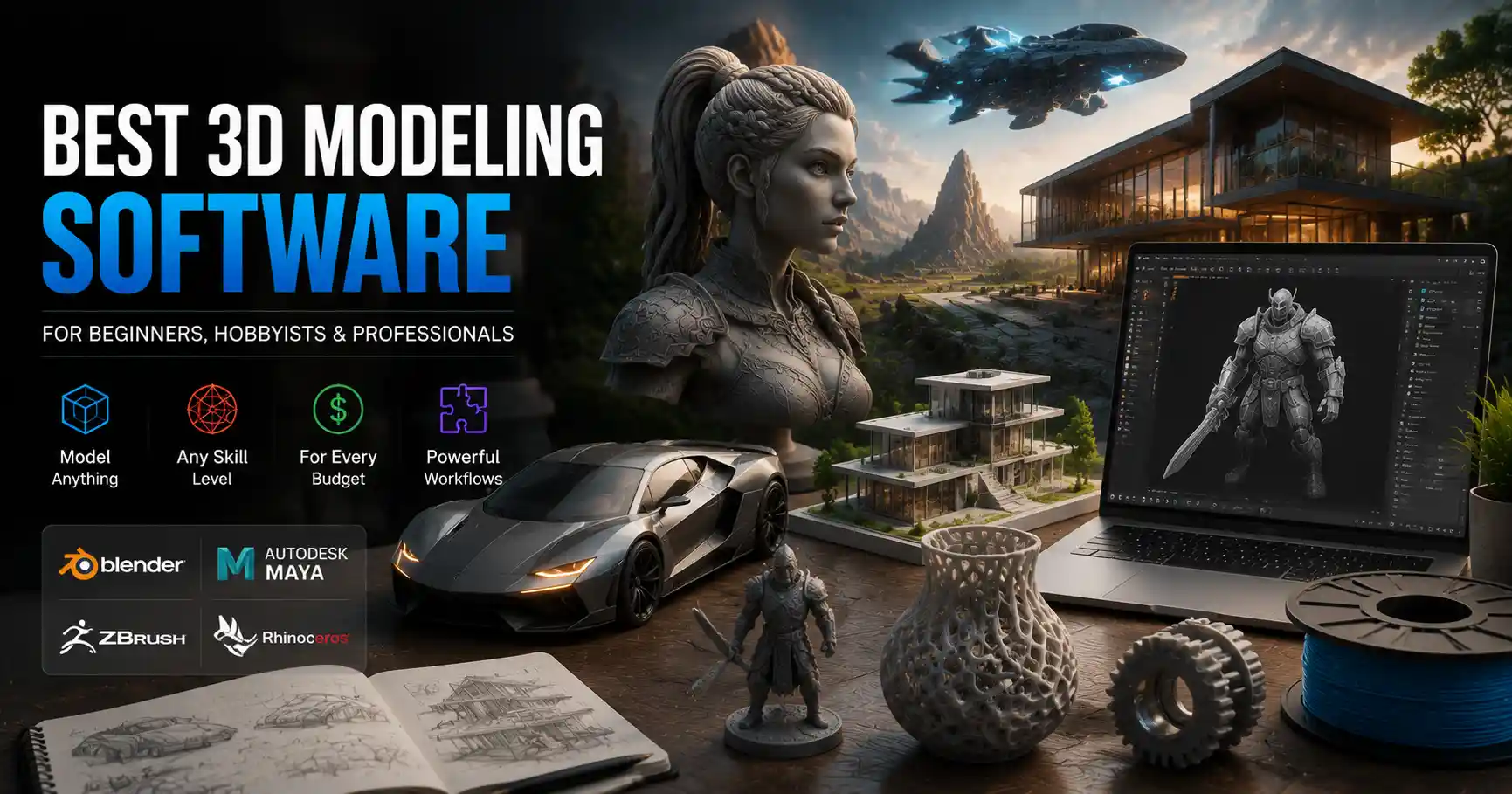
Whether you’re a game designer crafting detailed character assets, an architect visualizing a new residential development, a hobbyist 3D printing a custom cosplay prop, or a product designer prototyping the next must-have consumer gadget, choosing the right 3D modeling software can make or break your project. The market is flooded with options, ranging from free open-source tools to premium enterprise platforms, each built for specific use cases, skill levels, and budget constraints. Picking the wrong tool can leave you fighting clunky workflows, missing critical features, or paying for functionality you’ll never use. In this guide, we break down the best 3D modeling software across categories, so you can find the perfect fit for your needs.
How We Ranked The Best 3D Modeling Software
Not all 3D modeling software is created equal, and what works for a professional animator won’t necessarily work for a beginner 3D printing enthusiast. To narrow down our list of top tools, we evaluated each option based on four core criteria that matter most to users across skill levels and industries.
Use Case Specialization
3D modeling serves dozens of different purposes, from organic character sculpting for films to hard-surface modeling for industrial engineering. The best tools are built to excel at specific tasks, rather than trying to be everything to everyone. For example, a program optimized for architectural visualization will have built-in support for CAD imports and realistic rendering, while a tool for 3D printing will prioritize mesh analysis and repair features. We prioritized tools that deliver exceptional performance for their target use case, rather than overhyped generalist platforms that fall short in key areas.
Skill Level Accessibility
A $5,000 per year enterprise platform is useless to a high school student just learning 3D modeling, just as a free beginner tool won’t meet the needs of a senior VFX artist at a major studio. We categorized each tool by the skill level it’s designed for, from absolute beginner to industry professional, and evaluated how well it supports growth: does it have a robust community tutorial library? Can you start with a free version and upgrade to premium features as your skills improve? We looked for tools that meet users where they are, rather than forcing a steep learning curve on new creators.
Cost and Licensing
Budget is a major factor for most users, whether you’re a hobbyist spending your own money or a studio managing annual software subscriptions. We considered everything from completely free open-source options to perpetual licenses and tiered subscription models, and evaluated whether each tool’s pricing aligns with the value it delivers. We also prioritized tools that offer flexible licensing, such as free versions for non-commercial use or student discounts that make professional tools accessible to learners.
Compatibility and Ecosystem
3D modeling rarely happens in a vacuum. You’ll likely need to export your models for 3D printing, import assets from other tools, render with third-party software, or collaborate with other creators on a team. We evaluated how well each tool supports industry-standard file formats (such as OBJ, STL, FBX, and glTF) and integrates with common workflows, from game engines like Unity and Unreal to rendering tools like V-Ray and Keyshot. We also considered the size and activity of each tool’s user community, which is a critical resource for troubleshooting, free assets, and tutorials.
Best 3D Modeling Software for Beginners and Hobbyists
If you’re new to 3D modeling or working on personal projects as a hobby, you don’t need to pay thousands of dollars for enterprise-level features. The best beginner tools are low-cost (or free), intuitive to learn, and have large active communities that make it easy to find help when you get stuck. Below are our top picks for new creators:
Blender
It’s hard to overstate how revolutionary Blender has been for the 3D industry over the past decade. What started as a free open-source alternative to premium tools has grown into a fully-featured 3D creation suite that can handle everything from modeling and sculpting to animation, rendering, and even video editing. Best of all, it’s 100% free to download and use for any purpose, commercial or non-commercial.
For beginners, Blender’s biggest advantage is its massive global community. There are millions of free tutorials on YouTube, dedicated forums, and thousands of free assets and add-ons created by users that extend the software’s functionality. While it does have a learning curve, most new users find that they can pick up the basics of hard-surface modeling in a few weeks, and the community support means you can find answers to almost any problem in a quick Google search.
Blender is also surprisingly capable for more advanced work: it’s been used on everything from indie video games to Academy Award-winning animated shorts, and its sculpting and retopology tools rival many premium paid options. The only downside for absolute beginners is that the sheer number of features can feel overwhelming at first, but there are plenty of beginner-focused tutorial series that walk you through the interface and basic workflows step by step.
Tinkercad
If you’re an absolute beginner who just wants to create simple models for 3D printing, it doesn’t get easier than Tinkercad. Developed by Autodesk, Tinkercad is a free browser-based 3D modeling tool designed specifically for new users and educational settings. It uses a simple block-building approach that lets you combine basic shapes to create complex models, no complicated topology or mesh editing required.
Tinkercad is perfect for hobbyists who want to 3D print custom parts, cosplay props, or simple decorative items. It exports directly to STL, the standard file format for 3D printing, and you don’t need to install any software on your computer — everything runs in your web browser. It’s also widely used in K-12 and college STEM programs to introduce students to 3D design and additive manufacturing.
The catch is that Tinkercad is very limited in what it can do. It can’t handle organic sculpting, complex animations, or high-poly detailed models, so you’ll outgrow it pretty quickly if you want to advance to more complex projects. But for total beginners looking to get their feet wet without investing time or money into a more advanced tool, it’s the perfect starting point.
SketchUp Free
SketchUp is one of the most popular 3D modeling tools for architectural design, interior design, and woodworking, and the free version, SketchUp Free, is an excellent option for hobbyists and beginners. Like Tinkercad, it runs in your web browser, and it uses an intuitive push-pull interface that makes it easy to create 3D shapes from 2D outlines. It’s especially well-suited for architectural models, furniture design, and other hard-surface projects where precision is important.
SketchUp Free also gives you access to the 3D Warehouse, a massive library of free user-created models that you can import into your projects. If you’re designing a kitchen, for example, you can download pre-made models of sinks, cabinets, and appliances instead of modeling everything from scratch. The paid version, SketchUp Pro, adds advanced features like CAD import and layout tools for professional architects and designers, but the free version is more than enough for most hobbyist projects.
Best 3D Modeling Software for Professional Product Design and Manufacturing
If you’re a product designer, mechanical engineer, or industrial designer creating models for manufacturing or mass production, you need software that prioritizes precision, parametric modeling, and compatibility with CAD and CAM workflows. These tools are built for engineering-grade accuracy, with features that let you test fit, tolerances, and functionality before you ever cut a part or print a prototype. Below are our top picks for professional product design:
- Autodesk Fusion 360
Fusion 360 has become the go-to 3D modeling software for product designers, makers, and small engineering teams over the past decade, and for good reason. It combines parametric modeling, free-form modeling, CAD, CAM, and even CAE (computer-aided engineering) into a single cloud-based platform, so you can go from initial concept to production-ready design without switching tools. It supports 2.5-axis and 3-axis CNC milling, laser cutting, and 3D printing directly from the software, and it automatically saves your version history to the cloud, making it easy to collaborate with team members and revert to earlier versions of your design if something goes wrong. For startups, hobbyists, and small businesses, Fusion 360 is free for non-commercial use or for companies making less than $100,000 in annual revenue, which makes it an incredibly accessible option for growing teams. The only downside is that it is cloud-based, so you need an internet connection to access all features, and some users find that the cloud sync can be slow for large complex assemblies. But for most product designers, it’s the best balance of power, accessibility, and cost on the market today. - SolidWorks
SolidWorks is the industry standard for mechanical engineering and product design in large enterprises, and it’s been a leader in the CAD space for decades. It’s a fully-featured parametric modeling tool with incredibly advanced assembly, simulation, and drafting features, and it integrates with almost every other tool in the product development workflow, from CAM software for manufacturing to PLM (product lifecycle management) systems for large teams. The biggest advantage of SolidWorks is its ecosystem: there are thousands of third-party add-ons for every possible use case, from injection molding simulation to sheet metal design, and almost every manufacturing shop on the planet is set up to work with SolidWorks files. That said, SolidWorks is expensive: a perpetual license starts at around $4,000, with annual maintenance fees of around $1,200, which puts it out of reach for most hobbyists and small startups. It also has a steep learning curve, and it’s overkill for simple projects. But if you’re a professional mechanical engineer working at a mid-sized or large company, it’s still the gold standard for a reason. - Rhino 3D
Rhino 3D (also called Rhinoceros) is a favorite among industrial designers, architects, and jewelry designers who need more flexibility than traditional parametric CAD tools offer. It’s built around NURBS (non-uniform rational B-splines) modeling, which lets you create smooth, precise organic and free-form shapes that are difficult to achieve with parametric solid modeling. Rhino is incredibly flexible: it supports almost every 3D file format, so you can import and export assets from almost any other tool, and it has a huge library of third-party plugins, including popular tools like Grasshopper for parametric and generative design, and Keyshot for rendering. A single perpetual license for Rhino costs around $1,000, which is far more affordable than SolidWorks for independent designers, and there’s a 90-day free trial that lets you test it out before you buy. It’s less focused on engineering simulation and CAM than Fusion 360 or SolidWorks, but for designers creating complex free-form products like furniture, jewelry, or consumer goods, it’s hard to beat.
Best 3D Modeling Software for Animation, Games, and VFX
If you’re creating 3D assets for video games, animated films, or visual effects, your priorities are different from product designers. You need powerful tools for organic sculpting, retopology, UV mapping, rigging, and animation, and you need to be able to optimize assets for real-time rendering in game engines. Below are our top picks for creative 3D workflows:
Blender (Again, and For Good Reason)
We already mentioned Blender in the beginner section, but it’s worth repeating: Blender is now a fully competitive professional tool for game development, animation, and VFX. Its sculpting tools are incredibly powerful, with support for high-poly models with millions of polygons, and its built-in retopology, UV editing, and rigging tools let you take a model from sculpt to game-ready asset without leaving the software. It also has a built-in cycle renderer for photorealistic stills and animations, and a real-time Eevee renderer for previewing work and creating real-time assets. Blender is even used in major studio productions now: it was used for VFX in Spider-Man: Into the Spider-Verse and The Batman, and the open-source film Spring won an Academy Award for Best Animated Short in 2021.
Blender didn’t just change the game for independent creators — it upended the entire 3D industry. Ten years ago, you needed to spend tens of thousands of dollars on software to make a feature film or AAA game. Today, a teen with a laptop can download the same tools used by major studios for free. That level of accessibility is going to lead to creative innovations we can’t even imagine yet.
For indie game developers and small animation studios, Blender is a no-brainer. It’s free, it supports exporting to all major game engine formats like FBX and glTF, and it integrates seamlessly with Unity and Unreal Engine. The only downside is that it lacks some of the advanced collaboration tools that large VFX studios need, but for 99% of creators, it’s more than enough.
ZBrush
When it comes to high-poly organic sculpting, ZBrush is still the industry standard, and it’s been for over 20 years. Used by almost every major game studio and VFX house for creating detailed characters, creatures, and environment assets, ZBrush has a set of sculpting brushes and tools that are unmatched by any other tool on the market. It lets you work with incredibly high-poly models with hundreds of millions of polygons, which makes it possible to create incredibly detailed details like skin texture, wrinkles, fabric weaves, and surface imperfections that make models look realistic.
ZBrush is a niche tool, though: it’s focused almost entirely on sculpting, so you’ll need to use other tools for retopology, UV mapping, rigging, and animation. It also has a very unconventional interface that has a steep learning curve for new users. A perpetual license costs around $900, or you can subscribe for $40 per month, which makes it a significant investment. But if you’re a professional character sculptor or creature designer working in games or VFX, it’s worth every penny.
Maya
Autodesk Maya has been the industry standard for 3D animation and VFX for large studios for decades, and it still holds that position today. It has incredibly advanced tools for modeling, rigging, animation, simulation, and rendering, and it’s used on almost every big-budget animated film and AAA game. It integrates seamlessly with other Autodesk tools like Mudbox for sculpting and Arnold for rendering, and it supports custom scripting and plugin development, which lets large studios customize it to fit their specific workflows.
That said, Maya is expensive: a subscription costs around $225 per month, or $1,785 per year, which puts it out of reach for most independent creators. It also has a very steep learning curve, and many of its features are overkill for small projects. But for large studios working on big-budget productions, it’s still the go-to tool for a reason.
Best 3D Modeling Software for 3D Printing
3D printing has specific requirements that not all 3D modeling tools address. You need to be able to create watertight meshes, check for errors that will cause printing failures, and export clean STL or OBJ files. Some tools are specifically built to streamline the 3D printing workflow, while others have features that make it easy to prepare models for print. Below are our top recommendations:
- Blender: With add-ons like the 3D Print Toolbox, Blender lets you analyze your mesh for errors like non-manifold geometry, overlapping faces, and thin walls, and it makes it easy to repair those errors before exporting. It’s free, and it’s powerful enough to handle everything from simple props to complex high-poly models.
- Autodesk Fusion 360: For functional 3D printed parts like mechanical components, jigs, and fixtures, Fusion 360 is perfect. Its parametric modeling makes it easy to adjust dimensions and tolerances, and it has built-in tools for analyzing mesh errors and exporting clean STL files. It’s also free for hobbyists and small businesses, as we mentioned earlier.
- Meshmixer: If you just need to repair and prep existing models for 3D printing, rather than modeling from scratch, Meshmixer is a free tool from Autodesk that was built specifically for that purpose. It lets you combine multiple models, hollow out parts to save filament, add support structures, and fix common mesh errors in just a few clicks.
- PrusaSlicer: While it’s primarily a slicer (the tool that converts your 3D model into G-code for your printer), PrusaSlicer also includes basic modeling and repair tools that let you make simple changes to models before slicing. It’s 100% free, and it’s optimized for 3D printing workflows.
For most 3D printing hobbyists, the combination of Blender or Fusion 360 for modeling and Meshmixer or PrusaSlicer for prep is all you need. You don’t need to pay for expensive specialized software unless you’re working on very complex production parts.
Conclusion
There’s no one “best” 3D modeling software that works for every user — the right tool for you depends on your use case, your skill level, and your budget. For beginners and hobbyists, Blender is the clear standout: it’s 100% free, it’s incredibly powerful, and it has a massive community that makes it easy to learn. For professional product designers and engineers, Fusion 360 offers an unbeatable combination of power and accessibility for small teams, while SolidWorks remains the standard for large enterprises. For game development, animation, and VFX, Blender now competes with premium tools for most independent creators, while ZBrush and Maya remain the go-to choices for large studios working on high-budget projects.
The biggest change in the 3D industry over the past decade has been the democratization of tools: what was once an expensive hobby reserved for large corporations and professional studios is now accessible to anyone with a laptop. Whether you’re just learning the basics or you’re a seasoned professional working on industry-leading projects, there’s never been a better time to be a 3D creator. The best thing you can do is pick a tool that matches your current needs, start small, and don’t be afraid to switch tools as your skills and projects evolve.