
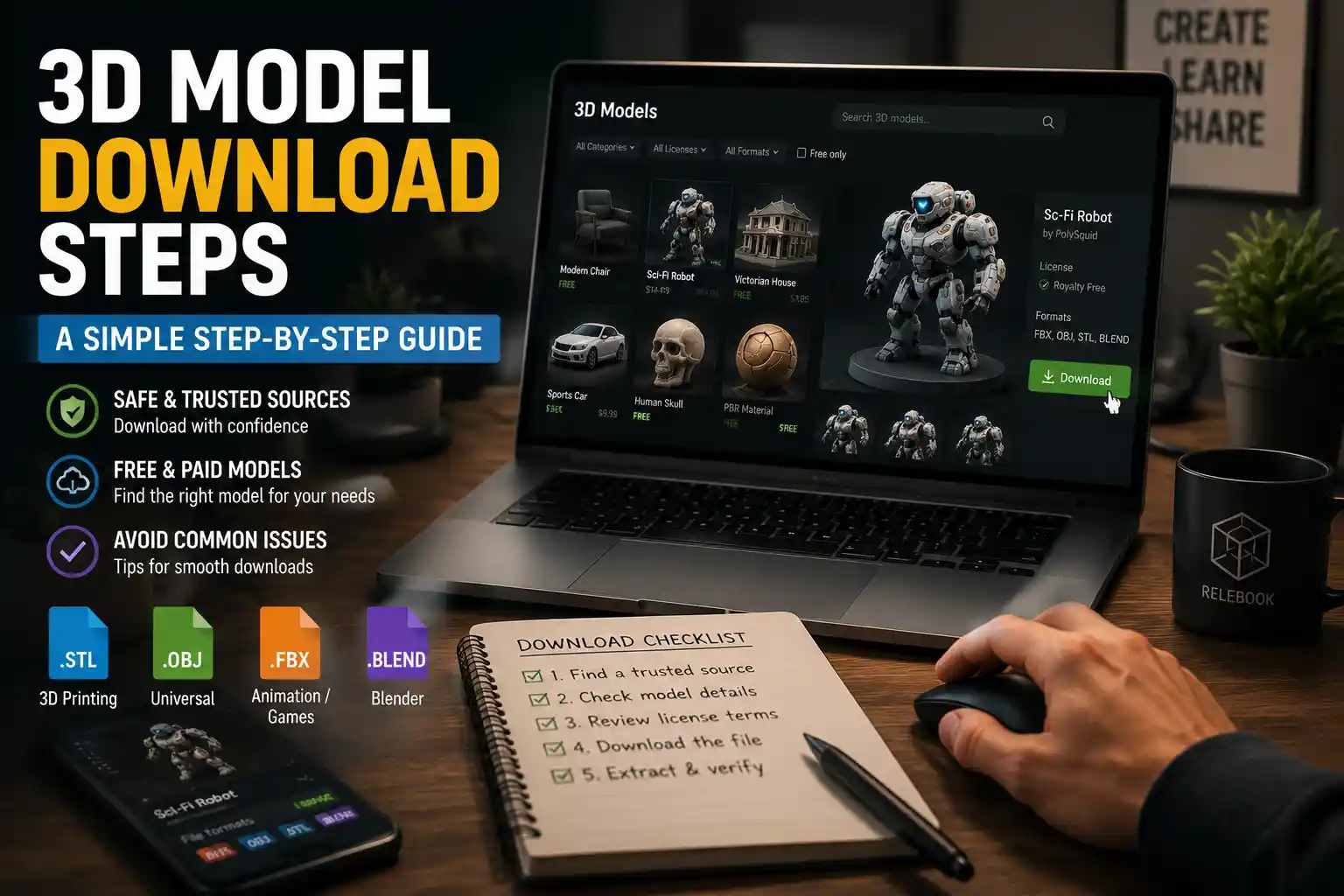
Whether you’re a 3D printing enthusiast, a game developer, a product designer, or just someone looking to add a custom figurine to your desk collection, downloading a 3D model is the first step to bringing your digital idea into the real (or virtual) world. What seems like a simple click of a button can quickly turn confusing if you’ve never done it before: there are dozens of file formats, paid vs free sources, copyright rules to navigate, and even safety risks from untrusted websites. This step-by-step guide breaks down everything you need to know to download 3D models safely, legally, and in the right format for your project.
Identify Your Project Requirements First
Before you start searching for 3D models to download, take 10 minutes to clarify what you actually need. Skipping this step often leads to downloading a model that doesn’t work for your printer, software, or end goal, wasting time and storage space. The two most critical factors to narrow down are your file format and the intended use of the model.
Match the file format to your tool
3D models come in dozens of file formats, and each is designed for a specific use case. Using the wrong format can lead to broken geometry, missing textures, or an inability to open the file at all. The most common formats you’ll encounter include:
- STL (Standard Tessellation Language): The most widely used format for 3D printing. STL files only store the surface geometry of a model, so they’re simple, lightweight, and compatible with almost all consumer 3D slicers and printers. If you’re downloading a model to print, this is almost always what you need.
- OBJ (Object File): A popular format for visual projects like game design, animation, and rendering. Unlike STL, OBJ files support texture maps and color information, making them ideal for models that need detailed surface finishes.
- FBX (Filmbox): The go-to format for animated 3D models in game development and motion capture work. FBX supports rigging, bones, and animation sequences, which makes it far more useful for interactive projects than static formats like STL or OBJ.
- GLB/GLTF (GL Transmission Format): A modern, web-friendly format for 3D models used in AR (augmented reality), VR (virtual reality), and online 3D viewers. GLB files are single-file containers that pack geometry, textures, and animations into one small, shareable package.
If you’re still unsure what format you need, check the documentation for your 3D printer, slicer, or design software. Most tools list supported formats on their official website, so a quick search will save you from downloading the wrong file.
Define your use case and licensing needs
Beyond file format, you need to know how you plan to use the 3D model to avoid running afoul of copyright law. Are you downloading the model for personal use (like printing a custom phone case for your own use) or commercial use (like selling 3D printed copies of the model online)? Most free 3D models come with licenses that restrict commercial use, so it’s critical to confirm licensing terms before you download.
For example, many creators release models under Creative Commons licenses that require attribution, or prohibit commercial use entirely. If you plan to sell products based on the downloaded model, you’ll need to look for models labeled for commercial use, usually from paid marketplaces or sites that explicitly allow commercial redistribution.
Find a Trusted Source for 3D Models
Once you know what you’re looking for, the next step is to find a reliable website to download your model. The 3D model space has grown exponentially over the last decade, and there are now hundreds of platforms hosting everything from free household items to high-poly professional models. Not all sites are created equal, though: untrusted platforms can host malware-infected files, stolen models, or low-quality geometry that won’t slice or print correctly.
Free sources for personal use
If you’re working on a personal project and don’t want to pay for a model, there are several reputable free platforms that host high-quality, community-created models:
- Thingiverse: The largest and most well-known free 3D model platform, owned by 3D printer manufacturer MakerBot. Almost all models on Thingiverse are free for personal use, and the community regularly tests and updates designs to fix printing issues. It’s the best place to start for functional prints like phone stands, organizers, and replacement parts.
- Printables: A relative newcomer owned by Prusa Research, one of the most respected consumer 3D printer brands. Printables has quickly gained a reputation for higher-quality free models than many other platforms, with built-in tutorials, print setting recommendations, and active community moderation to remove stolen content.
- MyMiniFactory: Offers a mix of free and paid models, with a strong focus on tabletop gaming figurines and hobbyist projects. All free models on MyMiniFactory are guaranteed to be 3D printable, so you’re less likely to run into broken geometry that won’t slice.
- Sketchfab: A massive platform for all types of 3D models, not just 3D printing. Sketchfab has a powerful search filter that lets you find free models with commercial use licenses, and it’s one of the best sources for textured models for game design or AR projects.
These platforms are all moderated to reduce malware and stolen content, so they’re far safer than downloading random model files from internet forums or unvetted file-sharing sites.
Paid sources for high-quality and commercial use
If you need a model for commercial use, or want a professional-quality design that’s guaranteed to work, paid marketplaces are almost always worth the investment. Prices range from just a few dollars for a small figurine to hundreds of dollars for a complete 3D product model, so you can find something that fits your budget. Popular options include:
- Cults3D: A French-based marketplace with a huge community of independent 3D designers. Cults3D lets you filter searches by license type, so you can easily find models that allow commercial use. Most designs cost between $1 and $10, and creators often include pre-tested print settings to make your life easier.
- CGTrader: A professional marketplace for 3D models aimed at game developers, product designers, and animators. You can find everything from low-poly game assets to high-resolution product models for e-commerce, and all purchases come with a clear commercial license.
- TurboSquid: One of the oldest and largest professional 3D model marketplaces, with over a million models available for purchase. It’s particularly popular for architectural visualization, game development, and industrial design projects.
How to spot untrusted sites
Even if you’re looking for a free model, avoid sites that ask you to install a special downloader or browser extension to access files. These almost always come with adware or malware that can infect your computer. Also, be wary of sites that host premium models from paid marketplaces for free: these are almost always pirated, and downloading stolen content is illegal and unethical for creators who spend hours designing models.
3D printing thrives on a community of creators sharing their work. When you download a pirated model, you’re stealing hours of work from an independent designer who invested time into creating a high-quality, test-printed design. Even for personal use, supporting creators through legitimate platforms helps the community grow and produces more great designs for everyone.
Step-by-Step Guide to Downloading Your 3D Model
Once you’ve found the model you want, the downloading process is straightforward, but there are a few small steps you can take to avoid common issues. This step-by-step process works for almost any 3D model, whether you’re downloading it for 3D printing or digital use.
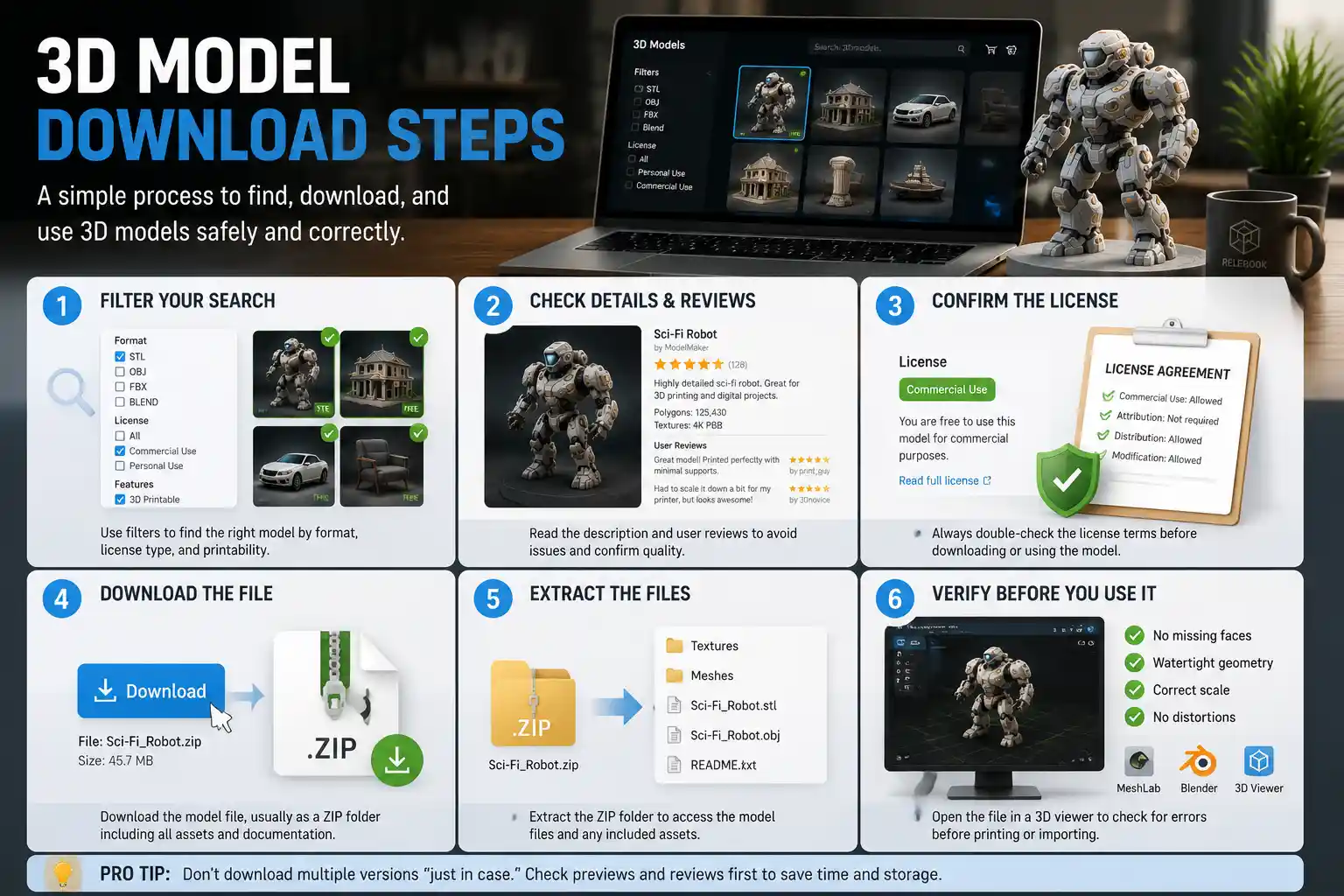
- Filter your search to match your requirements Most reputable platforms let you filter search results by file format, license type, and printability. For example, if you’re looking for a 3D printable model for commercial use, use the filters to show only STL files with commercial licenses. This cuts out all the irrelevant results that don’t fit your needs before you even start clicking.
- Check the model details and user reviews Before you download, take a minute to read the model description and look at user comments or makes. For 3D printable models, other users will often leave notes about common issues, like required supports or fitting adjustments, that can save you a lot of time later. They’ll also confirm if the model actually prints correctly, so you don’t waste time downloading a broken design. For digital models, check the polygon count and texture resolution to make sure it fits the needs of your project.
- Confirm the license terms Double-check the licensing information on the model page. Don’t assume that a free model is free for commercial use: most Creative Commons licenses restrict commercial use, or require explicit attribution. If you can’t find the license listed anywhere, contact the creator before you download to ask for permission to use it.
- Download the file to your device Most platforms let you download the model directly as a ZIP file (a compressed folder that contains the 3D model file and any related texture files or documentation). ZIP files are safe as long as you download them from a trusted source, and they reduce the file size to make downloading faster. Some platforms, like Thingiverse, also let you download files directly without compression, but ZIP is the standard for models with multiple files.
- Extract the files from the ZIP folder Once the download is complete, you’ll need to extract the files to access the 3D model. On Windows, you can right-click the ZIP folder and select “Extract All” to pull out the files. On Mac, just double-click the ZIP folder to automatically extract the contents. On mobile devices, you may need a free file explorer app to extract ZIP files.
- Verify the file works before you use it Before you try to slice the model for printing or import it into your game engine, open it in a free 3D viewer like Meshlab, Blender, or the built-in 3D viewer on Windows 10/11 to make sure the geometry isn’t broken. Look for missing faces, non-manifold geometry, or distorted shapes that would cause issues later. If the file is corrupted or broken, you can usually download it again from the site, or try a different version of the model from another creator.
One common mistake new users make is downloading multiple versions of the same model to “have options,” which ends up cluttering your hard drive with large files. If you’re not sure which version you want, check the preview images and user comments first to narrow it down to one or two options before downloading.
Troubleshoot Common Download Issues
Even when you follow all the steps, you can run into issues with downloaded 3D models. Most problems are easy to fix with a few simple troubleshooting steps, so don’t panic if your model doesn’t work the first time.
Corrupted or broken file downloads
If your 3D model won’t open, or the geometry looks distorted when you view it, the most common issue is an incomplete download. This can happen if your internet connection cut out mid-download, or if the file was uploaded incorrectly to the site. First, try deleting the file and downloading it again. If that doesn’t work, check if the creator has uploaded an updated version of the model, or leave a comment on the model page asking the creator to check the file.
The file format is incompatible with your software
If you downloaded a model in the wrong format, you don’t need to go find a new one in most cases. You can convert almost any 3D file format to another using free software like Blender or online converters like Convertio. For example, if you downloaded an OBJ model that you want to 3D print, you can import it into Blender and export it as an STL in just a few clicks. Just be aware that converting from a complex format like FBX to STL will remove any texture or animation data, so that’s only suitable for static 3D printing projects.
Low-quality or non-printable geometry
Even if the file opens correctly, you may run into issues when you try to slice it for 3D printing. Common issues include non-manifold edges, overlapping faces, or holes in the geometry that prevent the slicer from generating a print path. Most of these issues can be fixed with free tools like Meshmixer, which is designed specifically for repairing STL files for 3D printing. You can import the broken model into Meshmixer, run the “Inspector” tool, and it will automatically fix most common geometry issues. If the model is extremely low-quality, though, you may be better off downloading a different version from another creator.
Copyright and licensing disputes
If you’ve already downloaded a model and later realized you don’t have the right license for your intended use, don’t ignore the issue. The easiest fix is to contact the creator directly and ask if you can purchase a commercial license, even if the model was originally free. Most creators are happy to work out a license agreement for a small fee. If that’s not possible, delete the model and find a similar model with the correct license from a marketplace.
Security risks from downloaded files
Can 3D model files contain malware? In most cases, no: STL and OBJ files are just plain text or simple 3D geometry files that can’t execute code. The exception is executable files disguised as 3D models, or compressed ZIP folders that contain EXE or DMG files. Never open any file with a .exe, .bat, .app, or .dmg extension that you didn’t expect to find in your download. If you only expect a 3D model file and your ZIP folder contains an executable, delete the entire file immediately, as it’s almost certainly malware.
Best Practices for Organizing and Storing Downloaded 3D Models
Once you start downloading 3D models regularly, your download folder can quickly become a mess of unlabeled ZIP files and models you can’t find later. A few simple organization habits will save you hours of searching for that one perfect model you downloaded a few months ago.
First, create a dedicated folder on your hard drive just for 3D models, and sort models into subfolders by category. For example, you might have subfolders for “Functional Prints,” “Figurines,” “Game Assets,” and “Organizers.” Within each category, name each model file with a clear name that matches the model, instead of leaving it as the generic “model_v2.stl” that many creators upload. For example, rename “model_v2.stl” to “IKEA_SPELSTA_Drawer_Pull.stl” so you can find it immediately when you need it.
It’s also a good idea to keep a text file with each model that notes the source website, the creator’s name, and the license terms. This is especially important for models you plan to use commercially, as you’ll need to keep track of your license permissions for future reference. If you’re storing a lot of large models, consider using an external hard drive or cloud storage like Google Drive or Dropbox to save space on your main computer hard drive. Most 3D model files are relatively small (most STLs are under 100MB), so they don’t take up much space even when you have hundreds of them stored.
Another good practice is to back up your downloaded models regularly. If your hard drive fails, you don’t want to lose all the models you’ve collected over months or years. A cloud backup or external hard drive backup is cheap insurance against data loss.
Conclusion
Downloading a 3D model doesn’t have to be complicated, even if you’re completely new to 3D printing or design. By starting with clear requirements for your project, choosing a trusted source for your model, and following a few simple steps to verify the file before you use it, you can avoid most common issues and get straight to working on your project. Always remember to check license terms to respect creators’ rights, and stick to reputable platforms to avoid security risks. Whether you’re downloading a free replacement part for your kitchen or purchasing a professional model for a commercial product, the process boils down to knowing what you need, where to get it, and how to check that it works before you start. With these tips, you’re ready to explore the huge world of shared 3D models and start bringing your ideas to life.